วิธีการสั่งซื้อ
อัปเดต 13 กุมภาพันธ์ 2569
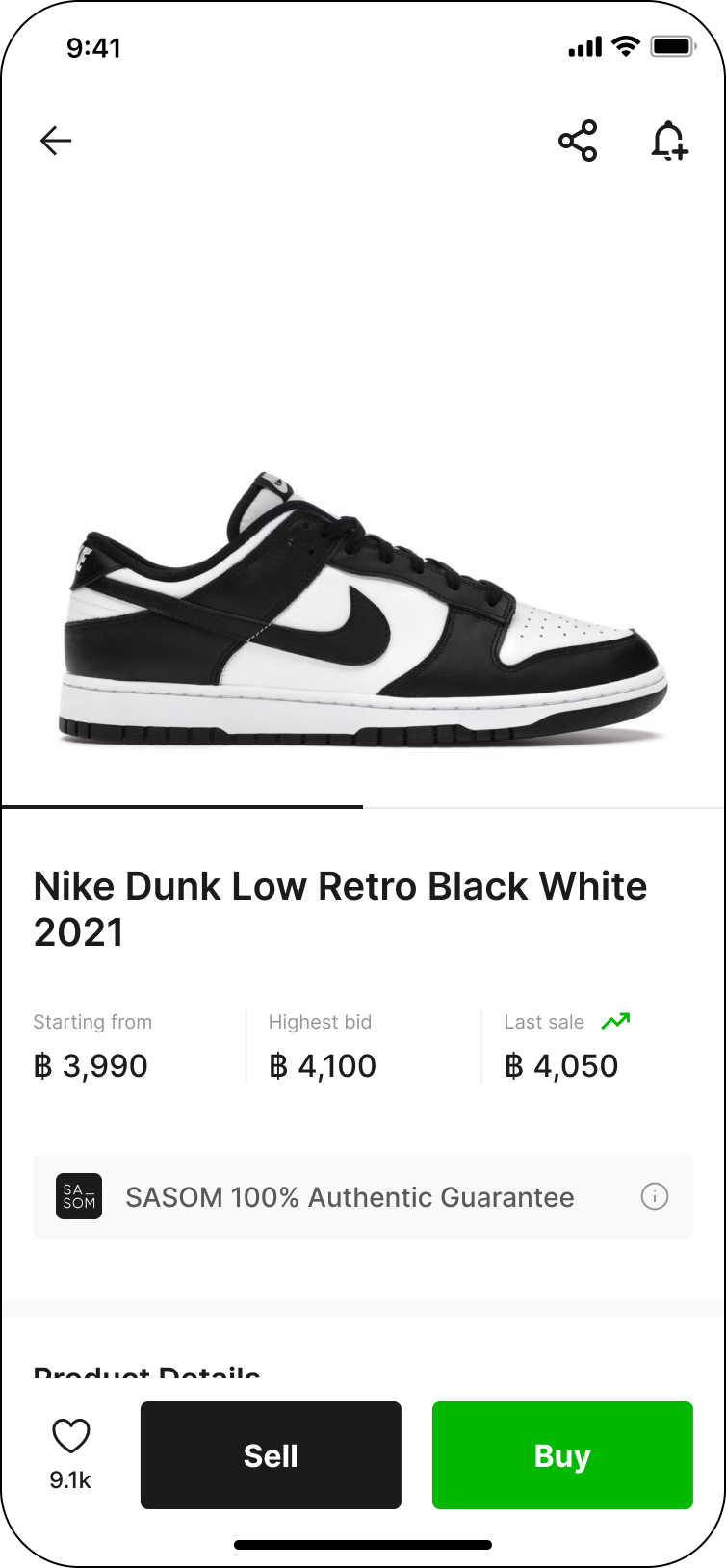
ขั้นตอนที่ 1: เลือกของ SASOM ของคุณ
เลือกสินค้าที่ผู้ซื้อต้องการ แล้วคลิกที่ปุ่ม 'ซื้อ' (Buy)
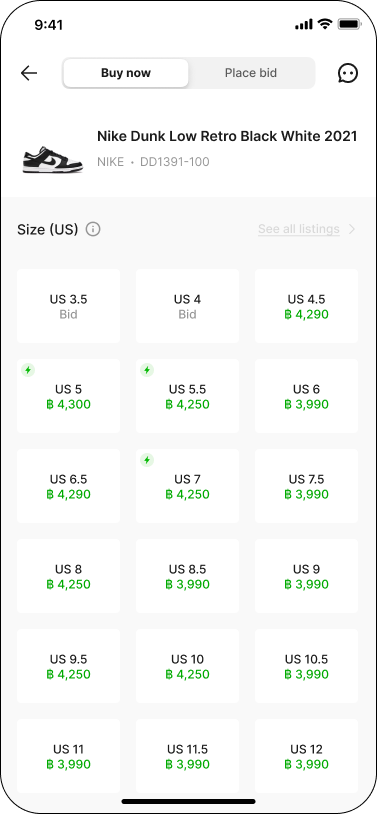
ขั้นตอนที่ 2: เลือกไซซ์ของสินค้า
ระบบจะแสดงราคาจัดส่งที่เร็วที่สุดและราคาที่ดีที่สุดของแต่ละไซซ์
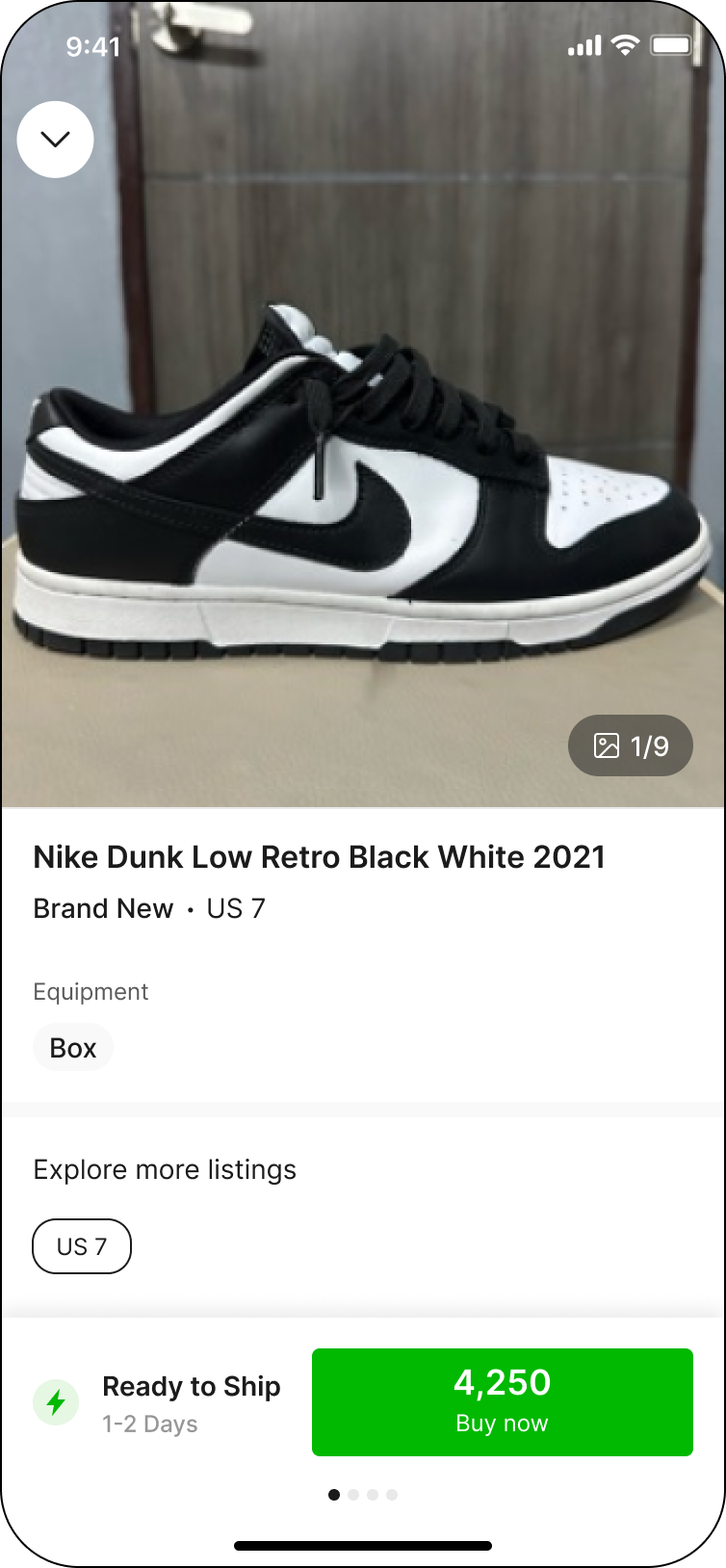
ขั้นตอนที่ 3: เลื่อนเพื่อดูรูปแบบการสั่งซื้อ และกดเลือกรายการที่ผู้ซื้อต้องการ
เราคัดเลือกรายการที่จัดส่งเร็วที่สุดและราคาดีที่สุดให้คุณแล้ว! กดเลือกเพื่อซื้อสินค้า หรือเลื่อนขึ้นเพื่อดูรายละเอียดเพิ่มเติม
หากผู้ซื้อต้องการเลือกดูสินค้ามือหนึ่ง หรือสินค้ามือสองรายการอื่น ๆ สามารถกด ‘ดูรายการทั้งหมด’ (See all listings) ในหน้าเลือกไซซ์ เพื่อดูรายการตั้งขายทั้งหมด
หมายเหตุ:
✳ ผู้ซื้อสามารถ ‘ดูรายการอื่นเพิ่มเติม’ (Explore more listings) ในหน้ารายละเอียดของรายการ เพื่อเลือกดูรายการตั้งขายเฉพาะไซซ์ที่เลือก หรือรายการตั้งขายทั้งหมด
✳ สำหรับสินค้าในหมวดหมู่รองเท้า (Shoes) ผู้ซื้อสามารถดูรายการตั้งขายทั้งหมดได้เฉพาะไซซ์ที่เลือกเท่านั้น
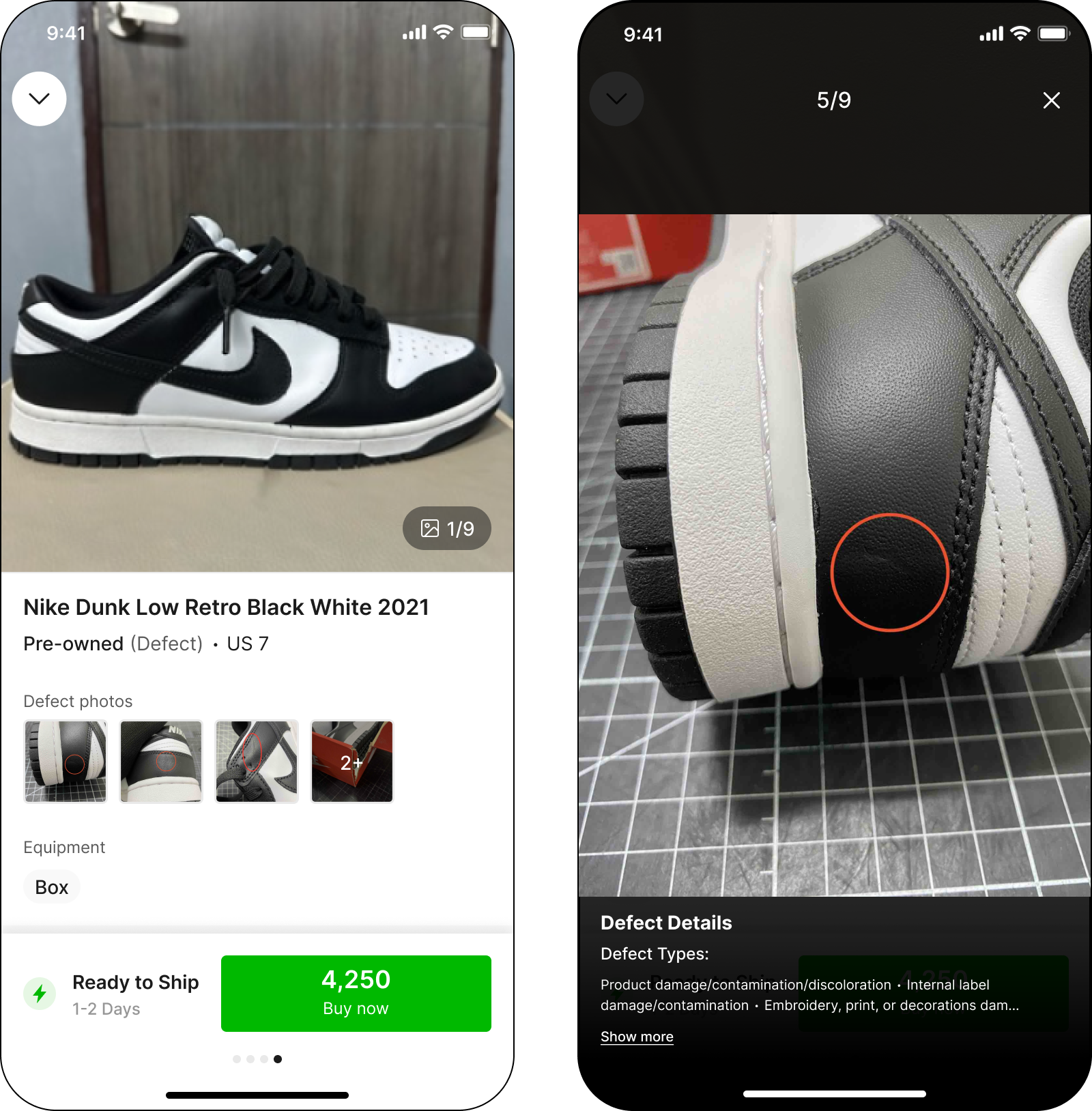
กรณีที่สินค้ามีตำหนิ ผู้ซื้อสามารถดูรายละเอียดตำหนิของสินค้าได้ โดยคลิกที่ ‘ภาพถ่ายตำหนิ’ (Defect photos)
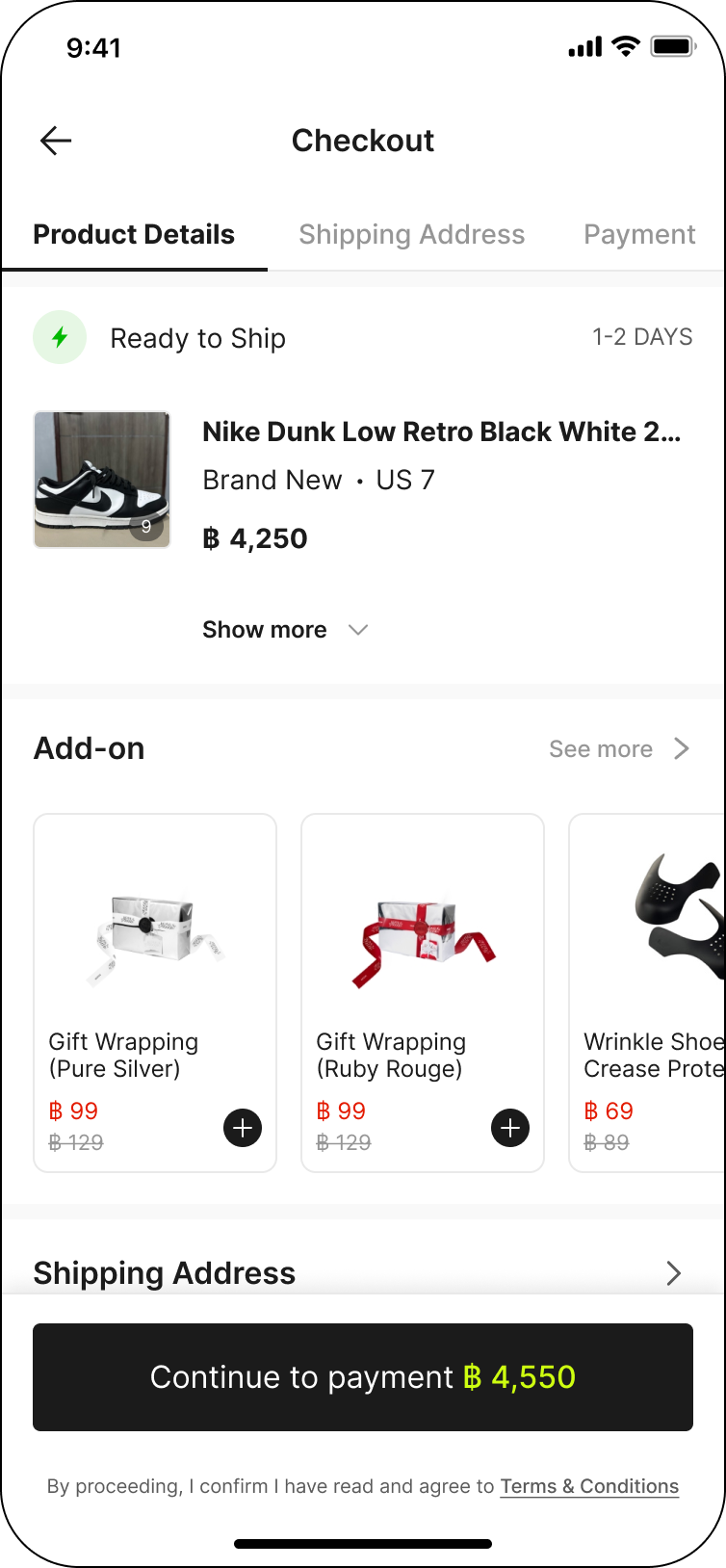
ขั้นตอนที่ 4: Checkout
กรอกข้อมูลที่อยู่ในการจัดส่ง เลือกวิธีการจัดส่ง และช่องทางการชำระเงิน เลือกซื้อบริการเสริม (Add-on service) หรือใส่รหัสส่วนลด (ถ้ามี) แล้วกด'ชำระเงิน' (Continue to payment)
ขั้นตอนที่ 5: ชำระเงิน
ระบบจะดำเนินการไปยังหน้าชำระเงิน ตามช่องทางการชำระเงินที่ผู้ซื้อได้เลือกไว้ก่อนหน้านี้
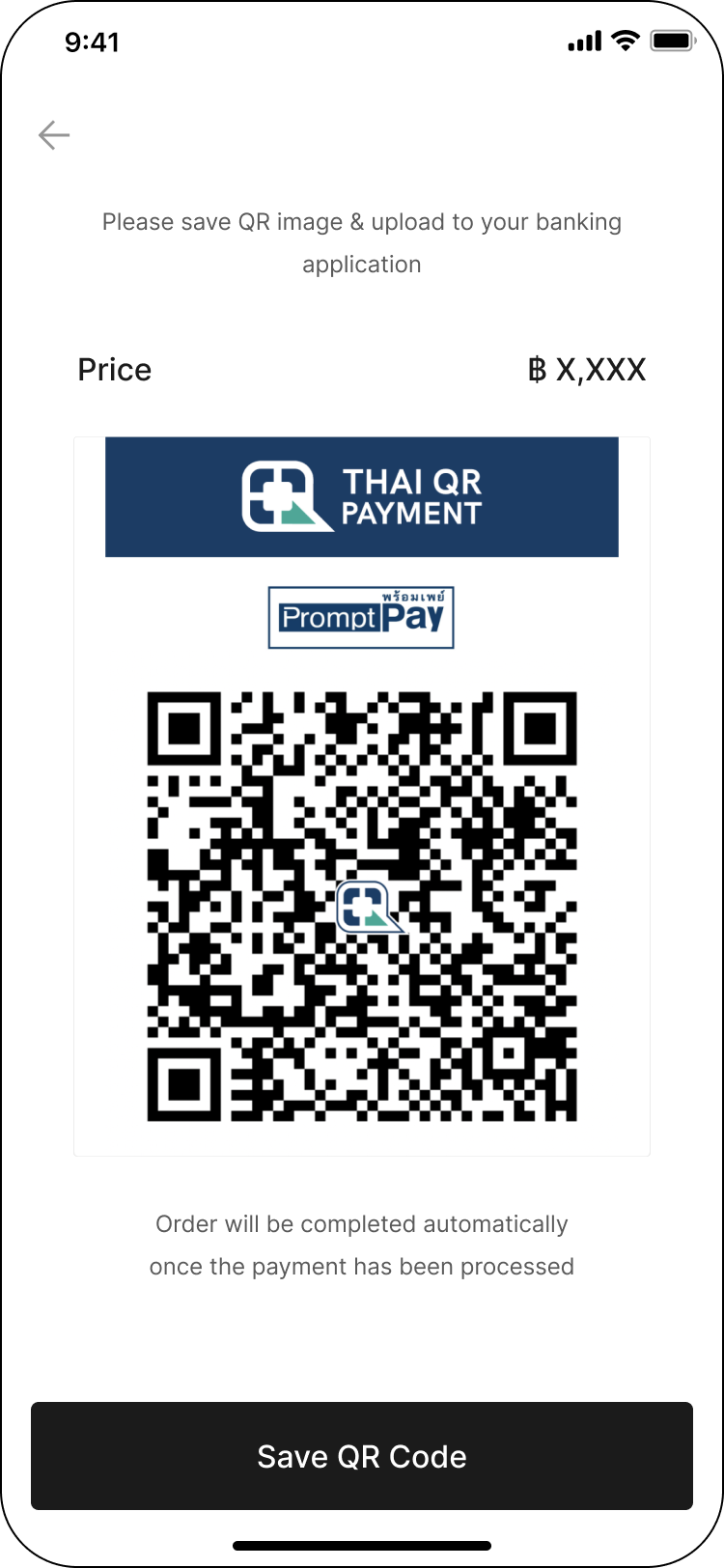
✳ โอนผ่านธนาคาร (Bank transfer)
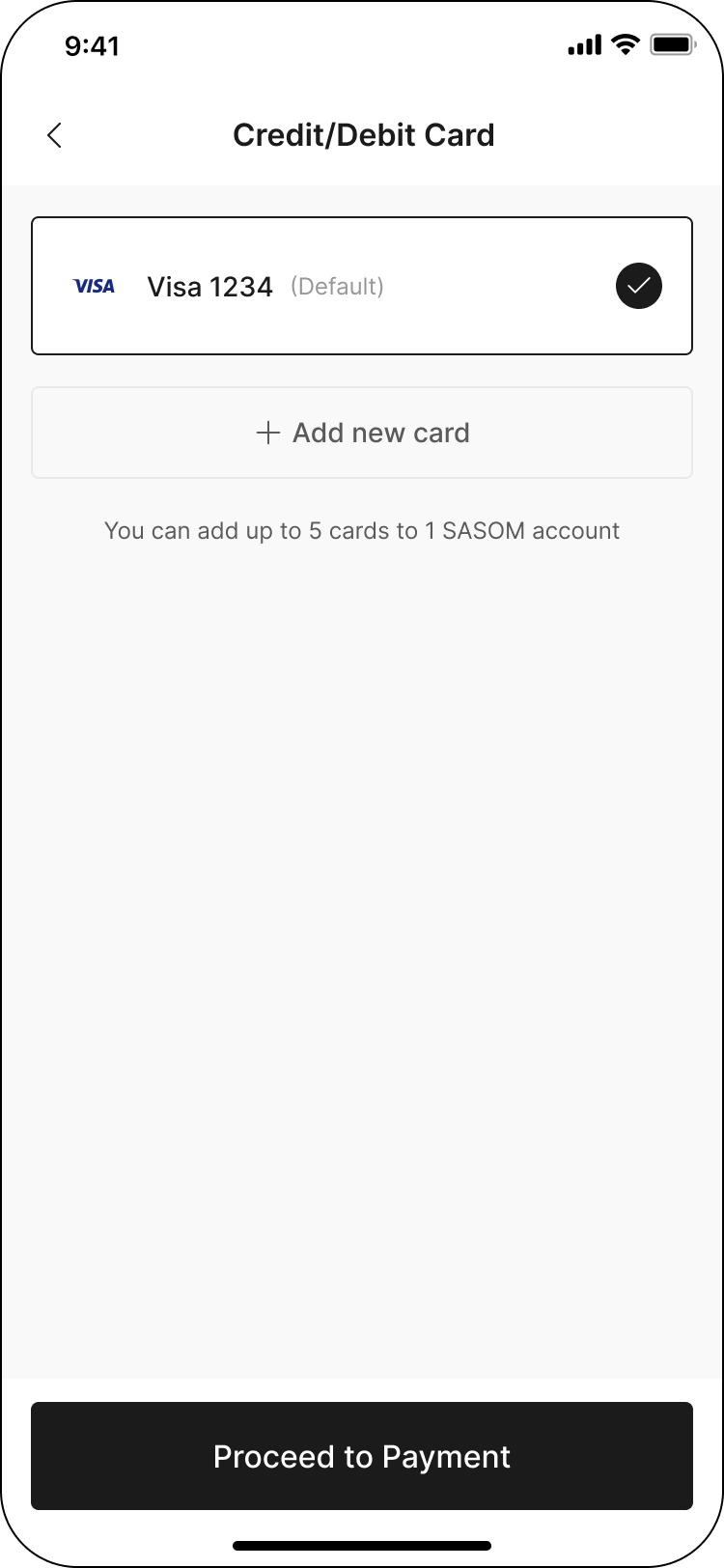
✳ บัตรเครดิต/เดบิต (Credit/Debit card)
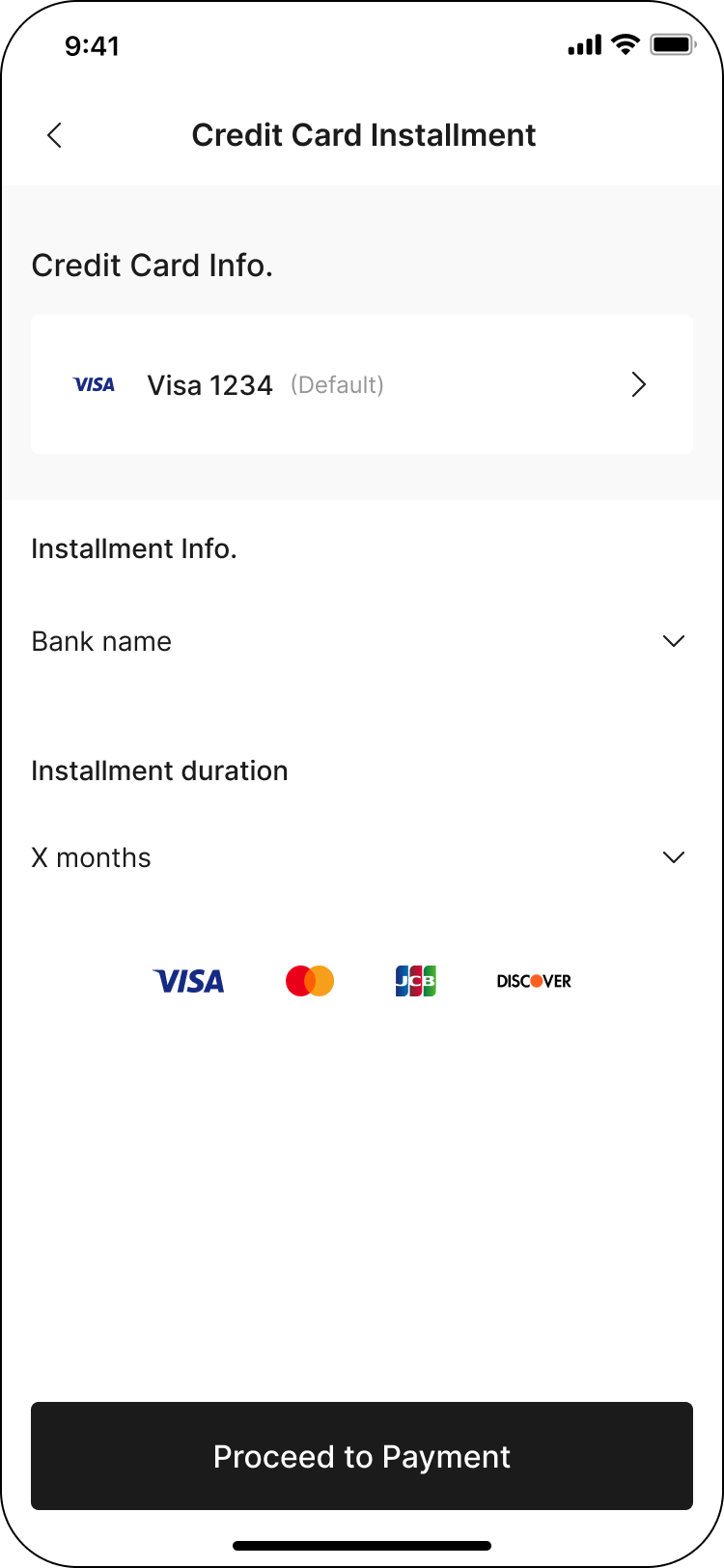
✳ ผ่อนชำระผ่านบัตรเครดิต (Credit card installment)
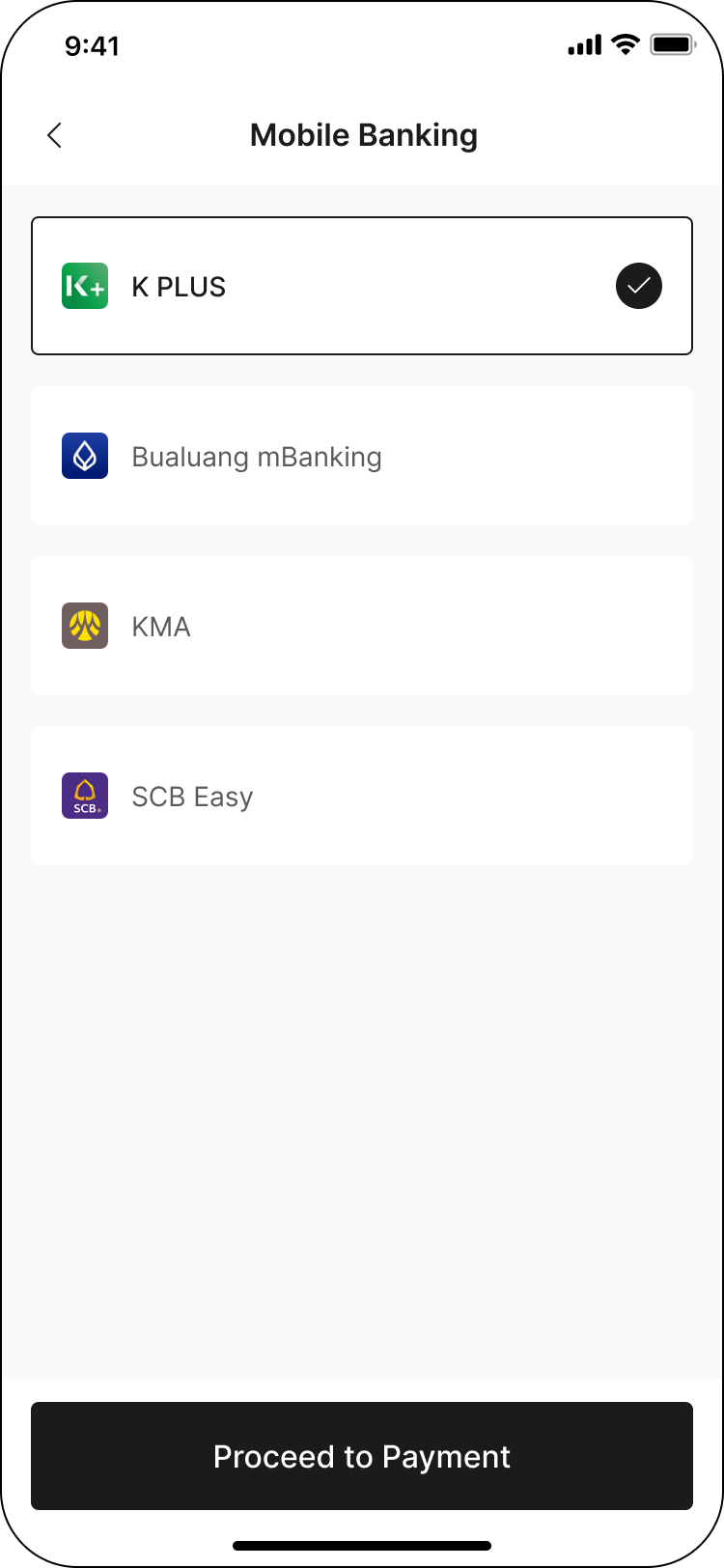
✳ โมบายแบงก์กิ้ง (Mobile Banking)
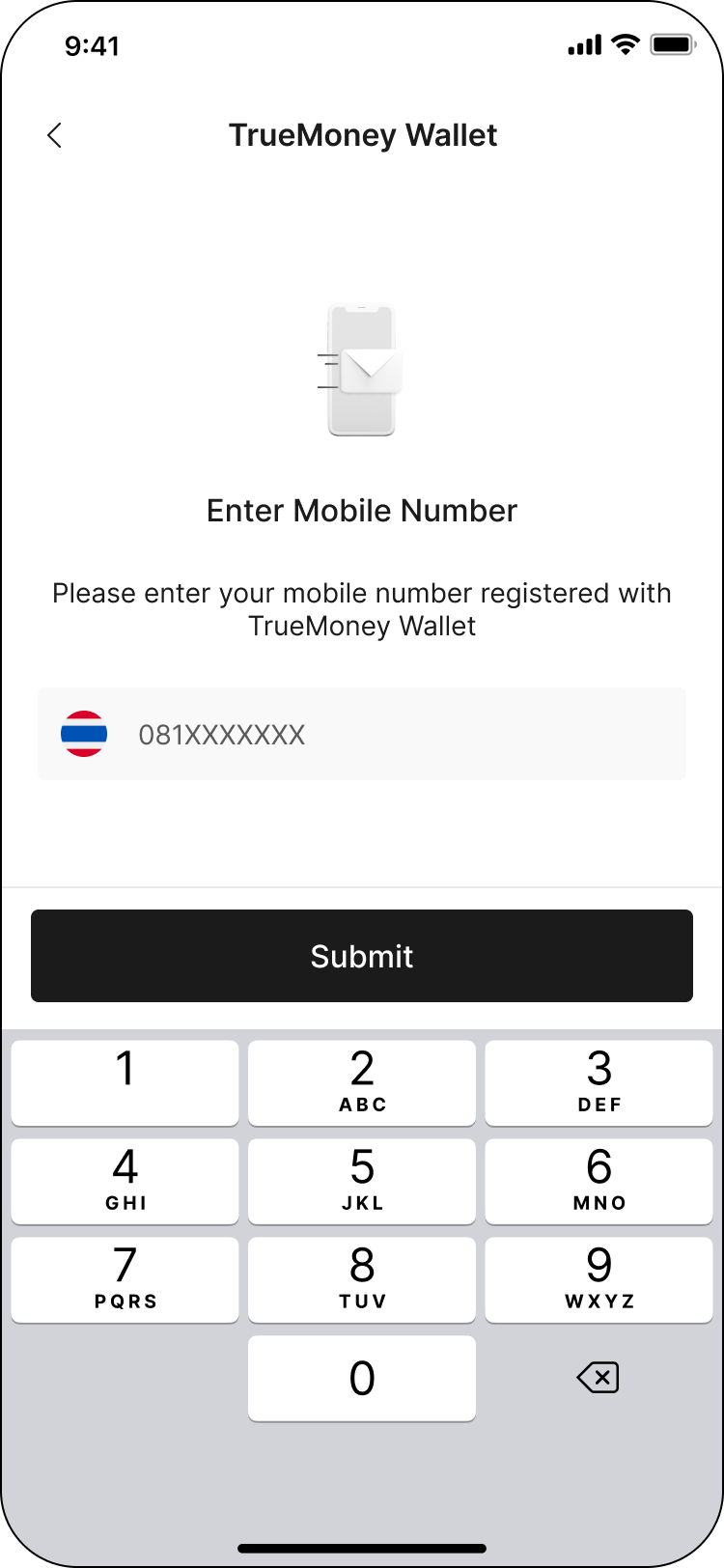
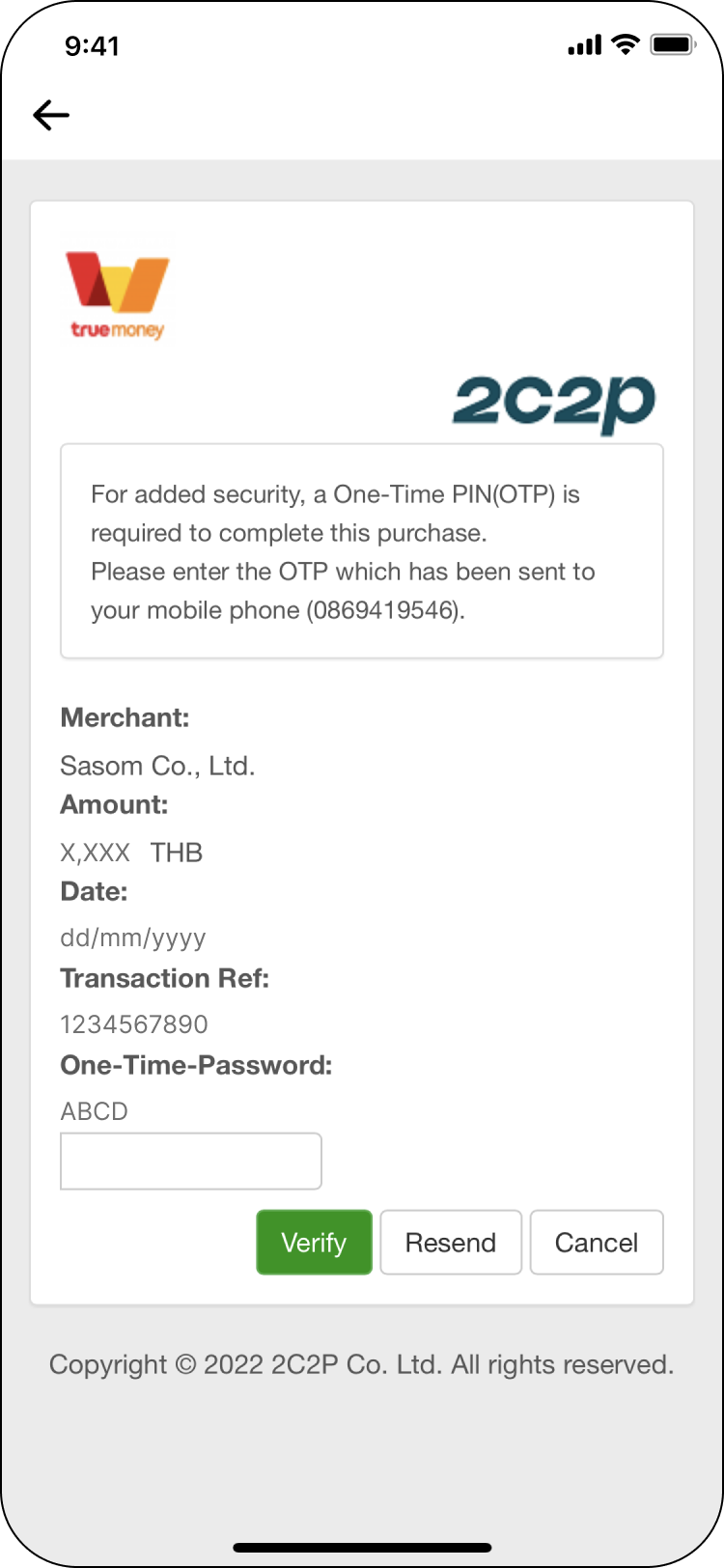
✳ ทรูมันนี่ วอลเล็ท (TrueMoney Wallet)
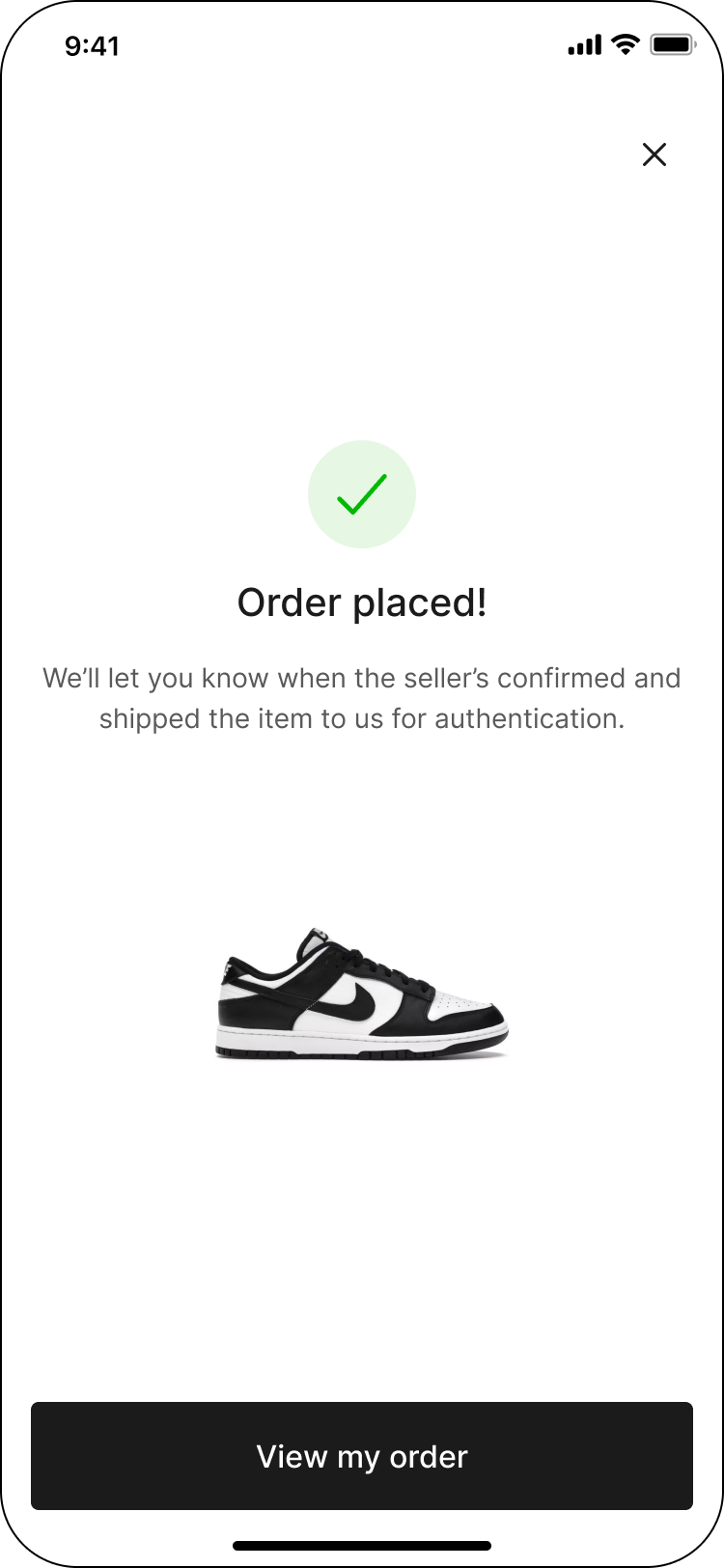
ขั้นตอนที่ 6: สั่งซื้อสินค้าสำเร็จ!
ทางเราจะดำเนินการแจ้งผู้ขายให้จัดส่งสินค้ามายัง SASOM เพื่อตรวจสอบคุณภาพ และดำเนินการจัดส่งสินค้าให้กับผู้ซื้อ พร้อมรับประกันว่าสินค้าเป็นของแท้ 100% รวมถึงมีคุณภาพและสภาพสินค้าตรงตาม มาตรฐานของ SASOM
คุณสามารถ ติดตามสถานะ ได้ที่เมนูคำสั่งซื้อ หากเกิดเหตุขัดข้องประการใดเกี่ยวกับรายการสั่งซื้อ ทางเราจะแจ้งให้ผู้ซื้อทราบ และจัดหาทางเลือกที่ดีที่สุดให้กับผู้ซื้อ!
✳ หากผู้ซื้อไม่สามารถหาสินค้าที่ชอบในราคาที่ใช่ได้ ลองตั้งรับดูสิ!
บทความนี้มีประโยชน์หรือไม่?
แจ้งให้เราทราบเพื่อที่เราจะได้ปรับปรุงเนื้อหา