การขอรับสินค้าคืน
บนแอป SASOM
หากสินค้าของคุณถูกจัดเก็บในคลังสินค้าเกิน 7 วัน และคุณต้องการขอรับสินค้าคืน สามารถทำตามขั้นตอนดังนี้
ขั้นตอนที่ 1: ขอรับสินค้าคืน
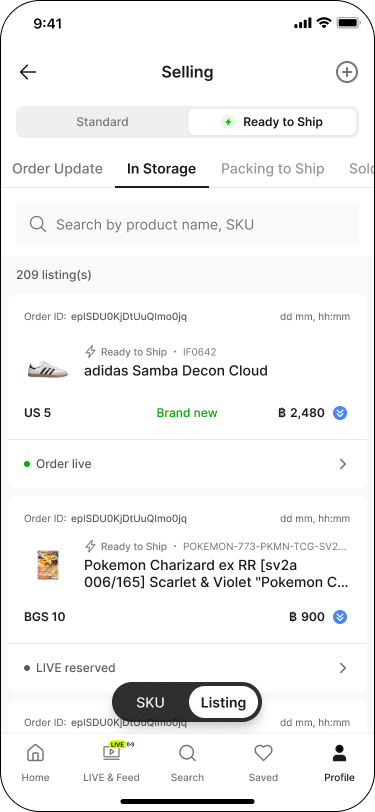
ไปที่แท็บ 'โปรไฟล์' (Profile) จากนั้นในส่วน 'รายการขาย' (Selling) แตะที่สถานะ 'รายการสินค้า' (Listing)
สลับแท็บเป็น 'พร้อมจัดส่ง' (Ready to Ship) จากนั้นไปที่แท็บ 'อยู่ในคลัง' (In Storage)
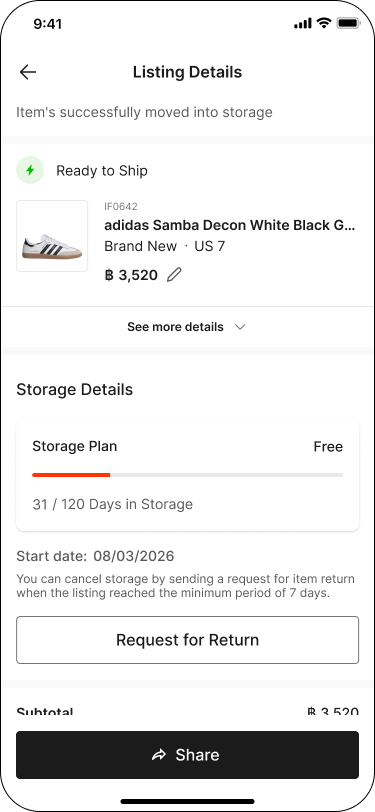
แตะที่สินค้าเพื่อเปิดหน้า 'รายละเอียดสินค้า' (Listing Details) จากนั้นแตะ 'ขอรับสินค้าคืน' (Request for Return)
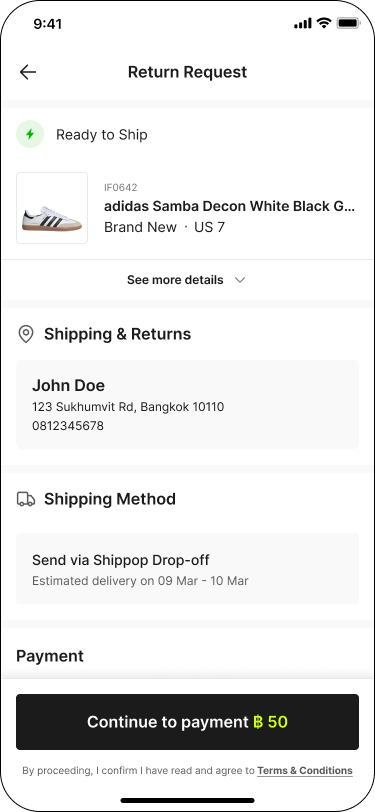
ในหน้า 'ขอรับสินค้าคืน' (Return Request) ตรวจสอบข้อมูล 'การจัดส่งและการคืนสินค้า' (Shipping & Returns) และ 'ช่องทางการจัดส่ง' (Shipping Method) จากนั้นแตะ 'ชำระเงิน' (Continue to payment) เพื่อยืนยันคำขอ
หมายเหตุ:
✳ เฉพาะสินค้าที่จัดเก็บเกิน 7 วัน เท่านั้นที่สามารถขอรับคืนได้
✳ มีค่าธรรมเนียมการคืนสินค้า 50 บาทต่อชิ้น
ขั้นตอนที่ 2: ติดตามสถานะสินค้าที่ขอรับคืน
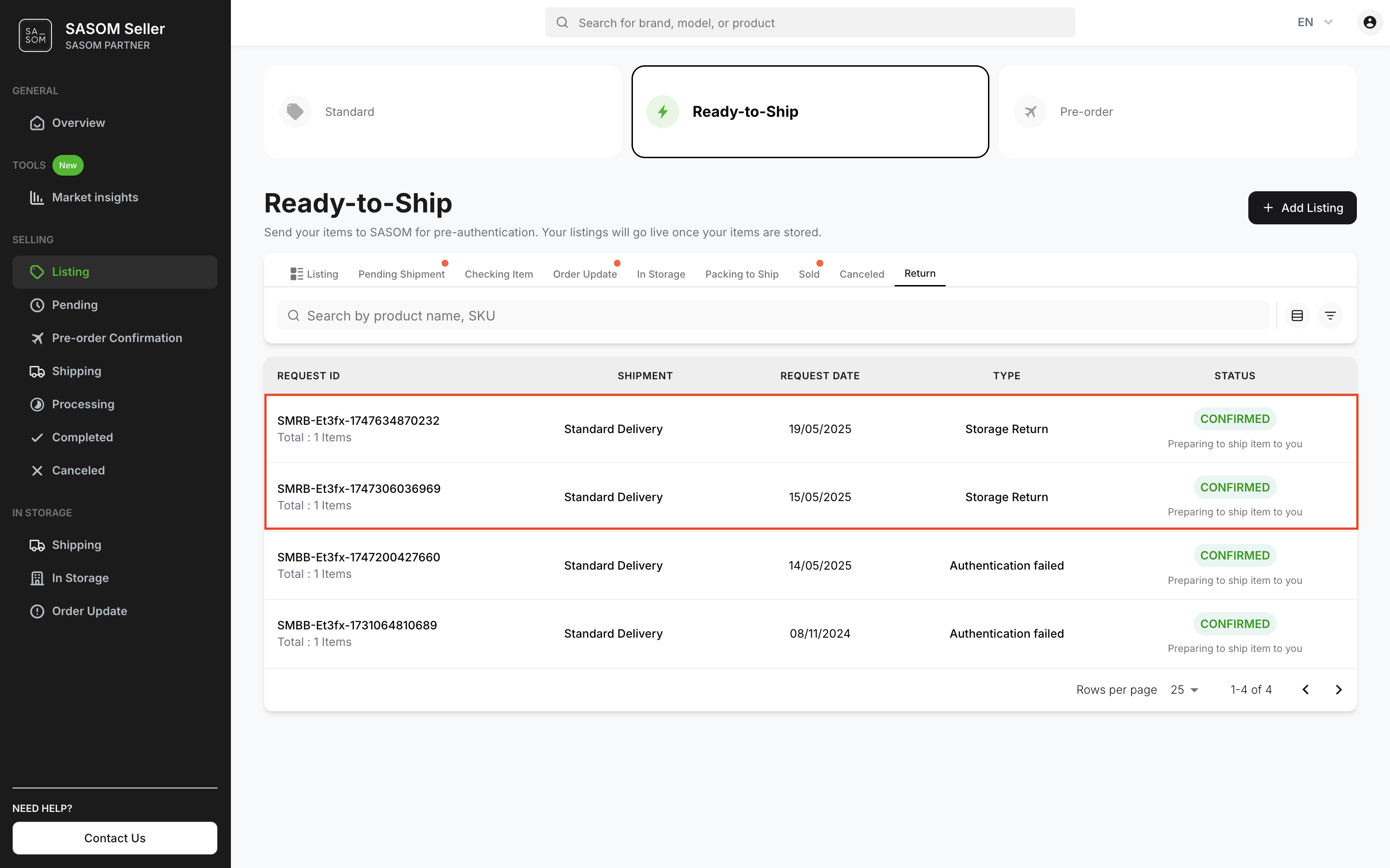
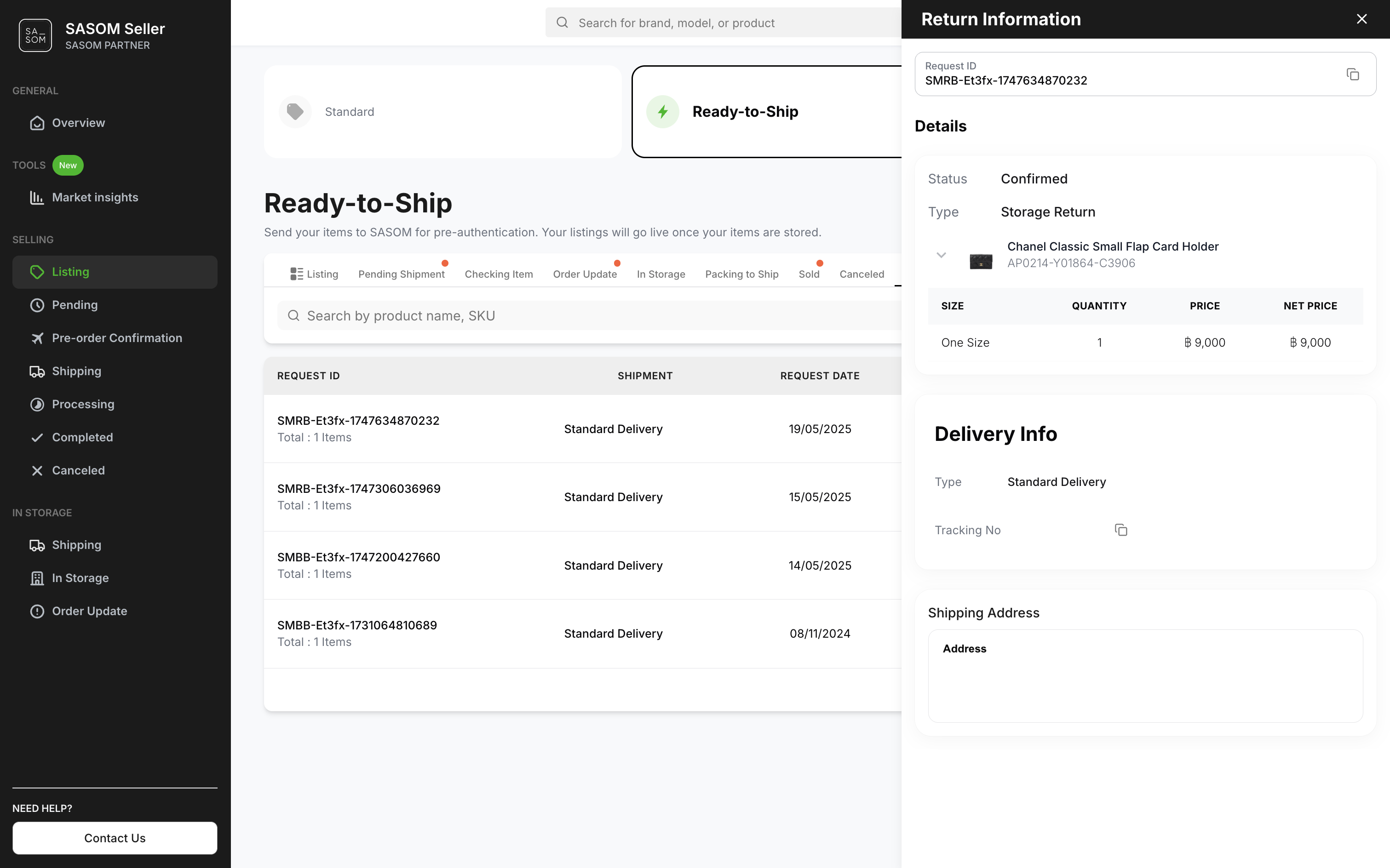
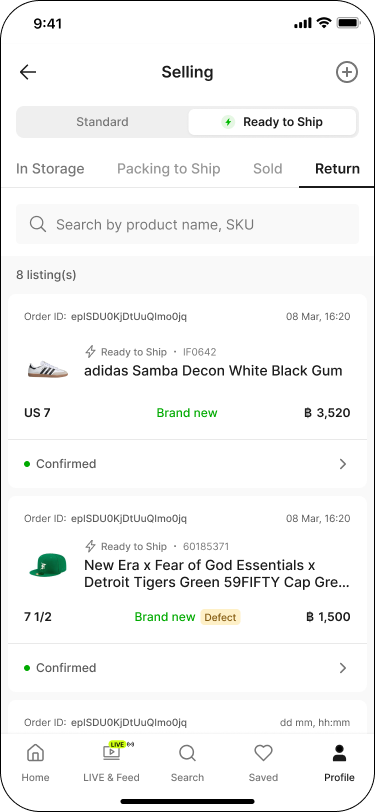
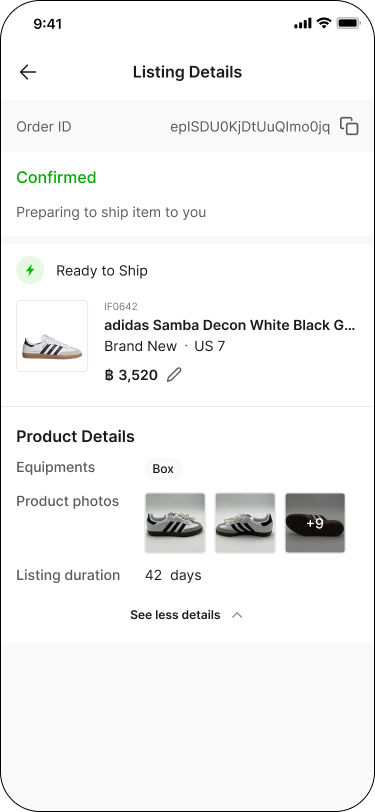
คุณสามารถดูสถานะและรายละเอียดคำขอรับสินค้าคืนได้ที่แท็บ 'คืนสินค้า' (Return) โดยแตะที่คำขอแต่ละรายการ
บน SASOM Seller Center
หากสินค้าของคุณถูกจัดเก็บในคลังมามากกว่า 7 วัน และคุณต้องการขอรับสินค้าคืน โปรดทำตามขั้นตอนดังนี้
ขั้นตอนที่ 1: ขอรับคืนสินค้าที่อยู่ในคลัง
- ไปที่เมนู 'รายการสินค้า' (Listing)
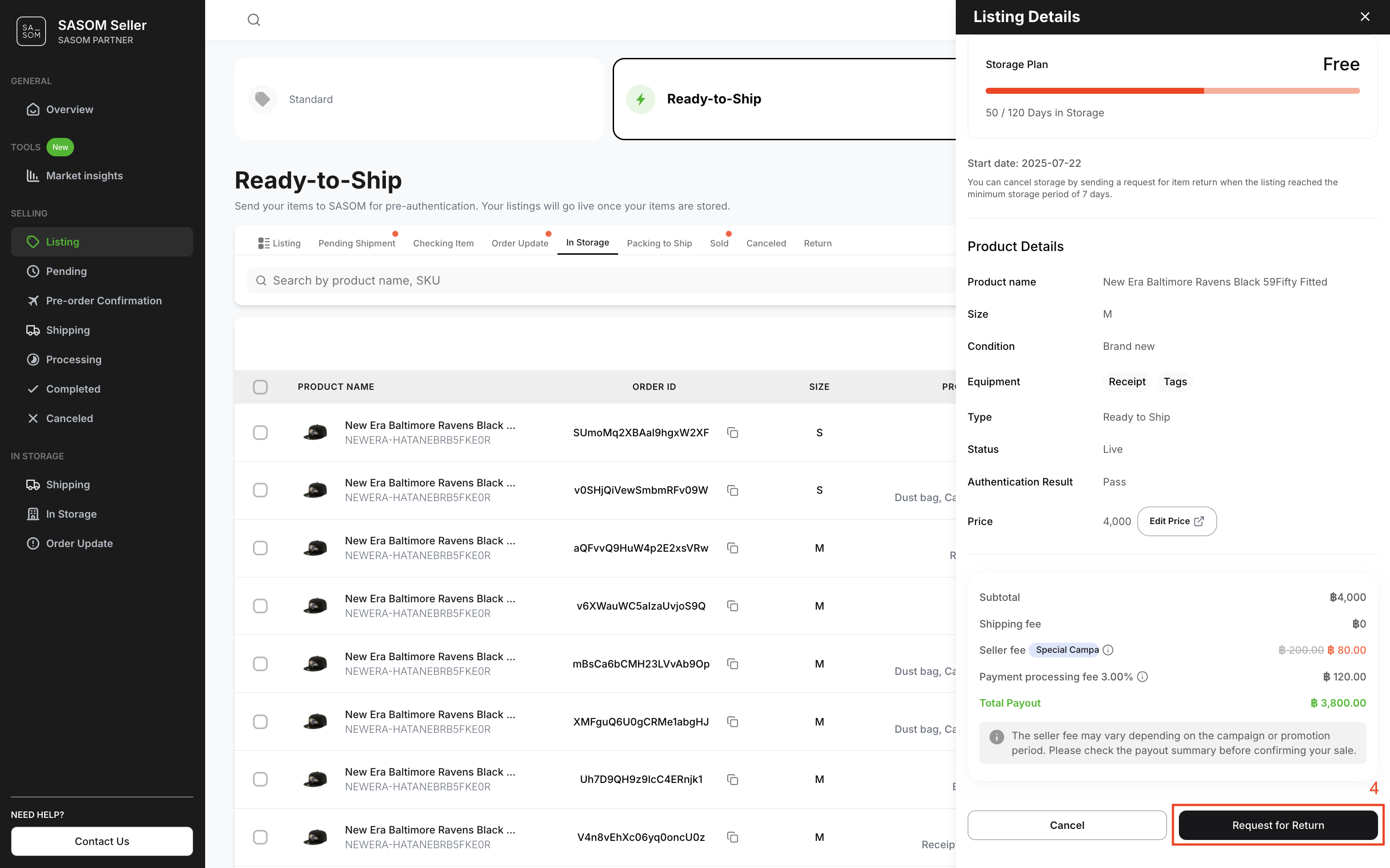
- เลือกเมนู 'พร้อมจัดส่ง' (Ready-to-Ship) และแท็บ 'อยู่ในคลัง' (In Storage) เพื่อดูรายการสินค้าที่อยู่ในคลัง
- คลิกที่รายการสินค้า จะแสดงหน้าต่างรายละเอียดของรายการตั้งขาย
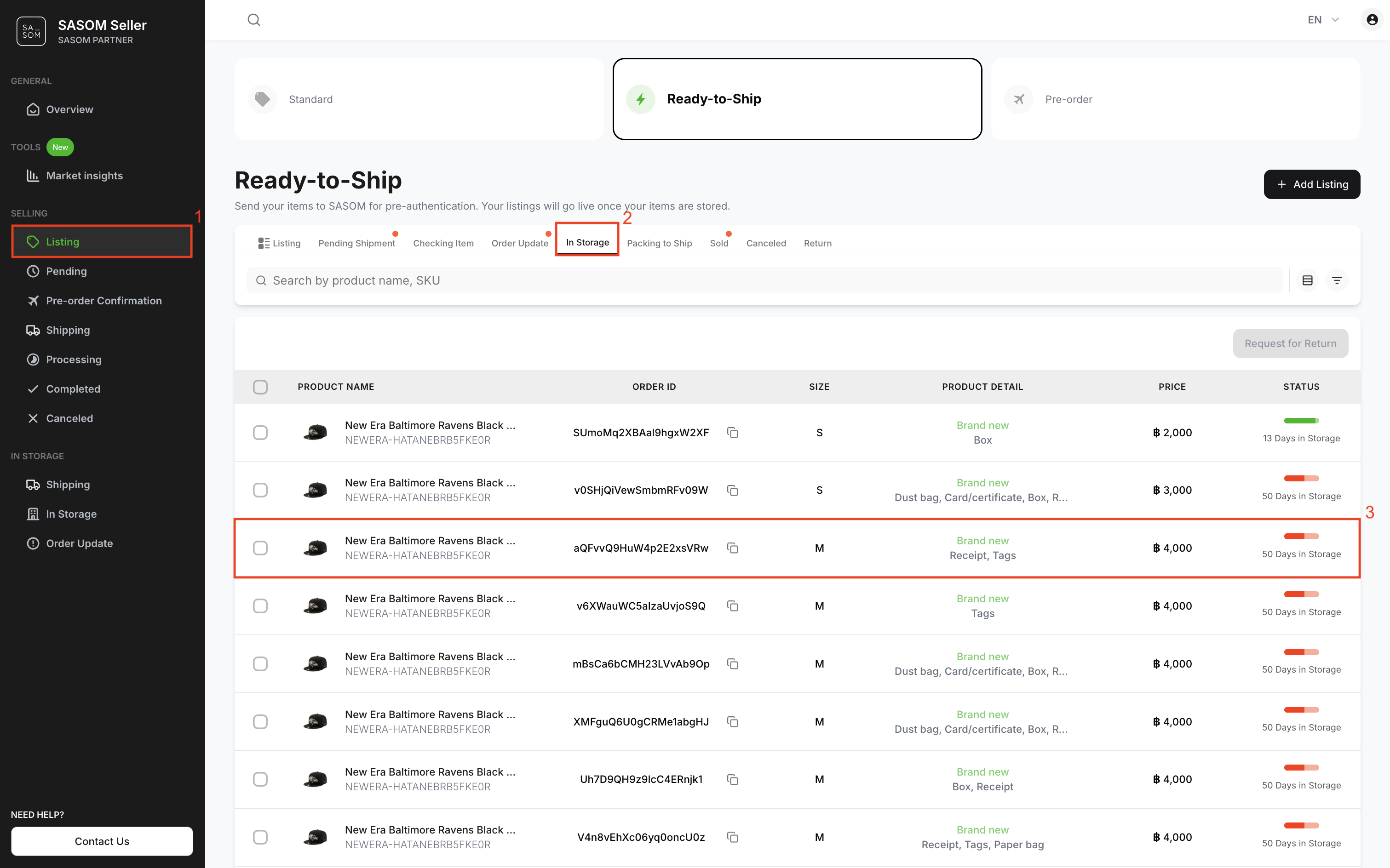
4. คลิกปุ่ม 'ขอรับสินค้าคืน' (Request for Return)
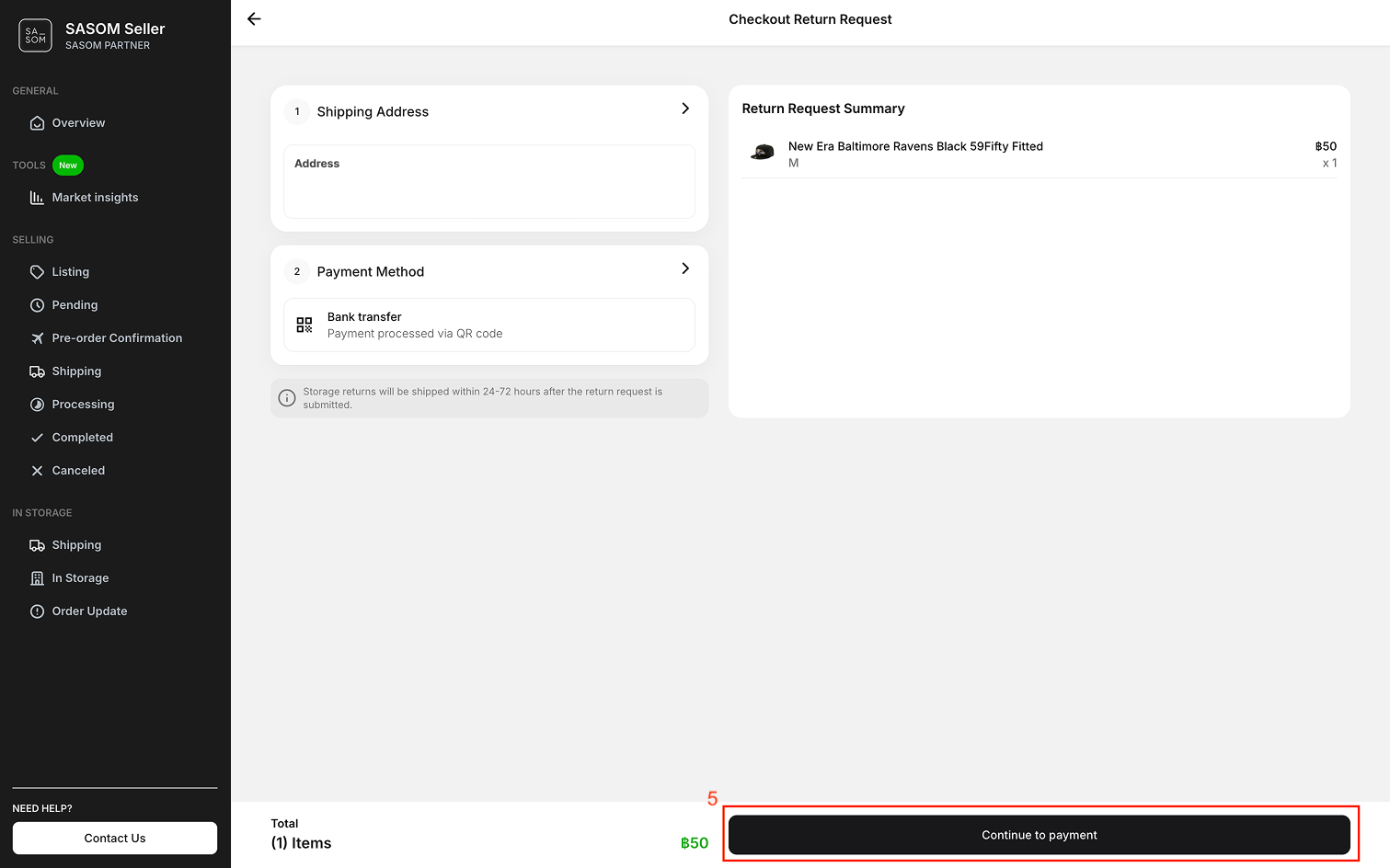
5. เลือกที่อยู่สำหรับจัดส่งคืน วิธีการชำระเงิน และคลิกปุ่ม 'ชำระเงิน' (Continue to Payment) เพื่อส่งคำขอรับสินค้าคืน
หมายเหตุ::
✳ สามารถขอรับคืนได้เฉพาะสินค้าที่อยู่ในคลังมากกว่า 7 วัน
✳ ค่าธรรมเนียมการขอรับคืนสินค้า 50 บาทต่อรายการ
ขั้นตอนที่ 2: ติดตามสินค้าที่ขอรับคืน
คุณสามารถดูสถานะและรายละเอียดการคืนสินค้าได้ที่แท็บ 'คืนสินค้า' (Return) โดยคลิกที่คำขอแต่ละรายการ