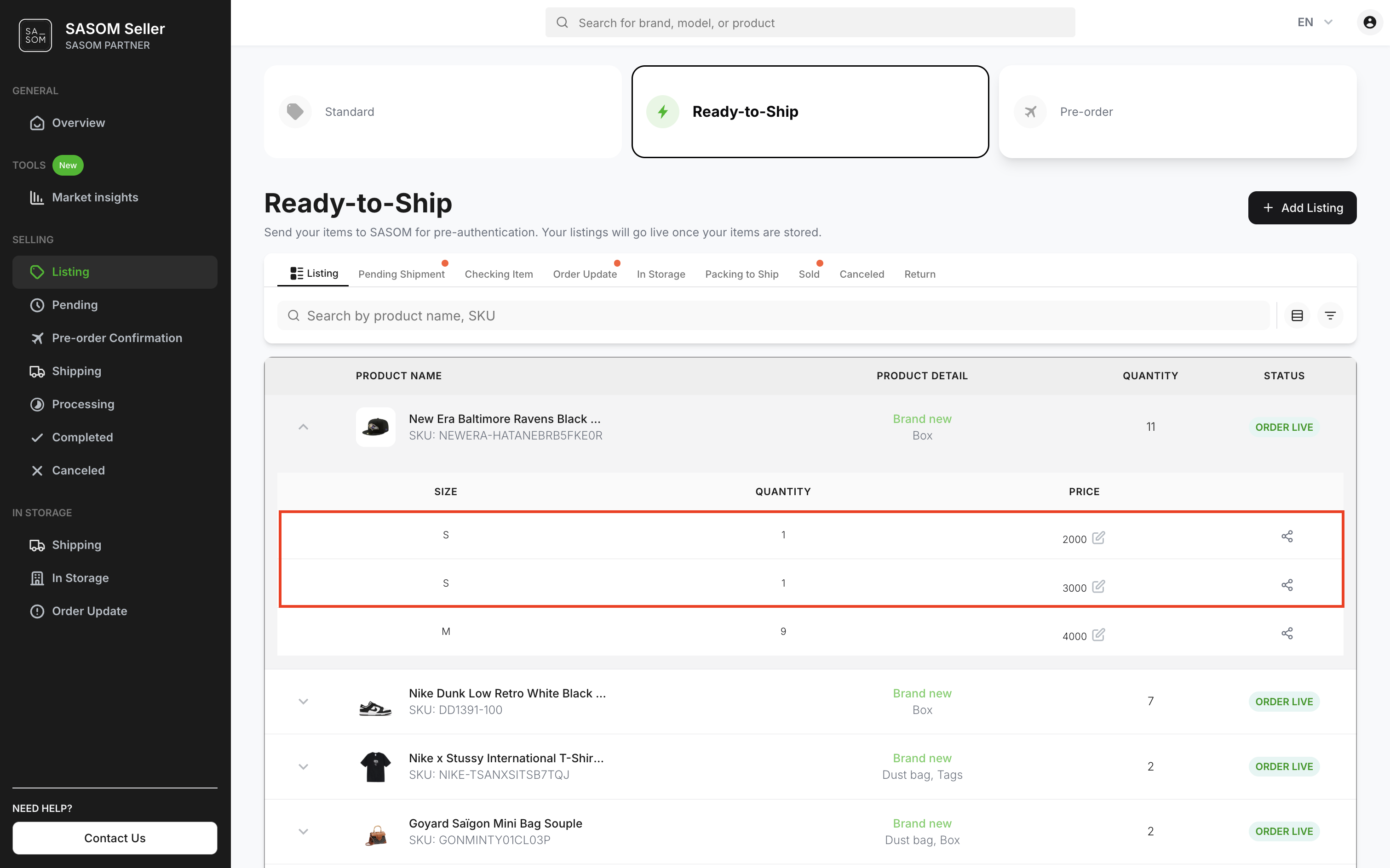
อัปเดตราคาขายของสินค้าในคลัง
บนแอป SASOM
ขั้นตอนที่ 1: อัปเดตราคาสินค้าในคลัง
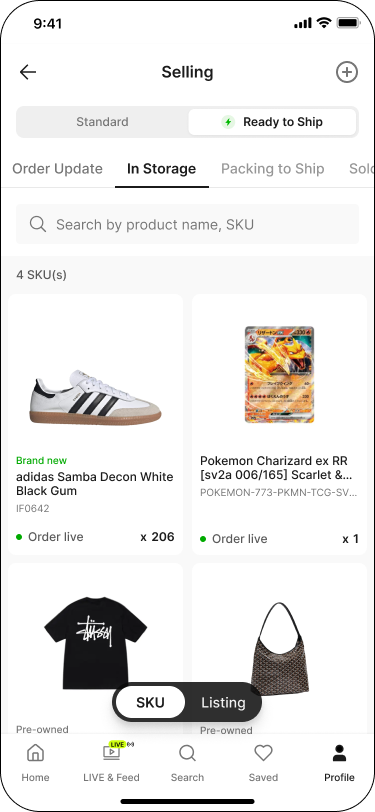
ไปที่แท็บ 'โปรไฟล์' (Profile) จากนั้นในส่วน 'รายการขาย' (Selling) แตะที่สถานะ 'รายการสินค้า' (Listing)
สลับแท็บเป็น 'พร้อมจัดส่ง' (Ready to Ship) จากนั้นไปที่แท็บ 'อยู่ในคลัง' (In Storage)
แตะการ์ดสินค้าเพื่อดูไซซ์ จำนวน และราคาในตาราง — หรือในมุมมอง Listing ให้แตะการ์ดโดยตรงเพื่อข้ามไปยังหน้ารายละเอียดสินค้าได้ทันที
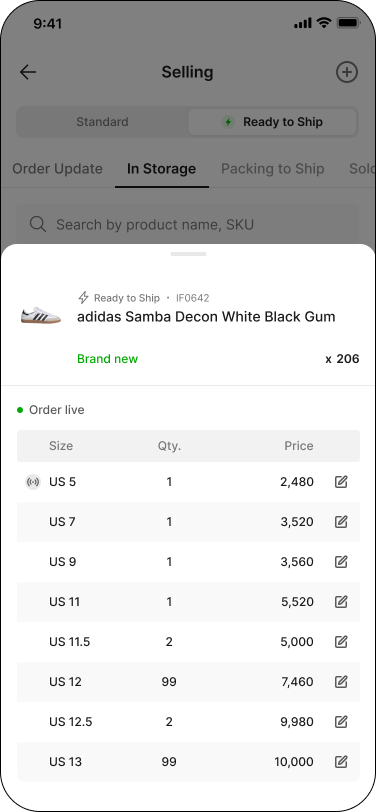
แตะรายการสินค้าที่ต้องการเพื่อเปิดหน้า 'รายละเอียดสินค้า' (Listing Details) จากนั้นแตะไอคอนดินสอที่ราคาเพื่อแก้ไข
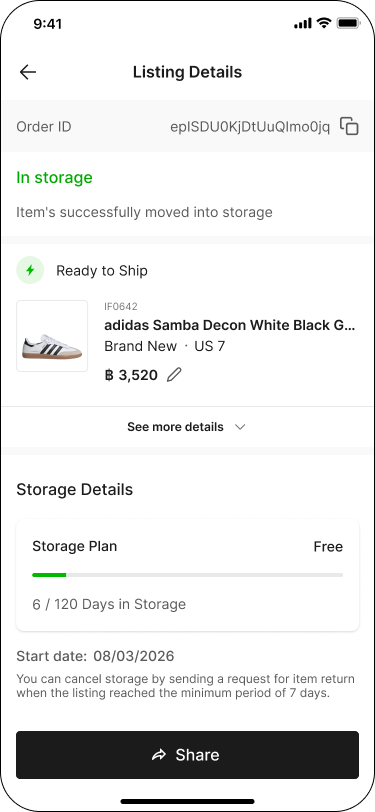
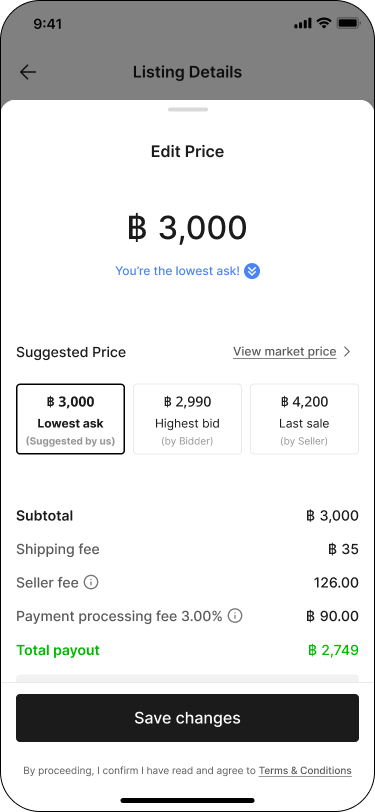
กรอกราคาที่ต้องการ แล้วแตะ 'บันทึก' (Save changes)
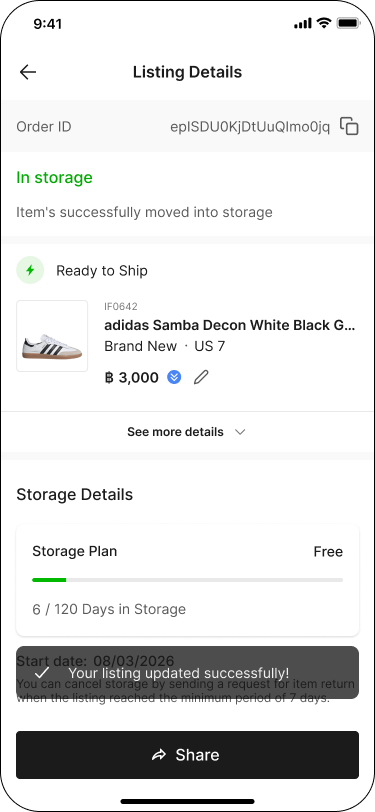
หน้ารายละเอียดสินค้าจะแสดงราคาที่อัปเดตแล้ว
หมายเหตุ:
✳ รายการสินค้าพร้อมจัดส่งทั้งหมดจะถูกแสดงโดยจัดกลุ่มตาม SKU, สภาพสินค้า, อุปกรณ์, และ ไซซ์สินค้า
✳ สินค้าที่มี ไซซ์เดียวกันต้องตั้งราคาขายเท่ากัน หากต้องการตั้งราคาขายต่างกัน ต้องสร้างรายการตั้งขายใหม่ และส่งคำขอนำสินค้าเข้าคลังแยก
บน SASOM Seller Center
ขั้นตอนที่ 1: อัปเดตราคาสินค้าในคลัง
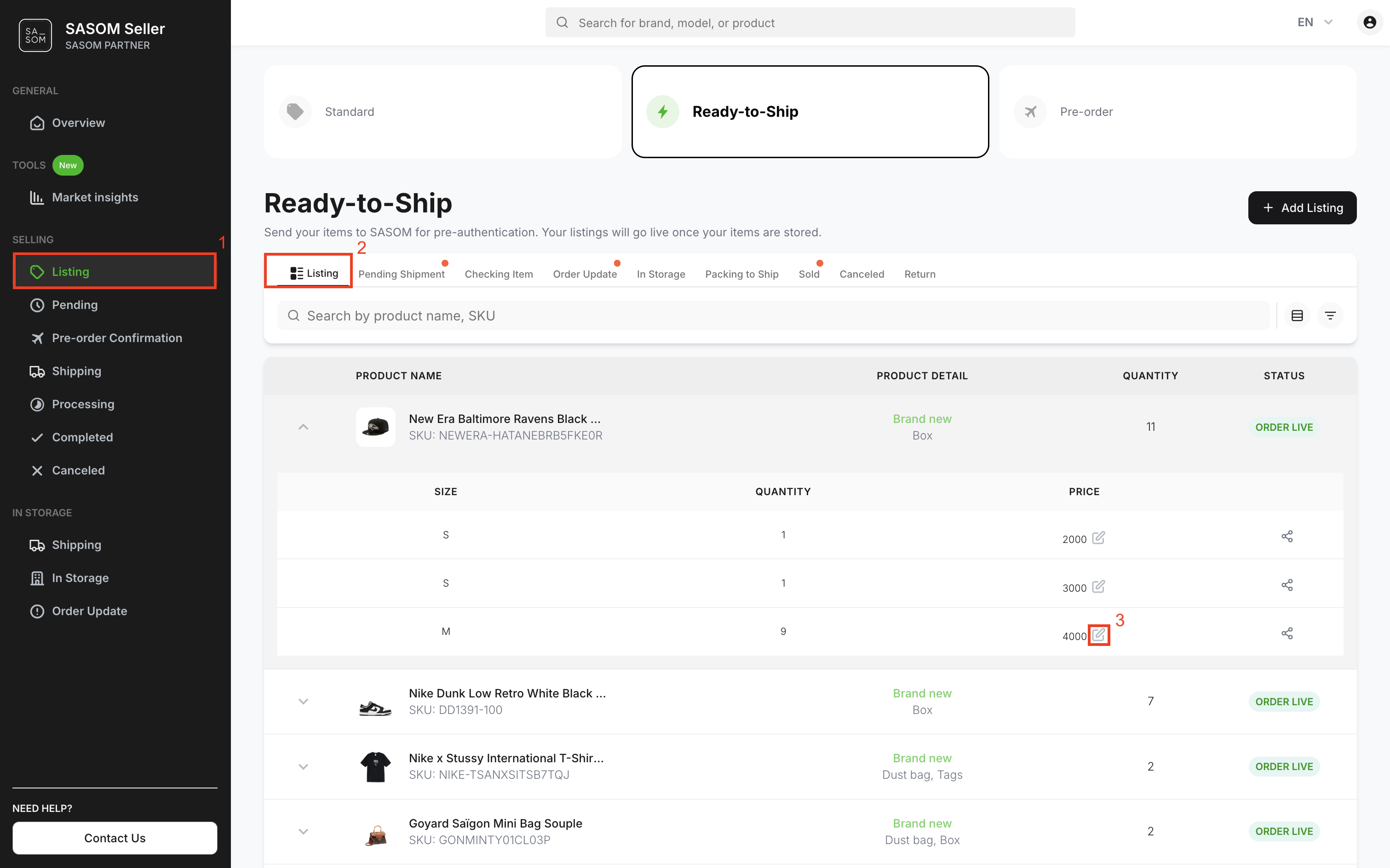
- ไปที่เมนู 'รายการสินค้า' (Listing)
- เลือกแท็บ 'พร้อมจัดส่ง' (Ready-to-Ship) และแท็บย่อย 'รายการสินค้า' (Listing)
- คลิกที่รายการสินค้า เพื่อแสดงรายละเอียดราคาสินค้าแยกตามไซซ์ จากนั้นคลิกที่ ไอคอนดินสอ เพื่อแก้ไขราคา
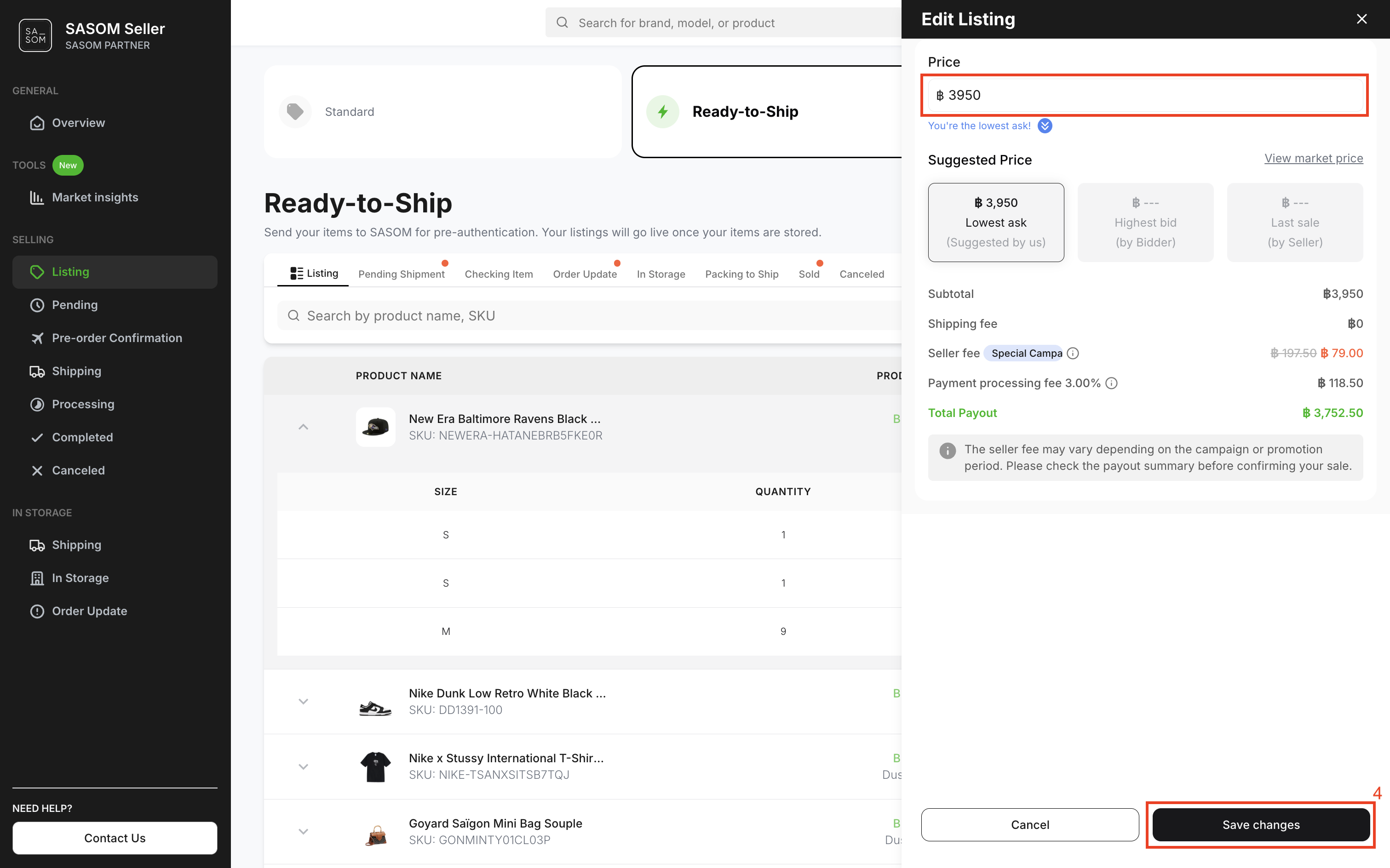
- กรอกราคาที่ต้องการในช่องราคา จากนั้นคลิก 'บันทึก' (Save Changes).
หมายเหตุ:
✳ รายการสินค้าพร้อมจัดส่งทั้งหมดจะถูกแสดงโดยจัดกลุ่มตาม SKU, สภาพสินค้า, อุปกรณ์, และ ไซซ์สินค้า.
✳ สินค้าที่มี ไซซ์เดียวกันต้องตั้งราคาขายเท่ากัน หากต้องการตั้งราคาขายต่างกัน ต้อง สร้างรายการตั้งขายใหม่ และส่งคำขอนำสินค้าเข้าคลังแยก