How to Manage Your Items in Storage?
Updated February 17, 2026
You can track and manage all of your items in SASOM Storage at 'Storage' menu.
Example: How to view and manage your items in SASOM Storage?
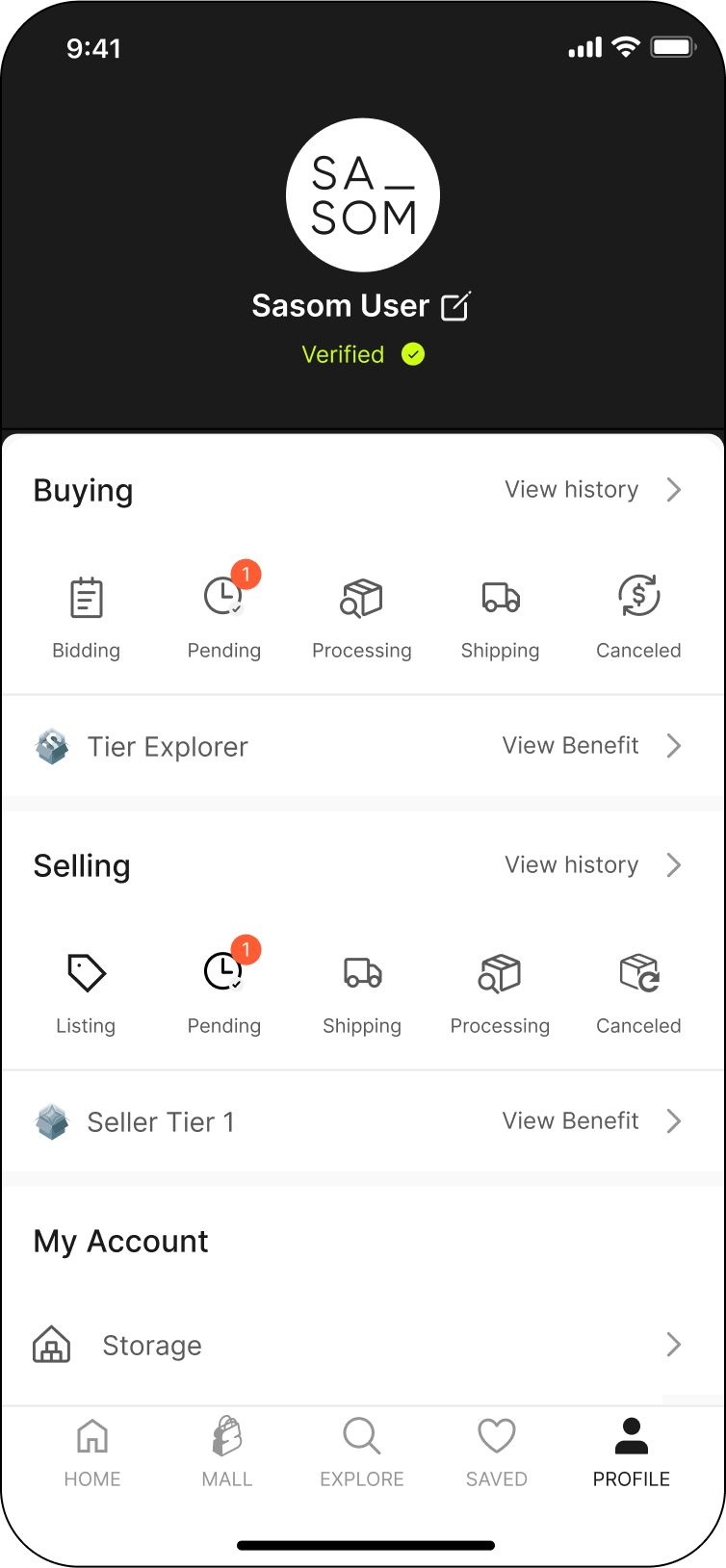
Step 1: Go to the 'Storage' menu in your 'Profile’
Step 2: View Items in ‘Storage’ and ‘Returns’
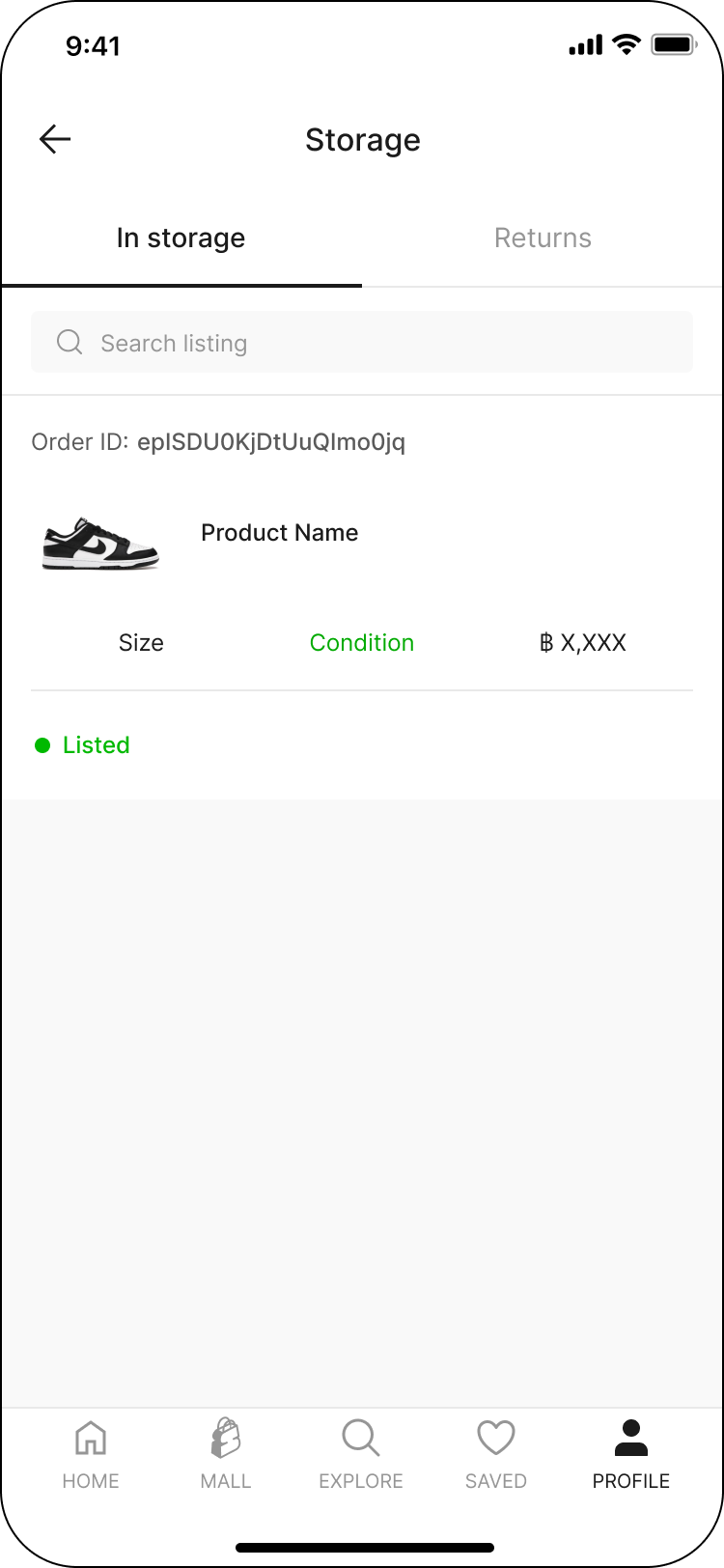
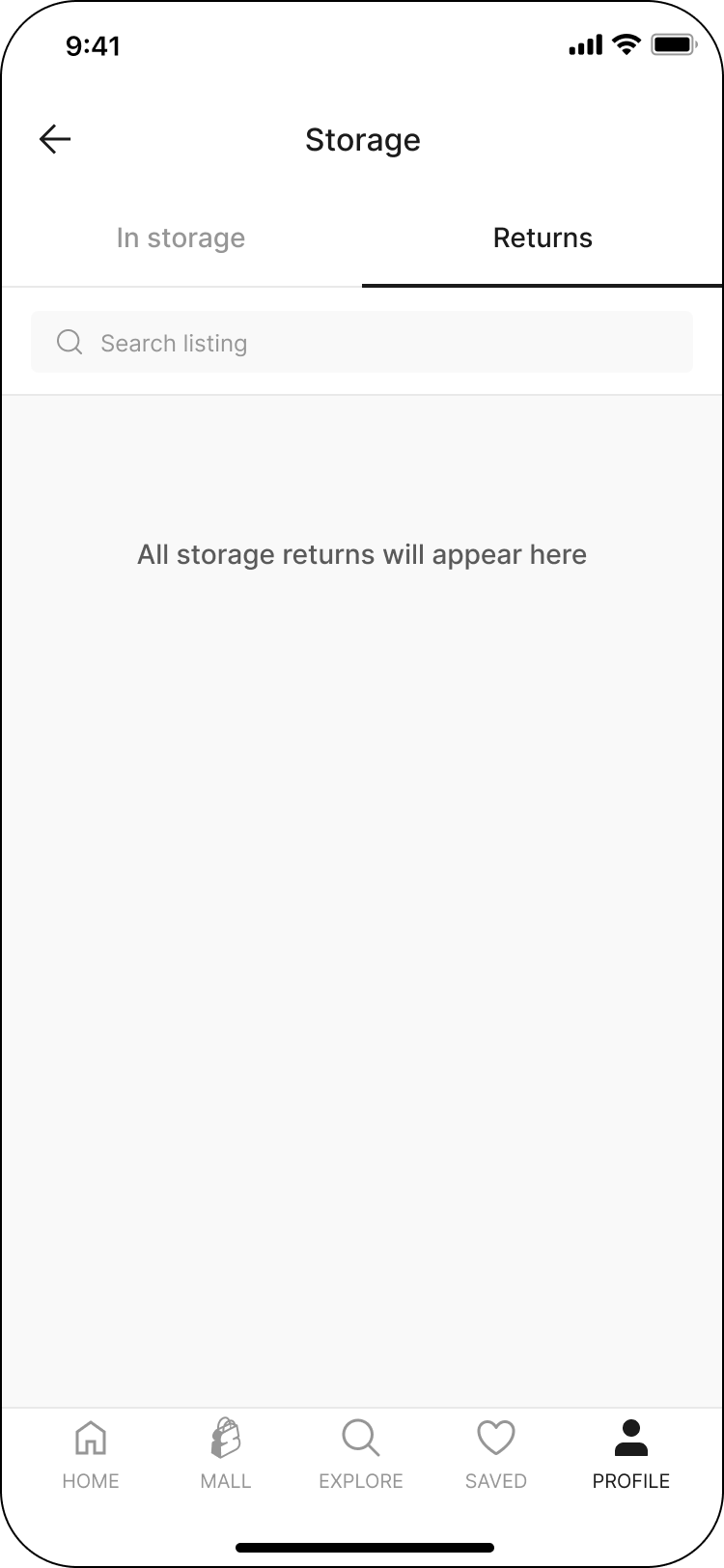
Select the ‘In Storage’ tab to view all items in storage, and the ‘Returns’ tab to see all items you’ve requested to return.
Step 3: Manage Your Storage Items
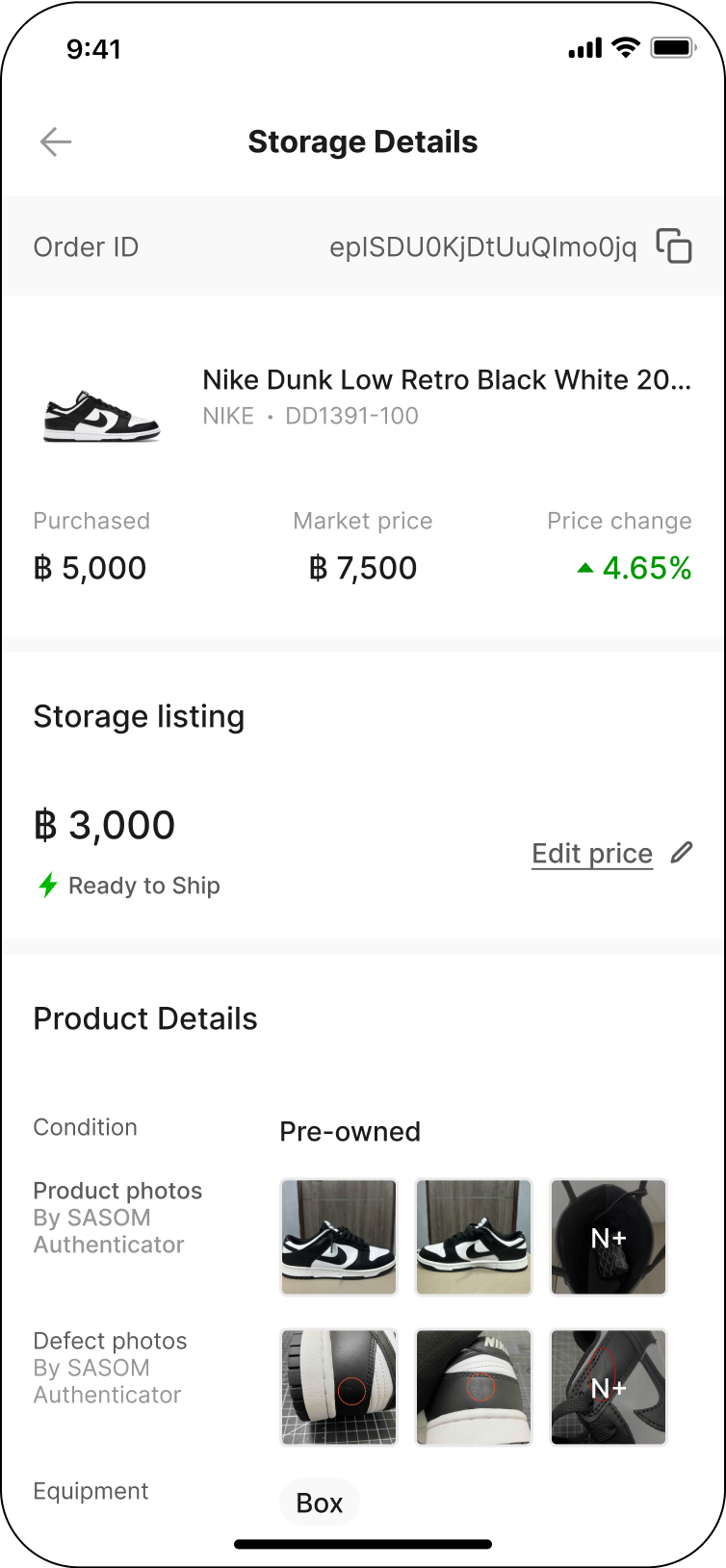
Select a storage item to view its details. Additionally, you can:
- Check the item’s current value.
- Update its price.
- View product details and photos verified by SASOM’s authenticator.
- Review your storage plan.
- Request a return.
- Access your order history.