How to Sell to Bid?
SASOM Bid feature allows buyers to place a bid on a 'Brand new' product at any price they prefer. Sellers can choose to 'Sell now' to the highest bid.
Step 1: Choose Your SASOM
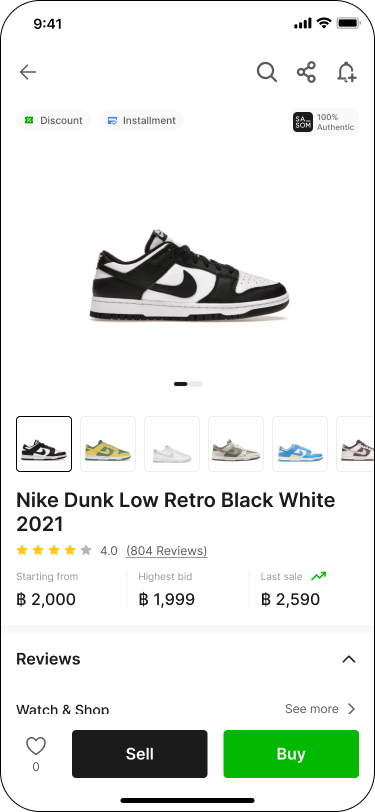
Choose the product that you want to sell and click 'Sell'.
Step 2: Select Size
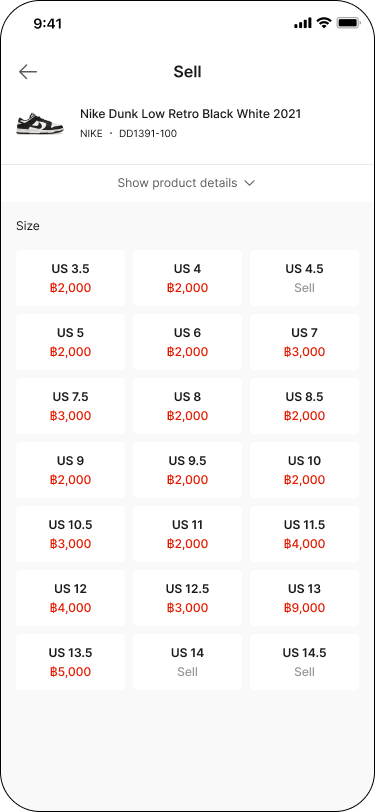
Select the product size. Sizes with existing bids will display the highest bid price.
Step 3: Sell to Bid
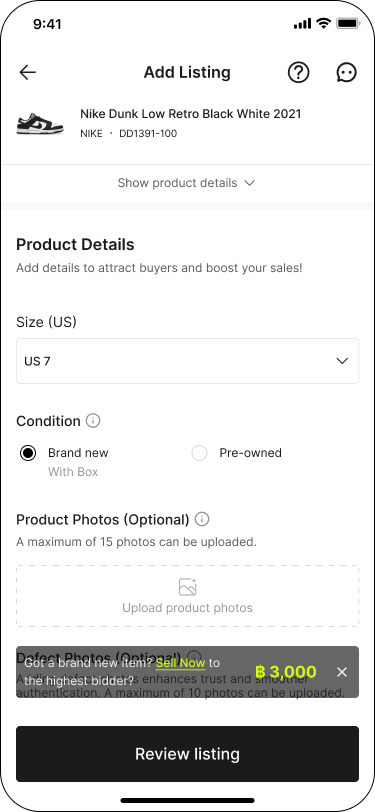
The highest bid will be displayed. If a buyer places a bid that matches your product, you can choose to 'Sell now' to the highest bid.
Note:
✳ To sell to bid, your item must be in 'Brand New' condition.
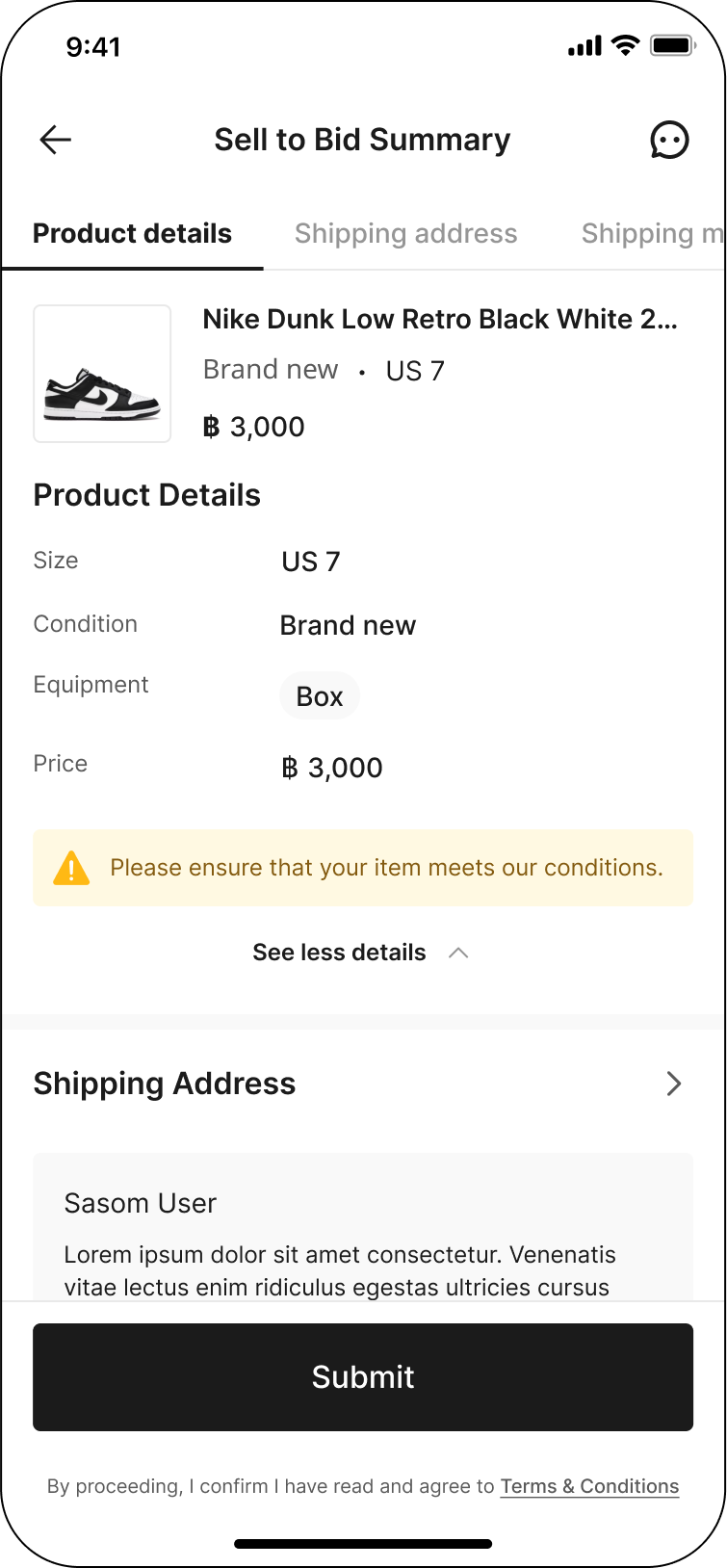
Step 4: Review Details & Checkout
Review the product details to ensure they meet the condition and equipment requirements specified by SASOM.
Fill in your Shipping Address correctly, then select the Shipping Method to SASOM, and choose your Payment Method. After that, verify your Seller Account and click 'Submit'.
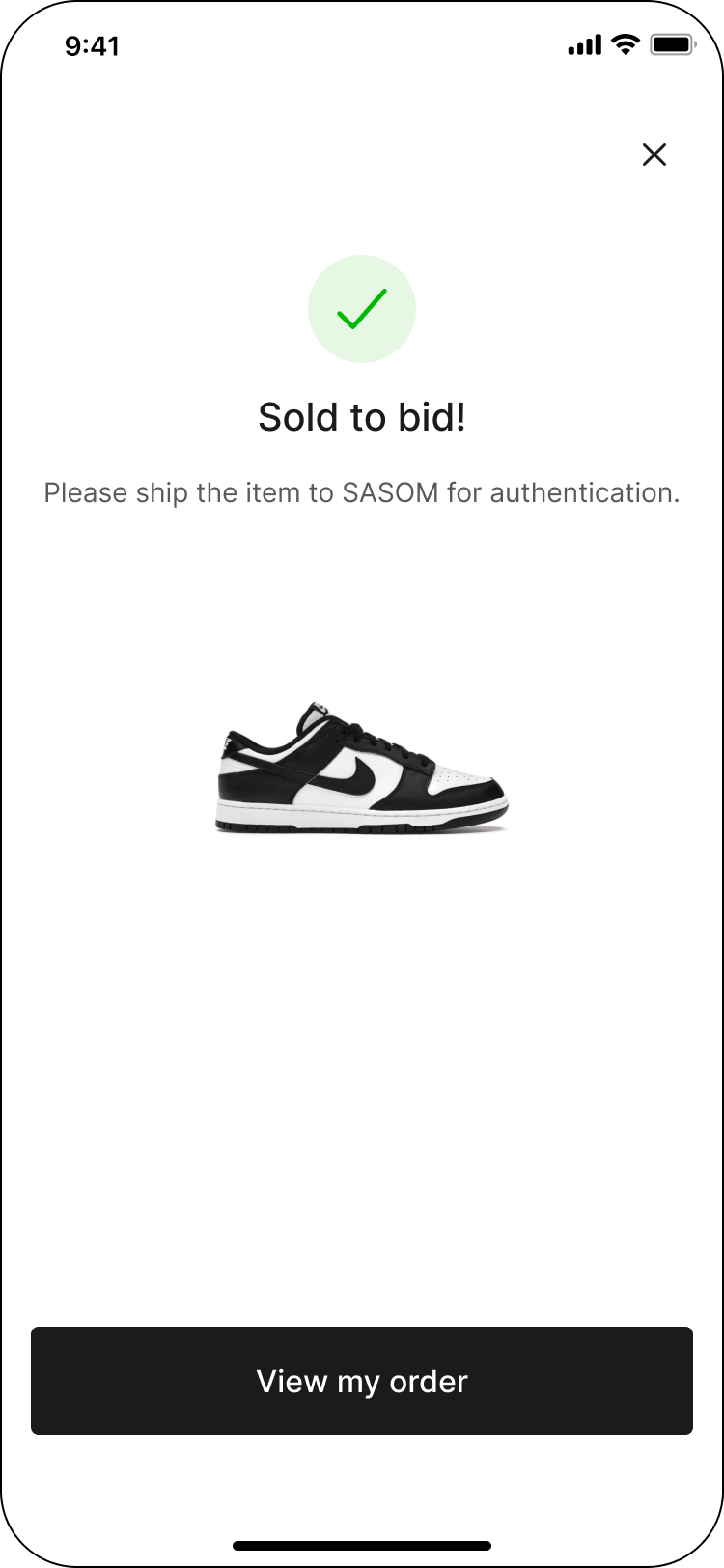
Step 5: Sold to Bid!
You will receive an email with the shipping label.
Please attach the shipping label to the parcel and ship your item to SASOM using your selected shipping method.