How to ship your storage items to SASOM?
On SASOM app
Once your Ready-to-Ship request is submitted, download the shipping label from the app and ship your items to SASOM.
Step 1: Download the Shipping Label
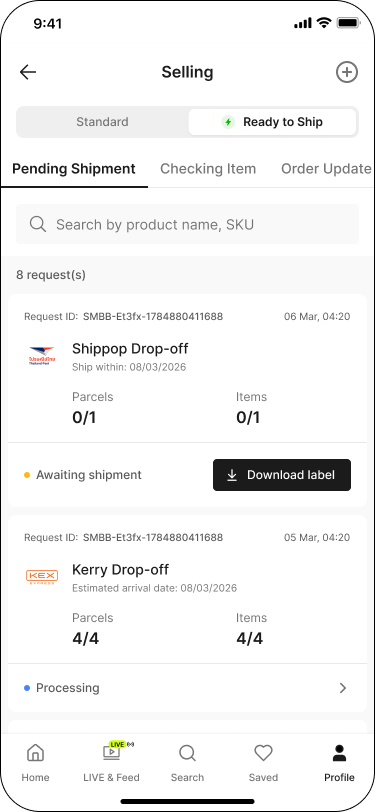
Go to the Profile tab, then under Selling, tap into Shipping.
Switch the toggle to 'Ready to Ship', then go to the 'Pending Shipment' tab.
Tap 'Download label' on each request with 'Awaiting Shipment' status.
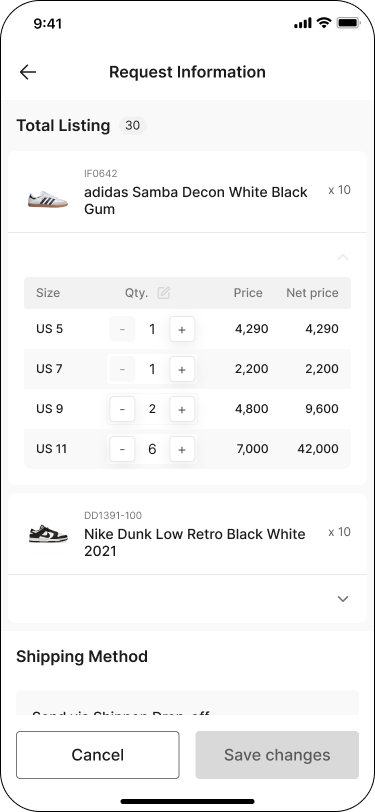
Note — You can edit the item quantity before shipping: tap the request to open Request Information, make your changes, then tap 'Save'.
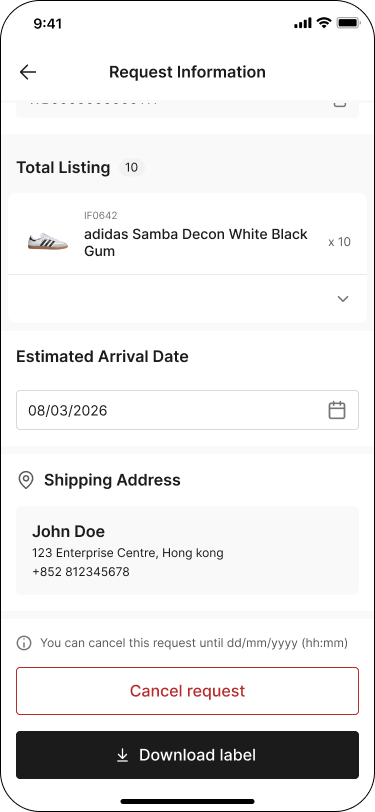
Note — For international shipping: you can edit the Estimated Arrival Date the same way — tap the request to open Request Information, make your changes, then tap 'Save'.
✳ Note — App only: each request also shows a cancellation deadline and a 'Cancel request' button. You can cancel a request within 24 hours after it's submitted.
Step 2: Prepare and Ship Your Items to SASOM
Tap 'Download label' to open the Shipping Label screen.
Print and attach the shipping label to your parcel as instructed.
Ship your parcel to SASOM using your selected shipping method.
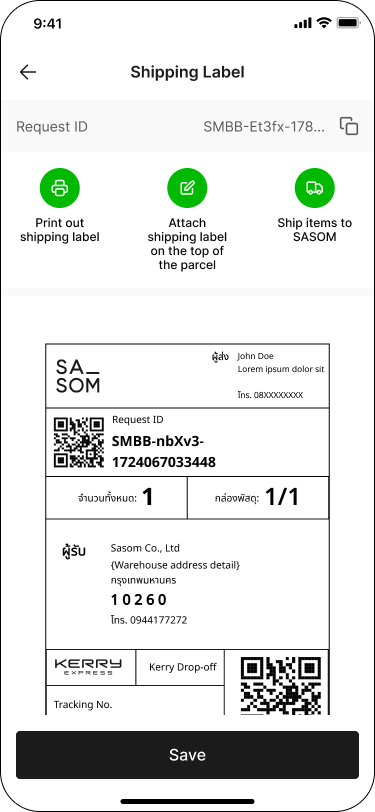
Note — Shipping Address: 979/98 Moo 12 Sukhumvit Road, Bang Chak Subdistrict, Phra Khanong District, Bangkok 10260
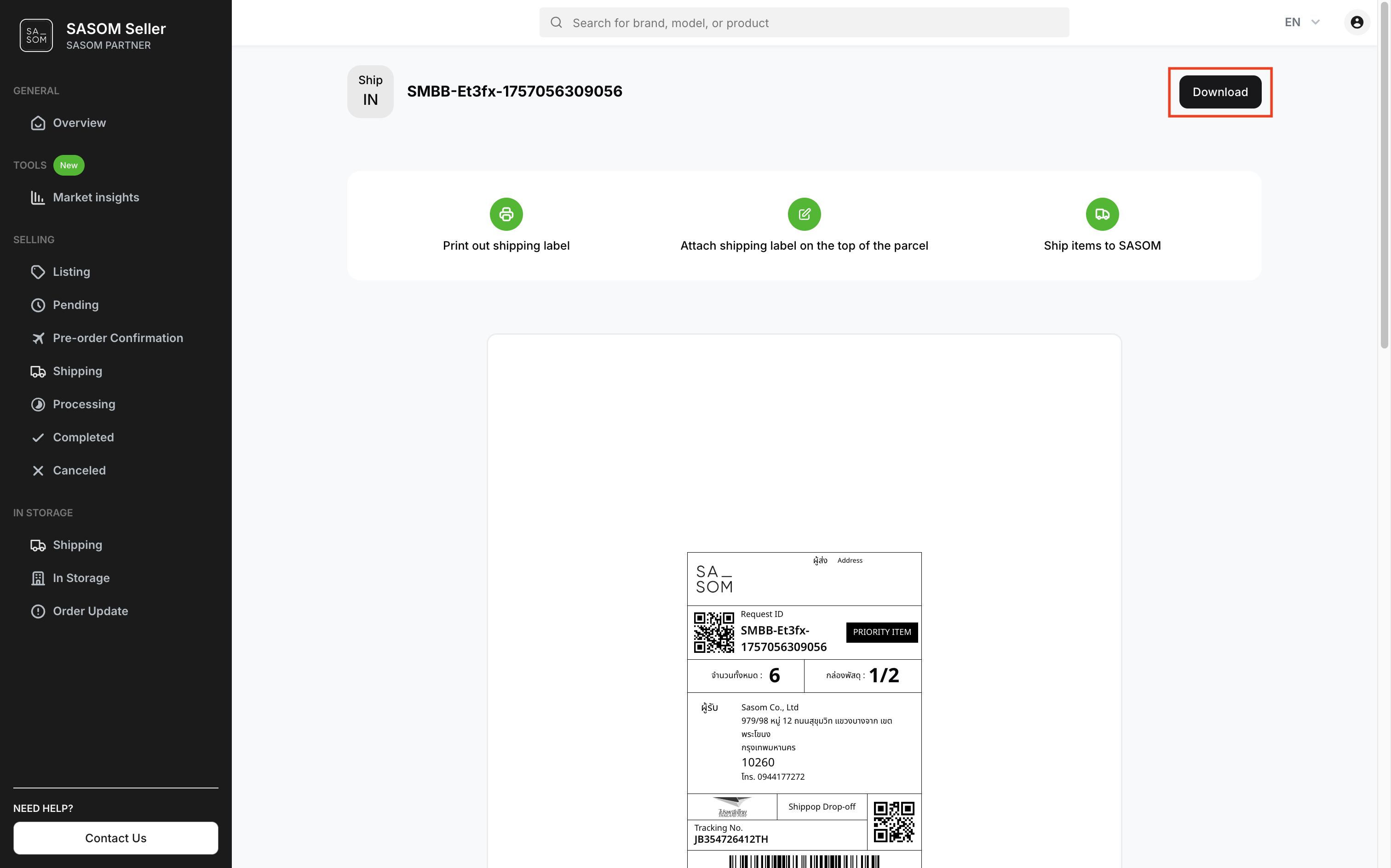
On SASOM Seller Center
Step 1: Download the Shipping Label
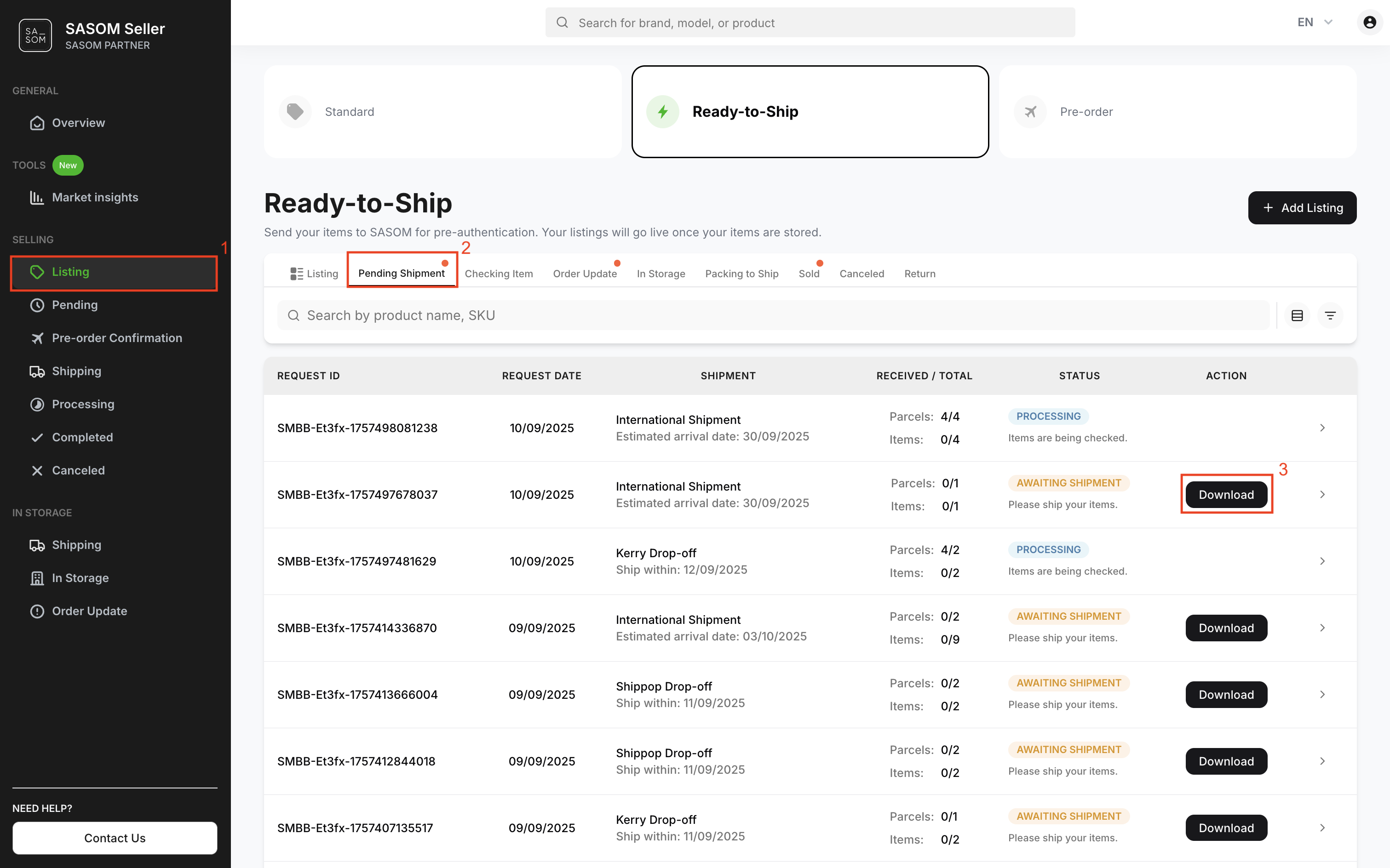
- Go to ‘Listing’ menu.
- Select ‘Ready-to-Ship’ and go to ‘Pending Shipment’ tab.
- Click ‘Download’ button on each request with the ‘Awaiting Shipment’ status to download the shipping label.
Note:
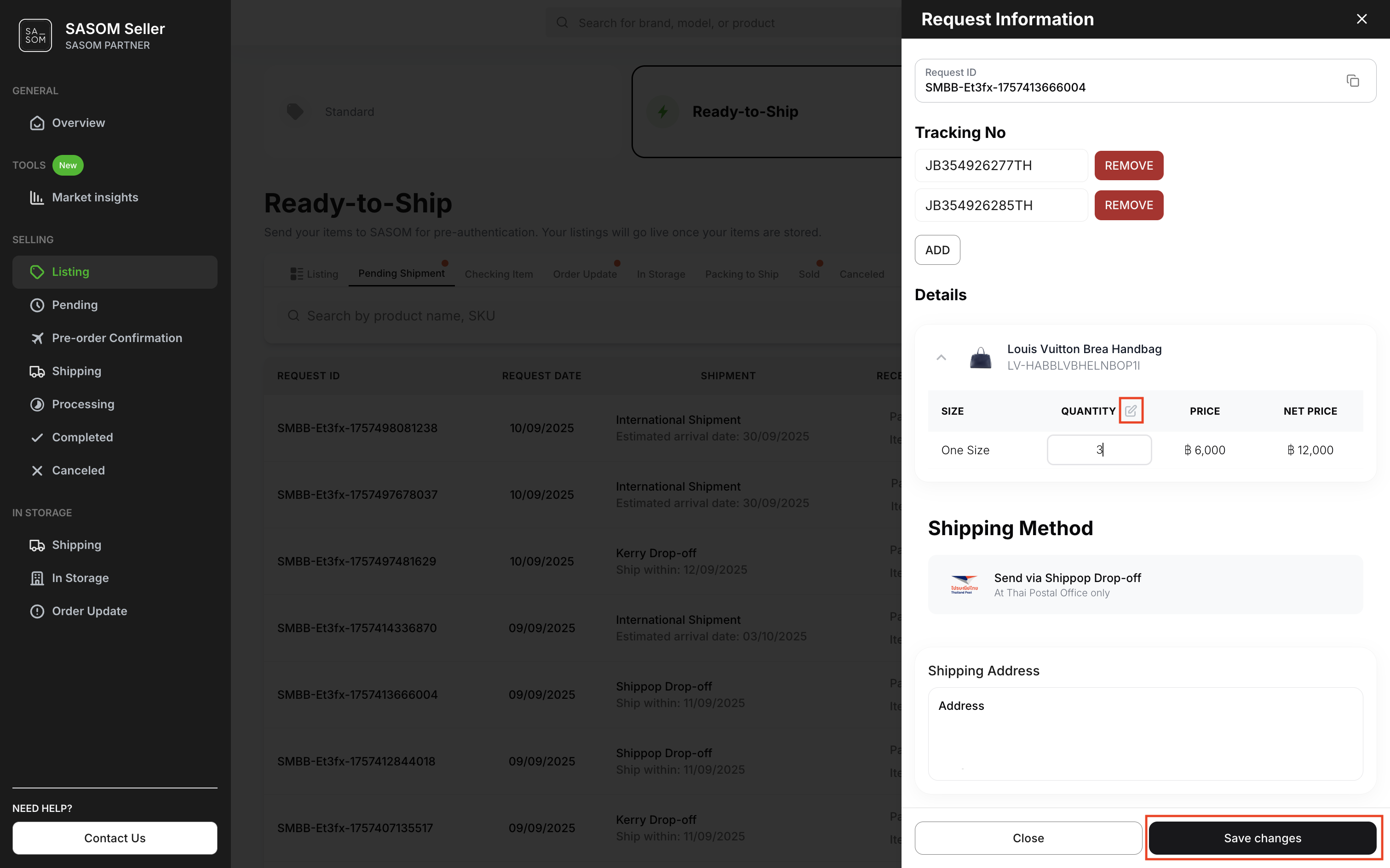
✳ You can edit the item quantity before shipping by selecting the request to view details, clicking the pencil icon to make changes, and then clicking ‘Save Changes’.
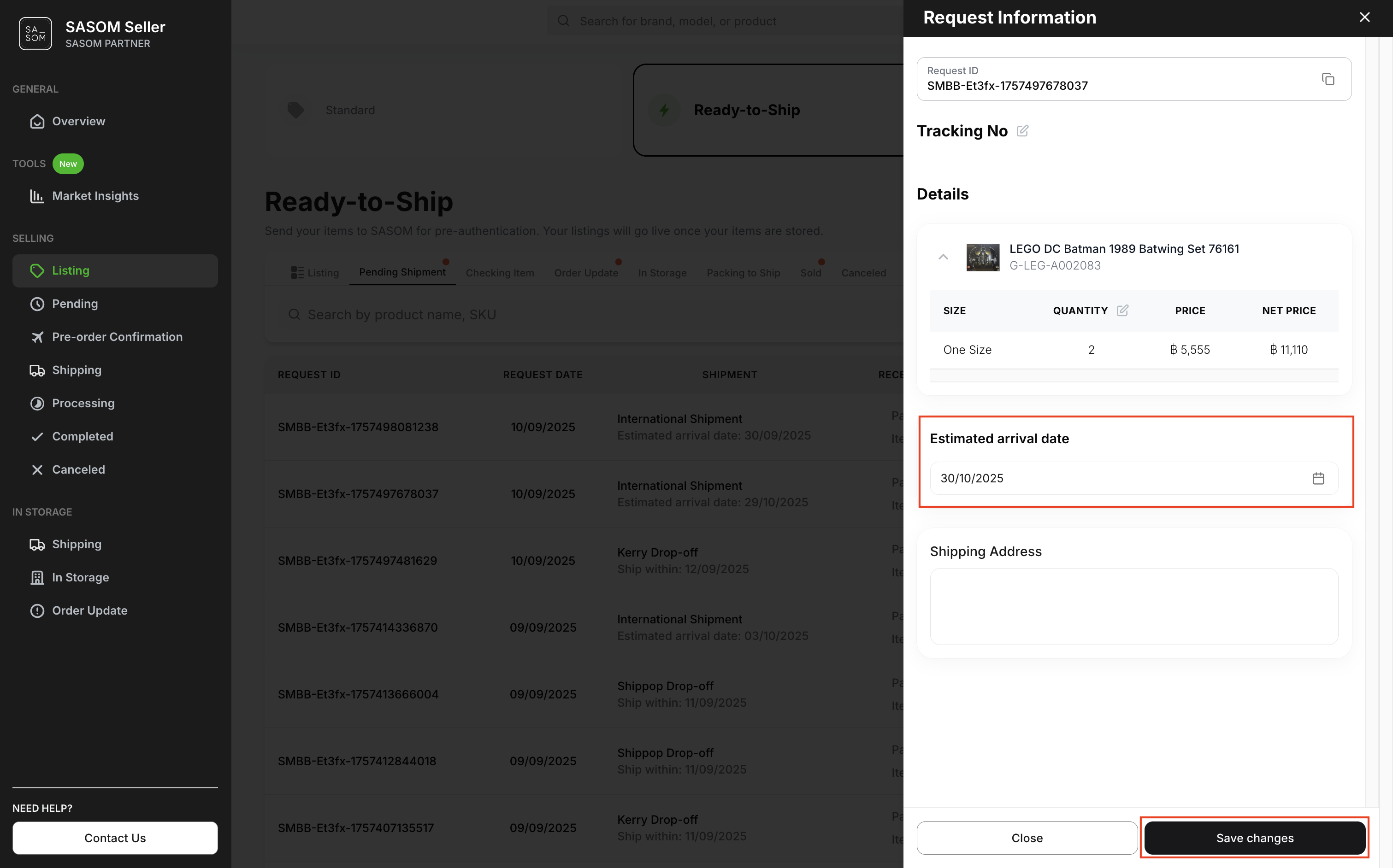
✳ For international shipments, you can edit the Estimated Arrival Date by clicking on the request to view its details, make changes, and then click 'Save Changes’.
Step 2: Prepare and Ship Your Items to SASOM
- Click the ‘Download’ button to print the shipping labels.
- Attach the shipping labels to your parcels as instructed.
- Ship your parcel to SASOM using your selected shipping method.
Note: Shipping Address: 979/98 Moo 12 Sukhumvit Road, Bang Chak Subdistrict, Phra Khanong District, Bangkok 10260