Unseal TCG packs&boxes on LIVE
For trading-card (TCG) sellers.
Unseal lets a buyer have you open their sealed trading-card pack, box, or blind box live on camera during your stream, so they see the reveal in real time. This article covers what's eligible, how the buyer chooses, and how you work the unseal queue.
What's eligible
✅ Sealed Standard boxes and packs and blind boxes, when sold during a live.
❌ Single cards are never unsealed — those use SASOM Oripa instead (see Run a SASOM Oripa board).
✳ Items that are already Ready to Ship don't show the unseal option in a normal live — the items are stored in the SASOM warehouse.
How the buyer chooses
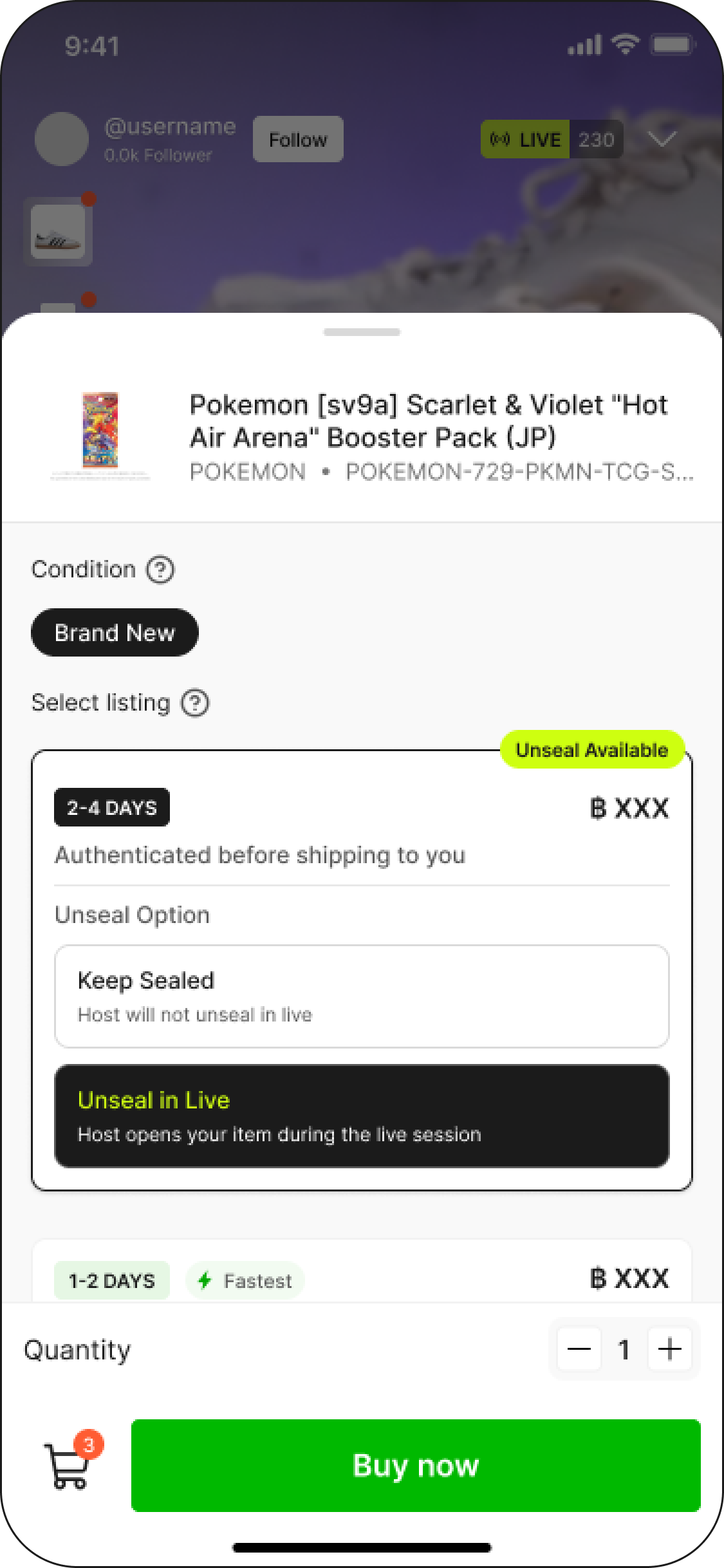
When a buyer buys an eligible sealed item during your stream, they pick one of two options at checkout:
Keep Sealed — the item ships to them sealed, as normal.
Unseal in LIVE — you open it on camera during the stream.
Only items bought with Unseal in LIVE land in your unseal queue. (The same item bought "Sealed" vs "Unseal in LIVE" shows as two separate lines, with an "Unseal in LIVE" badge on the latter.)
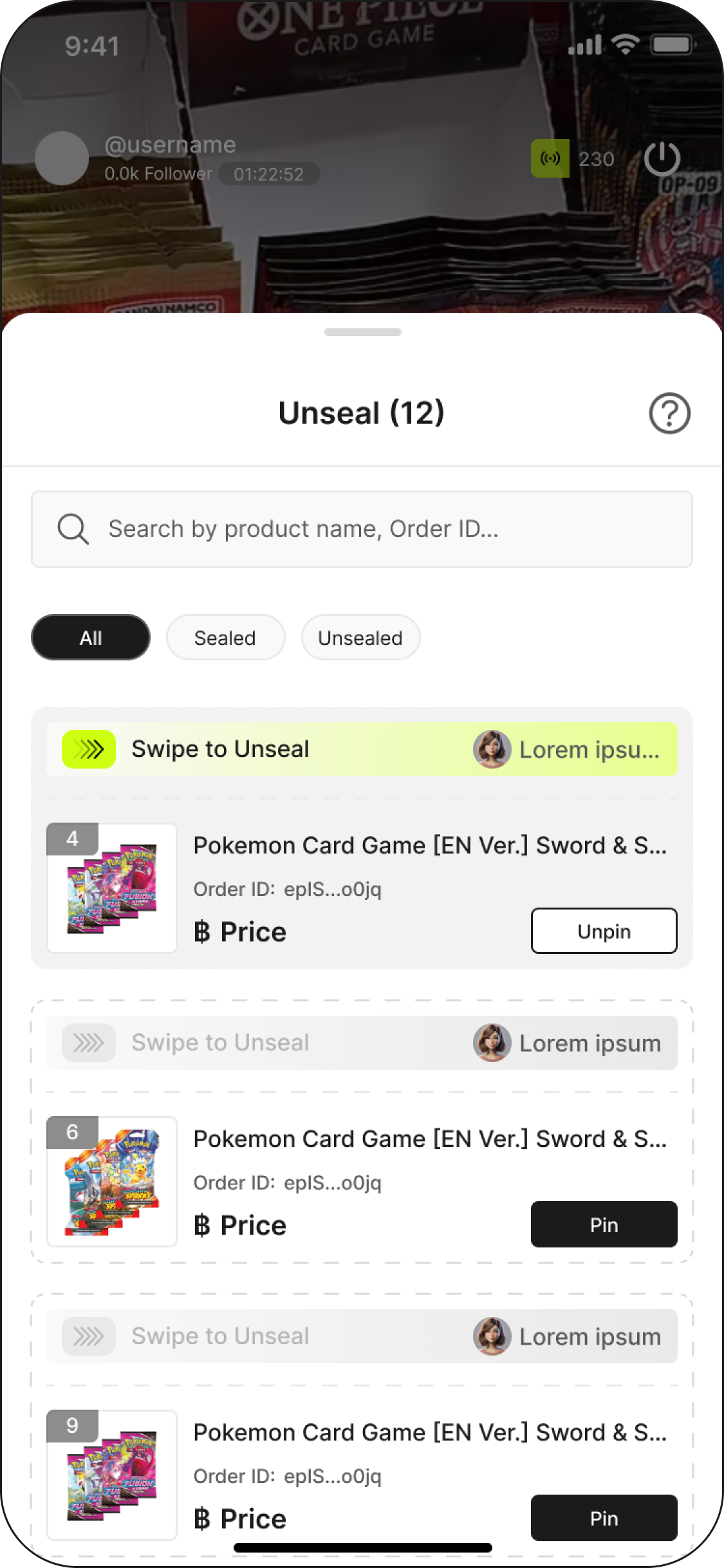
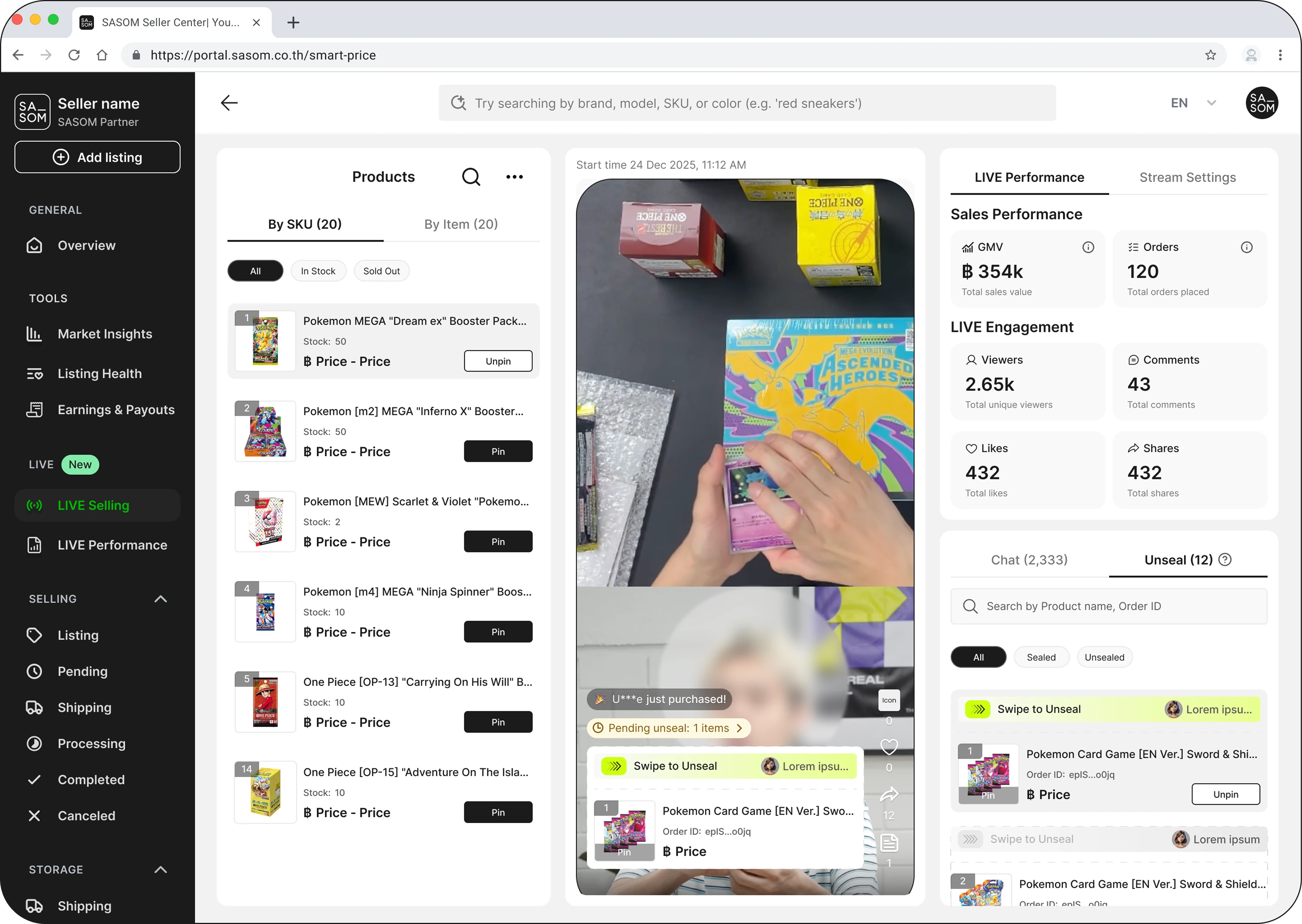
Step 1: Open the unseal queue
During your stream, the Unseal queue lists every paid order waiting to be opened. You can filter by All / Sealed / Unsealed. Work through it one order at a time.
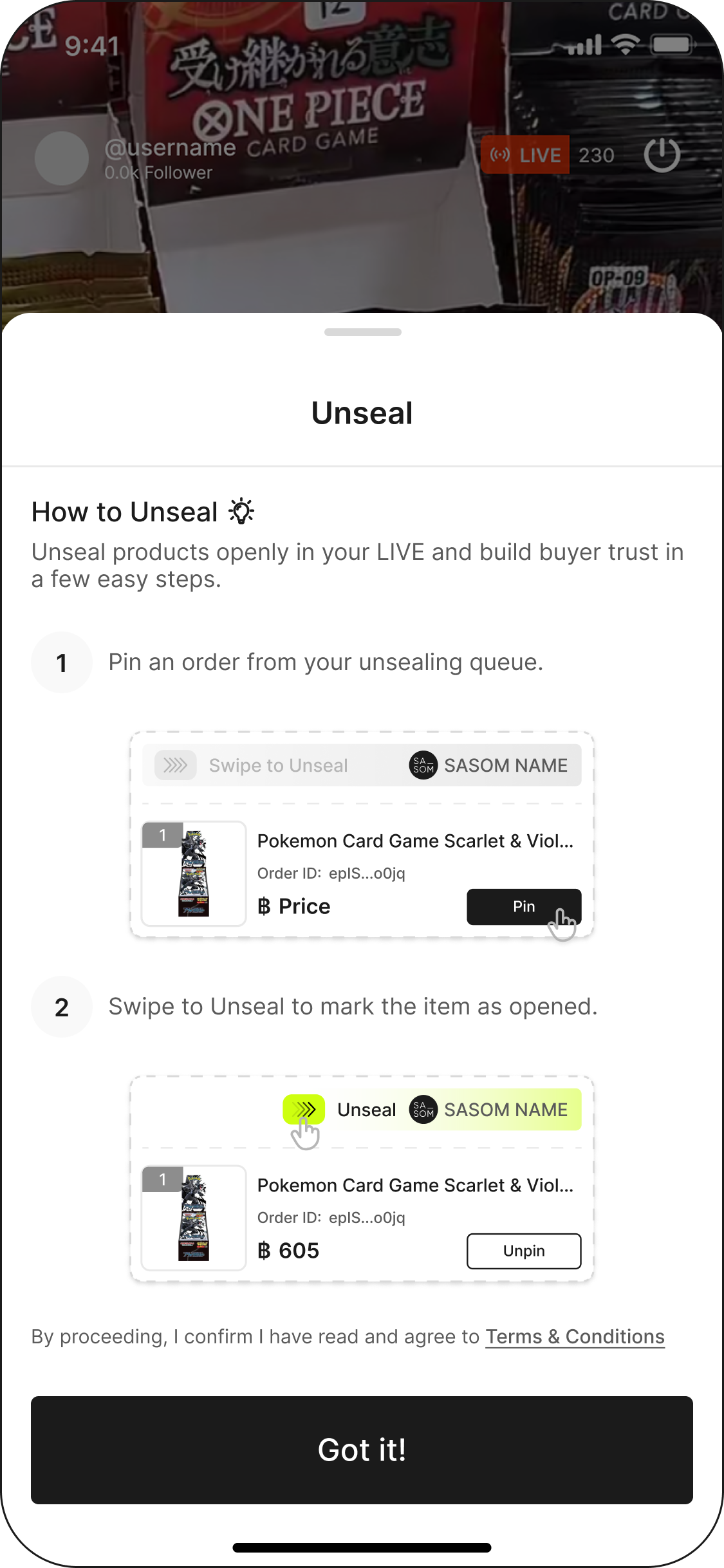
Step 2: Pin the order
Tap Pin on the order you're about to open so it comes up on screen for the buyer and the room.
Step 3: Swipe to unseal
On the pinned card, swipe to unseal (it's a deliberate swipe, not a tap, so you can't open one by accident). Open the item on camera and show what's inside.
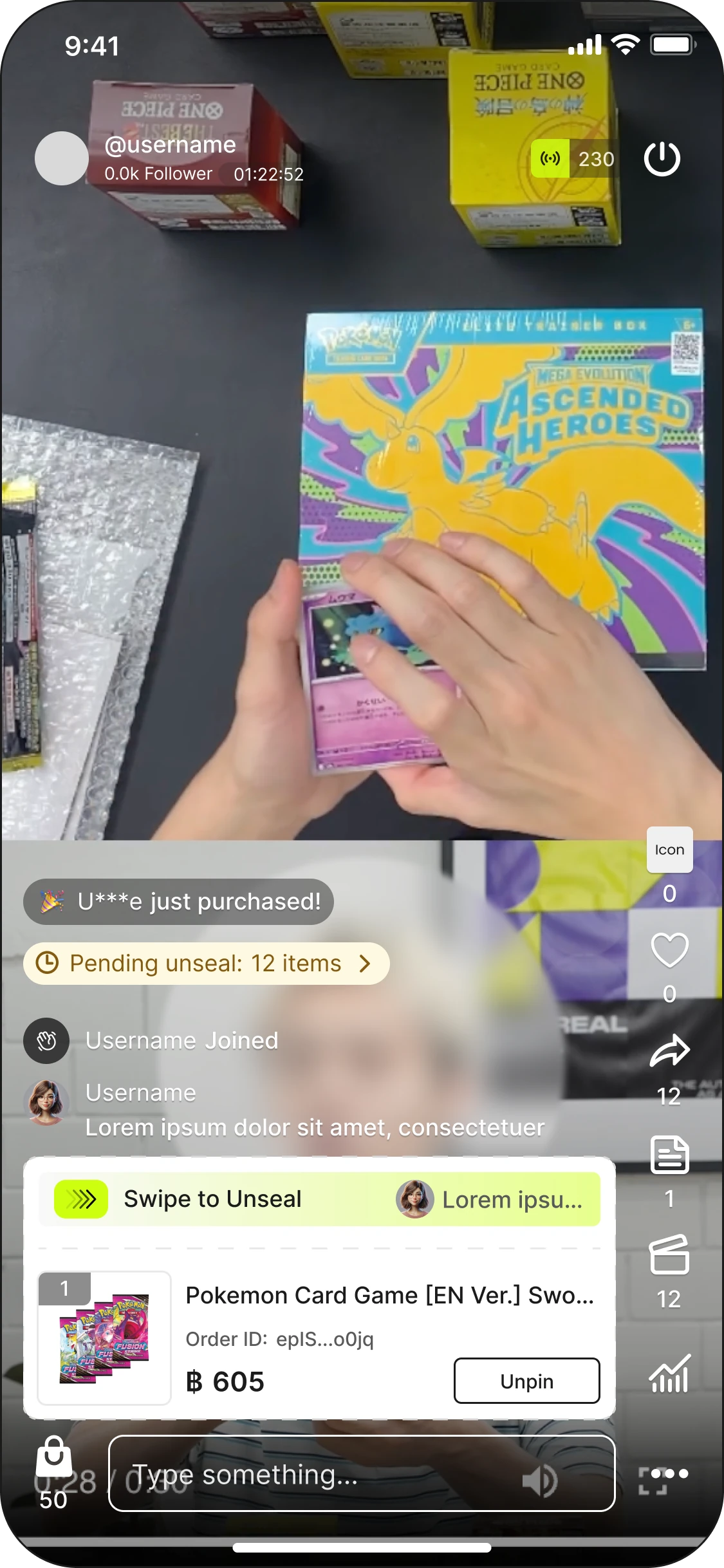
Before you end the stream
⚠️ Open every order in the queue before you end the show. Any unseal you didn't open reverts to sealed and ships to the buyer unopened — which usually isn't what they paid for.
See also