What happen next when I sold my Storage item?
On SASOM app
Your item has been sold!
When a buyer places a Ready-to-Ship order, SASOM will ship the item to them, and you will receive payment to your linked bank account within 4 business days (excluding weekends and public holidays) by 00:00.
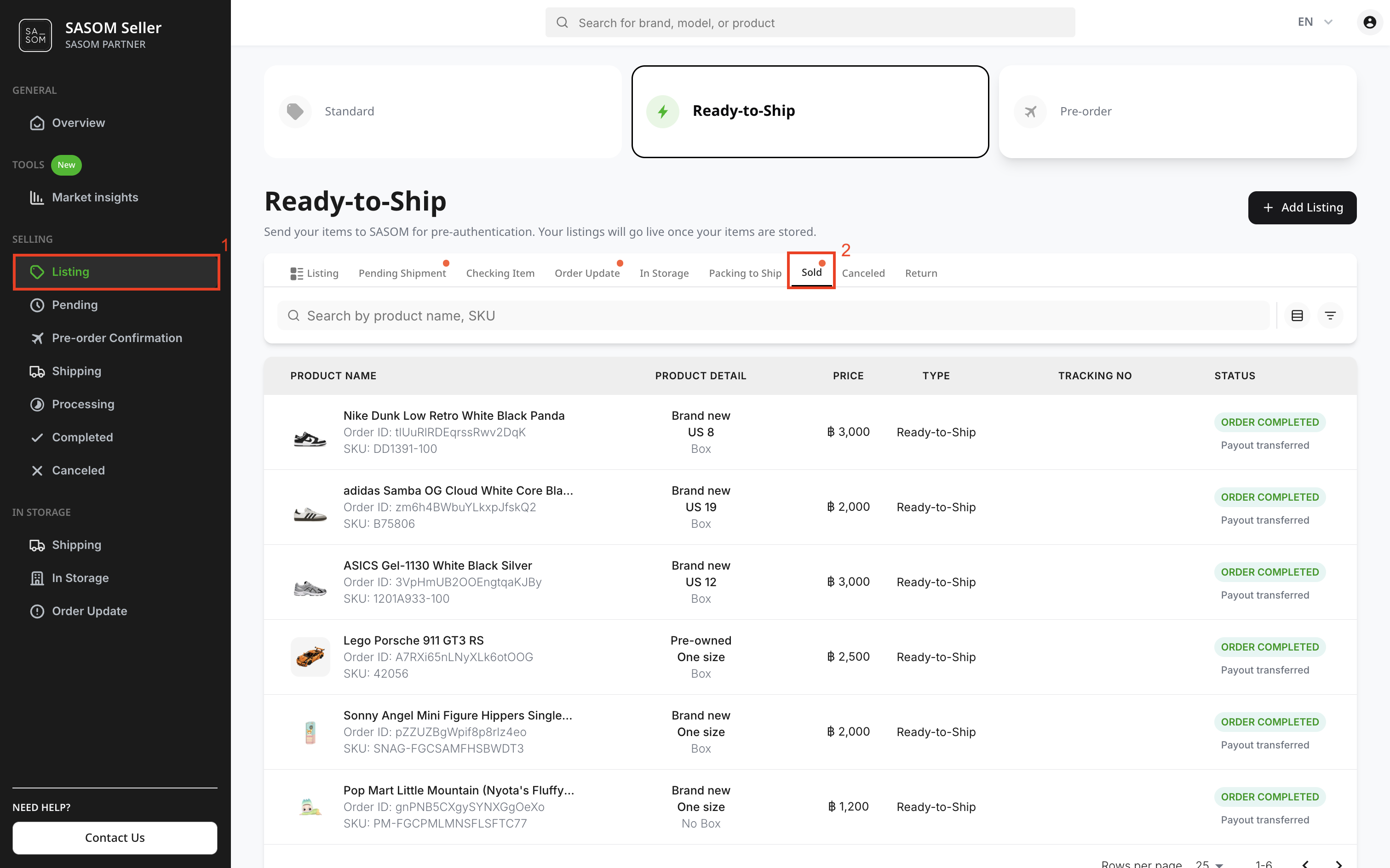
You can check items with orders that are being prepared for shipment (Packing to Ship) by:
Go to the Profile tab, then under Selling, tap into Listing.
Switch the toggle to 'Ready to Ship', then swipe from the 'In Storage' tab to 'Packing to Ship'.
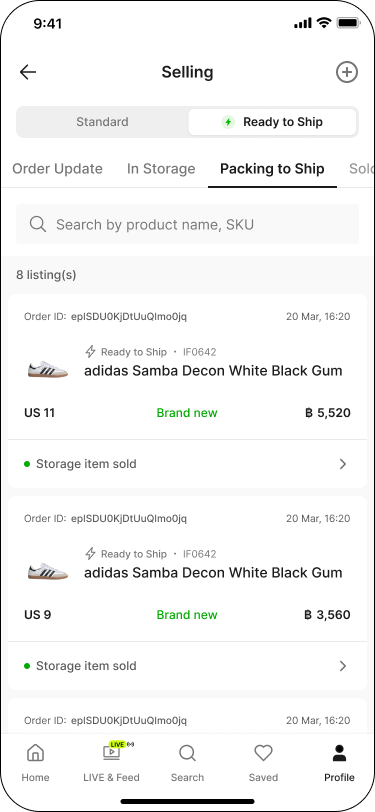
You can also check items that are sold (Sold) and have been paid for by:
Go to the Profile tab, then under Selling, tap into View History.
Switch the toggle to 'Ready to Ship' — this opens the 'Sold' tab.
On SASOM Seller Center
Your item has been sold!
When a buyer places a Ready-to-Ship order, SASOM will ship the item to them, and you will receive payment to your linked bank account within 4 business days (excluding weekends and public holidays) by 00:00.
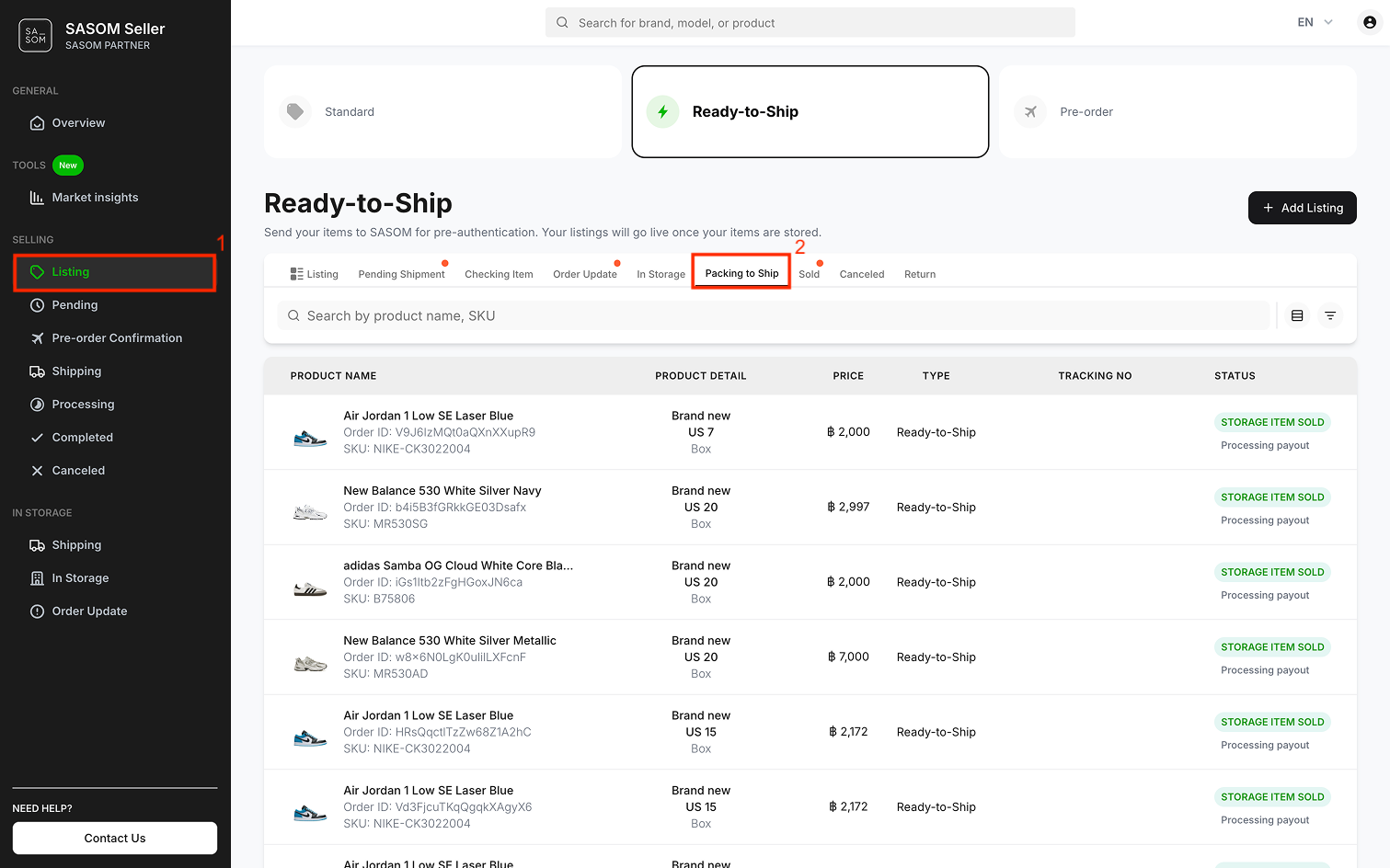
You can check items with orders that are being prepared for shipment (Packing to Ship) by:
- Go to 'Listing' menu.
- Select the 'Ready-to-Ship' tab and 'Packing to Ship' sub-tab.
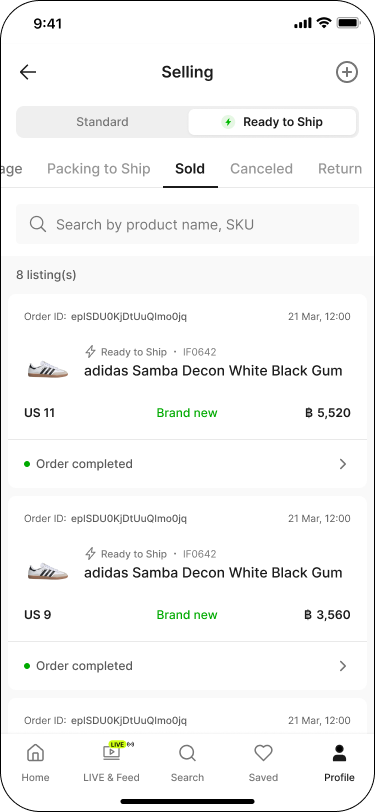
You can also check items that are sold (Sold) and have been paid for by:
- Go to 'Listing' menu.
- Select 'Ready-to-Ship' tab and 'Sold' sub-tab.