How to Add Listings?
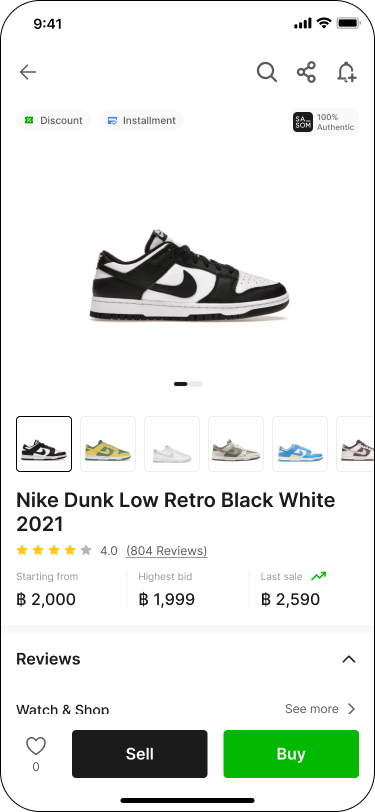
Step 1: Choose Your SASOM
Choose the product you want to list, then click 'Sell'.
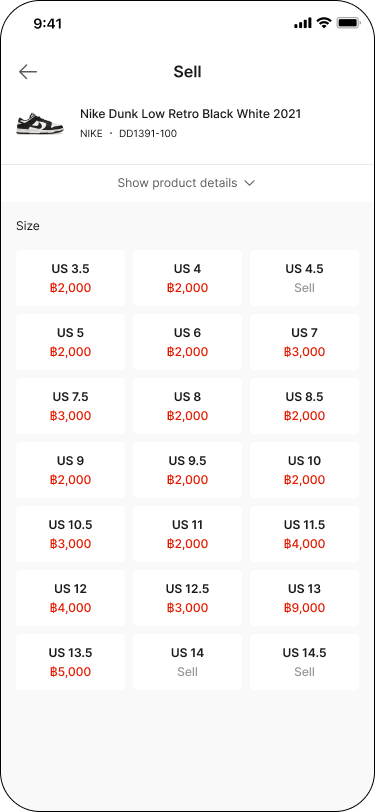
Step 2: Select Size
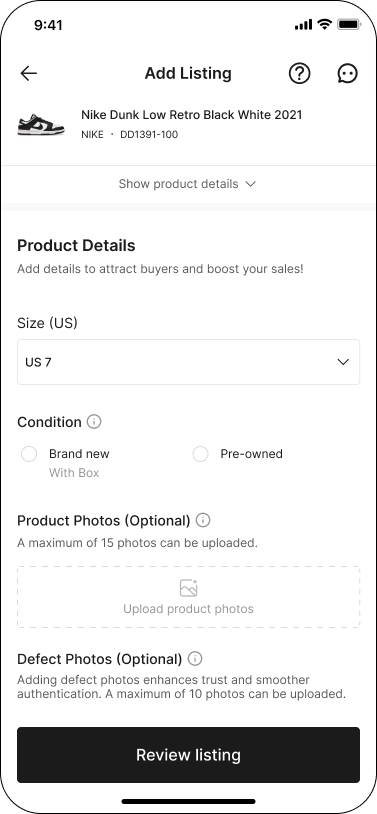
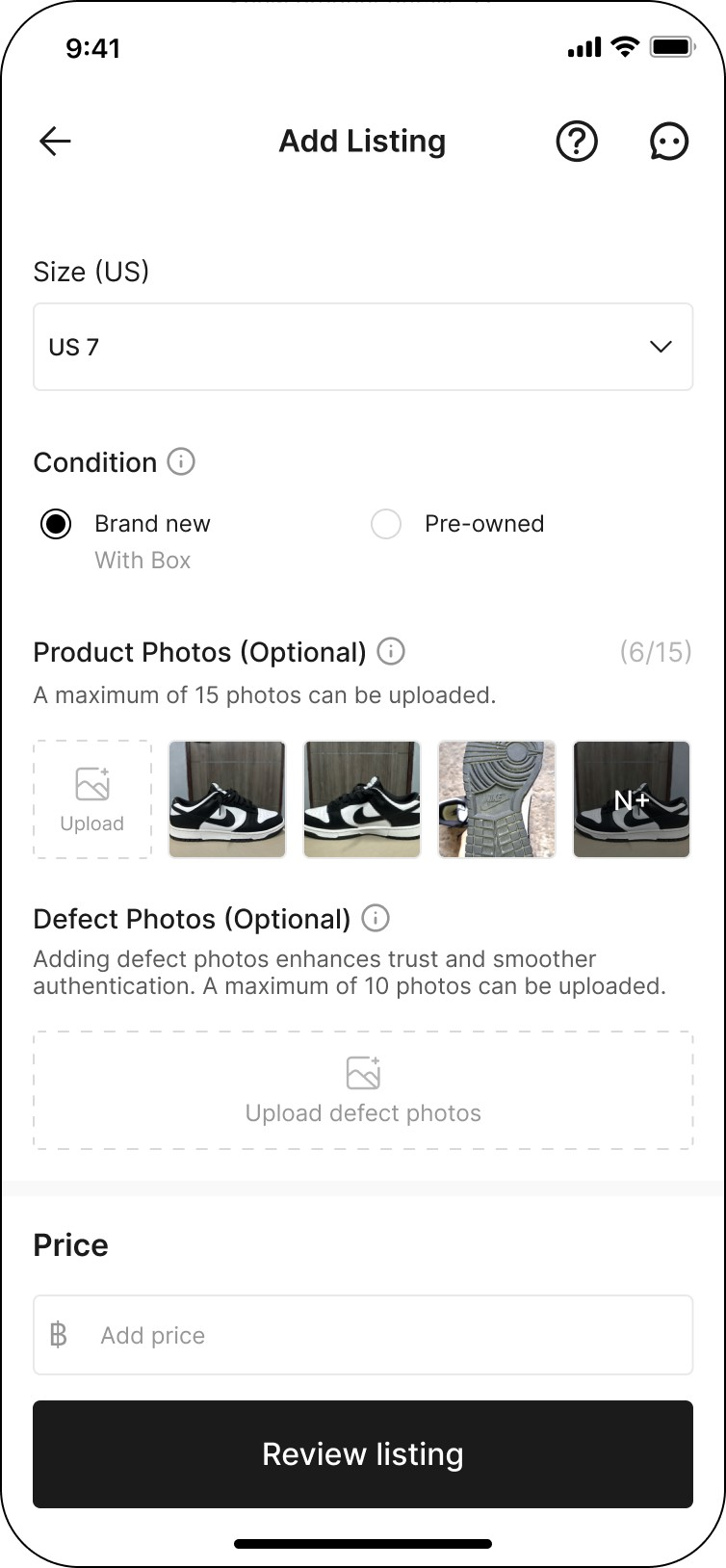
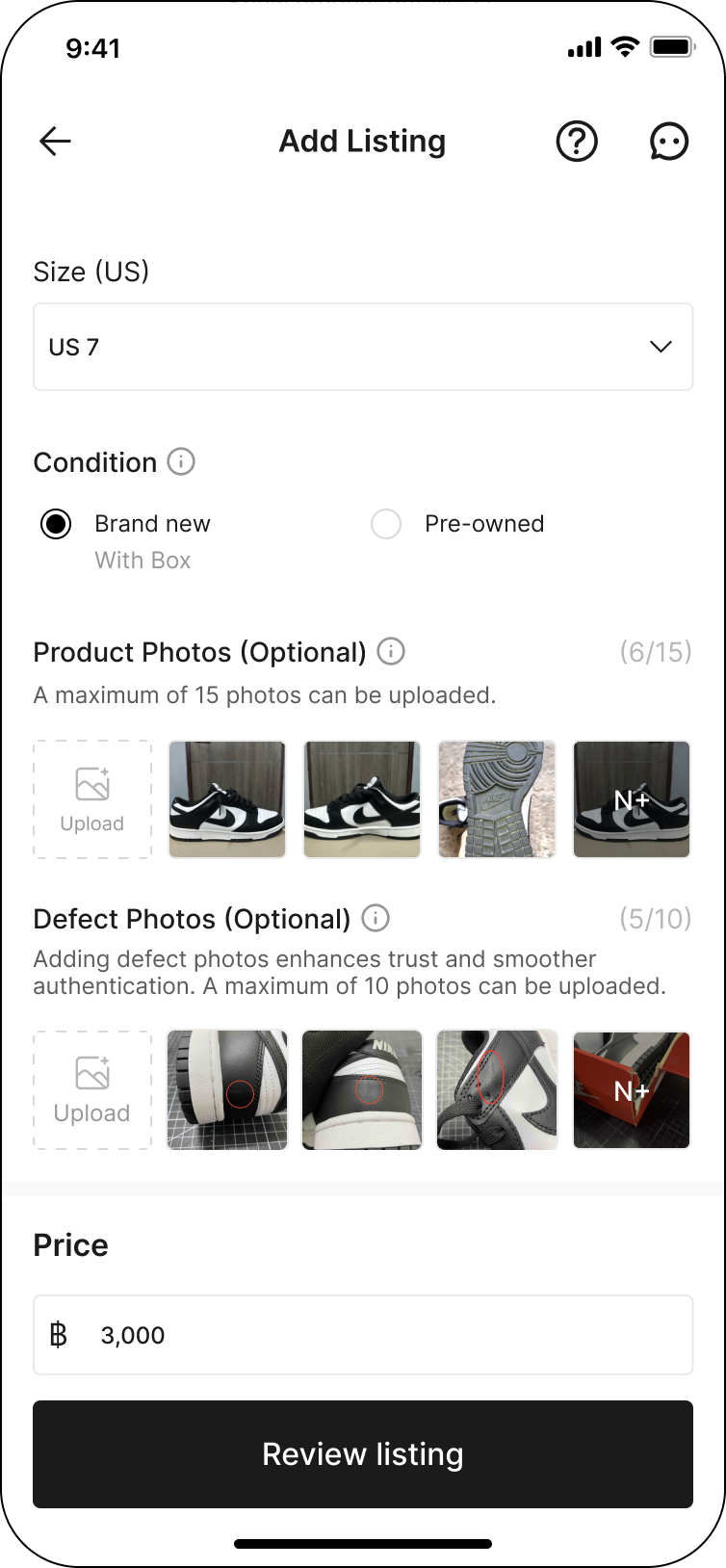
Step 3: Fill in Product Details
Fill in the product size, condition, and equipment.
Note: Product details may vary depending on each product category.
Step 4: Upload Product Photos
Upload photos of the product according to the selected product conditions. You can upload up to 15 photos.
✳ Brand new: Uploading product photos is optional, but we strongly encourage sellers to include photos as they can significantly influence buyers' decisions.
✳ Pre-owned: A minimum of 4 product photos is required.
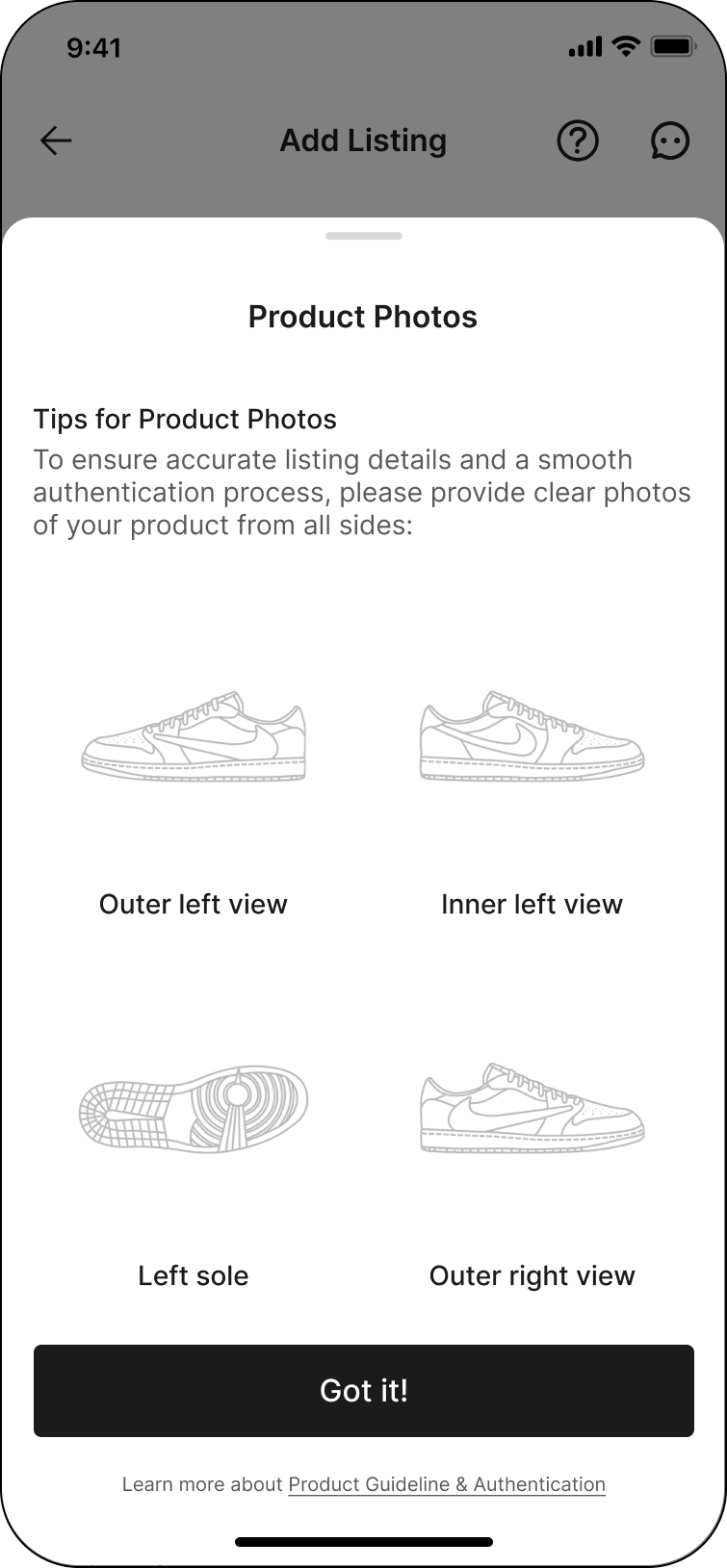
For product photos guidelines, click the 'ⓘ' icon next to the 'Product Photos' title.
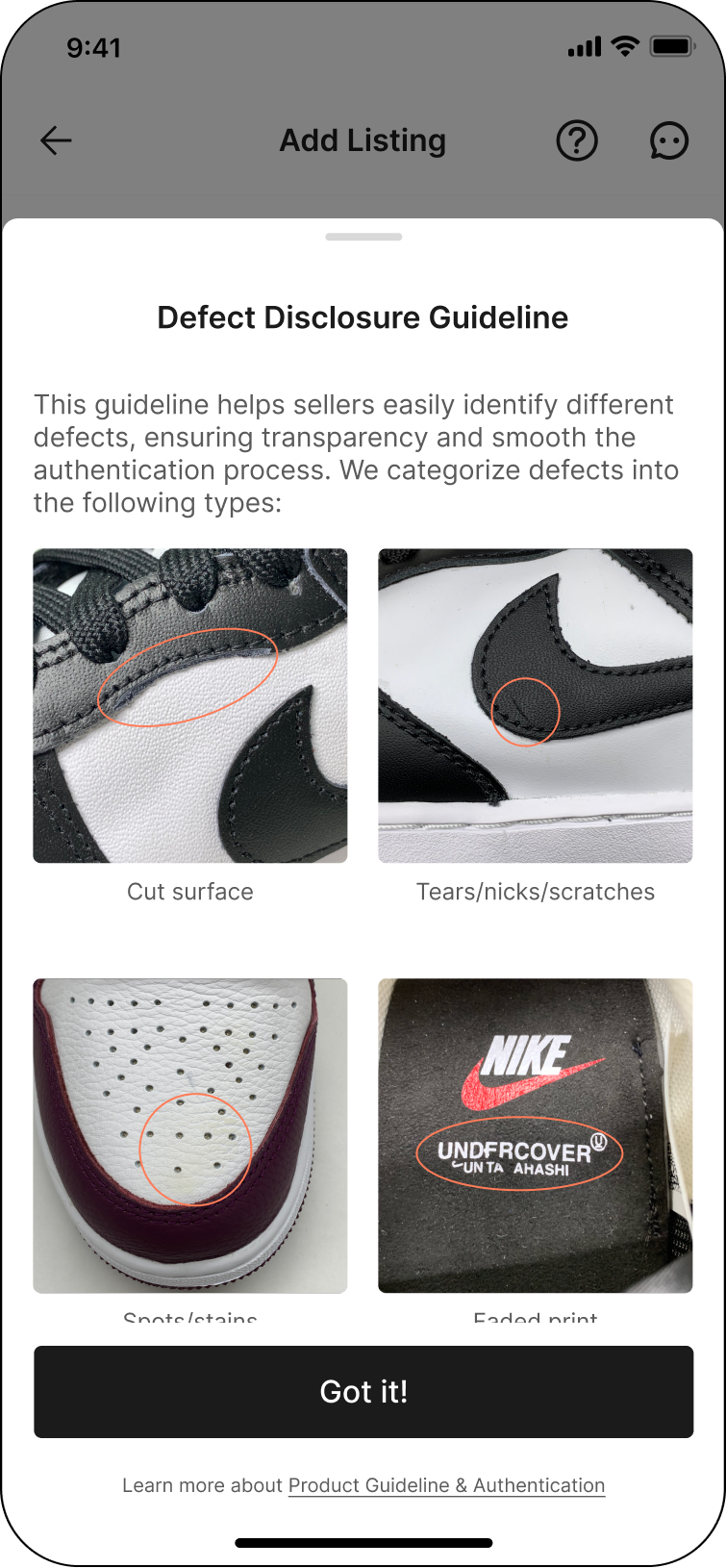
Step 5: Upload Defect Photos (Optional)
If your product has any defects, please upload clear photos of the defects. For defect photos guidelines, click the 'ⓘ' icon next to the 'Defect details' title.
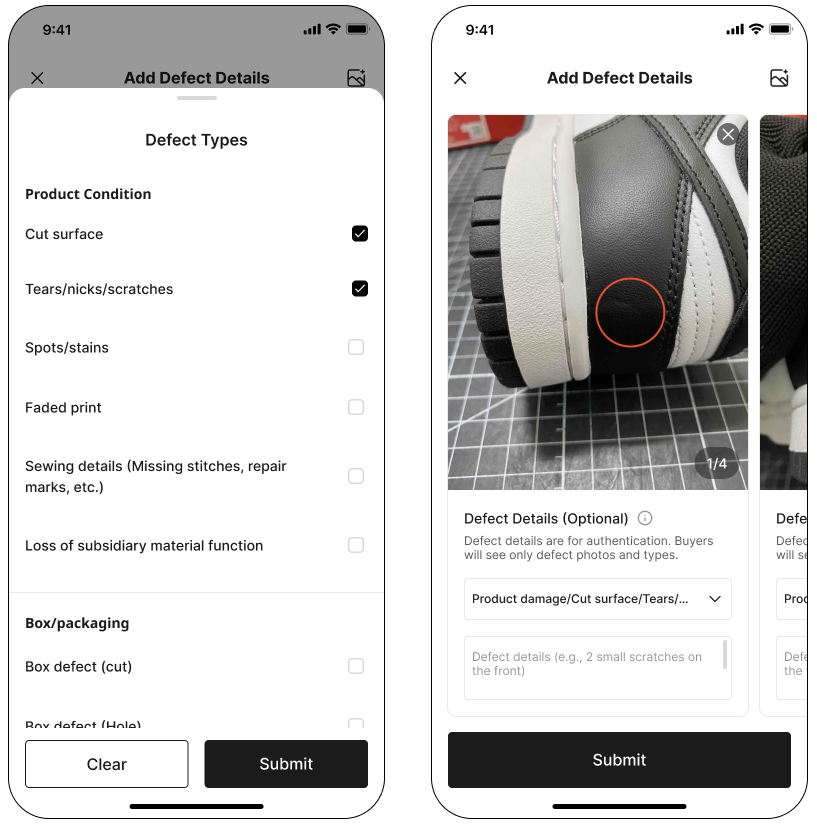
You may also provide defect details (Optional) by selecting the defect types and describing their details.
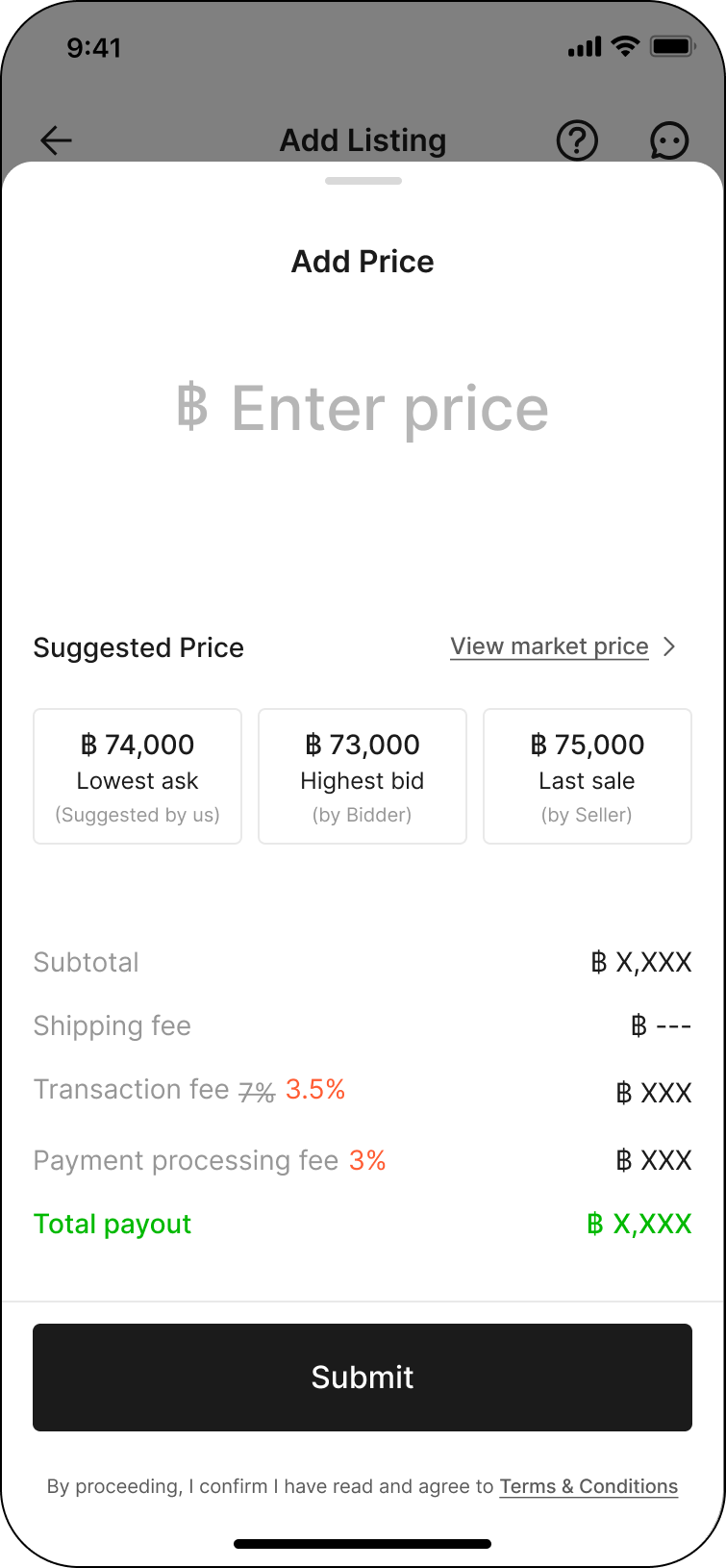
Step 6: Add Price
Enter your listing price. You can choose to set the price based on our suggested price or review the market price to set the price as you prefer.
Step 7: Complete All the Listing Details
Click 'Review listing' to proceed to the 'Listing Summary'.
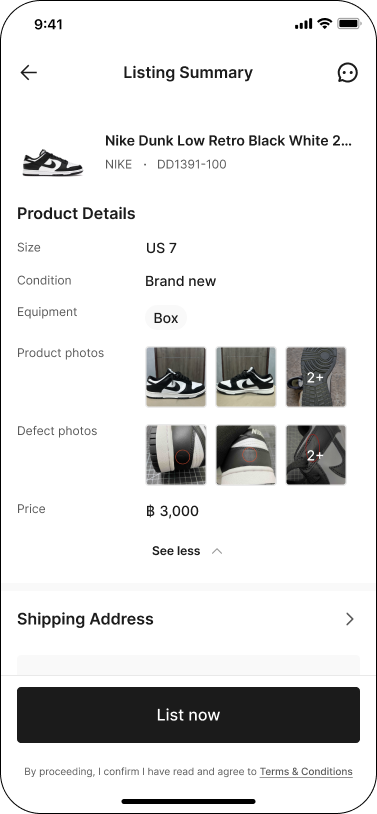
Step 8: Review Listing
Review the product details of your listing, fill in your shipping address and select payout method. Then, click 'List now'.
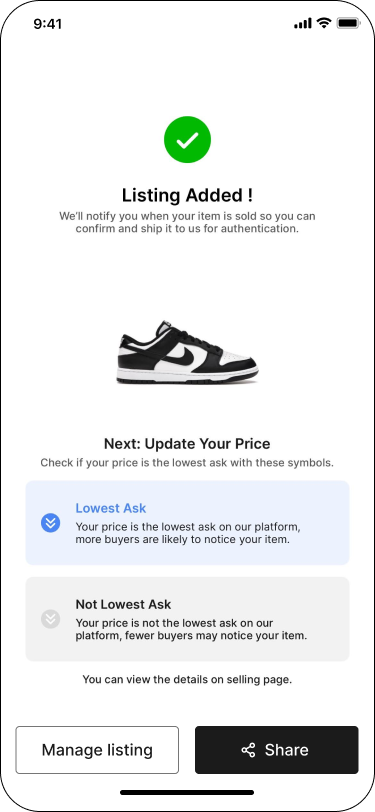
Step 9: Listing Added!
SASOM will notify you when your order has been matched.