How to create Ready-to-Ship listing?
On SASOM app
To sell your items as Ready-to-Ship from the SASOM app, submit a storage request and ship your items to SASOM. Once the items arrive and pass authentication, SASOM will list them as Ready-to-Ship for you.
Step 1: Start a Ready-to-Ship listing
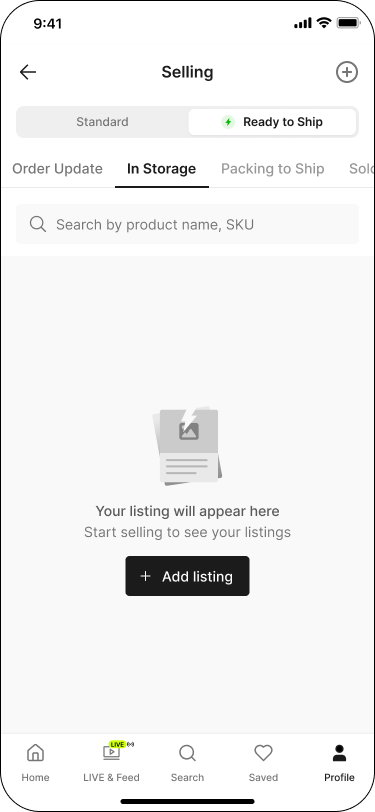
Go to the Profile tab, then under Selling, tap into any status to open the Selling screen.
From there, start a Ready-to-Ship listing two ways:
Switch the toggle to 'Ready to Ship', go to the 'In Storage' tab, then tap '+ Add listing'.
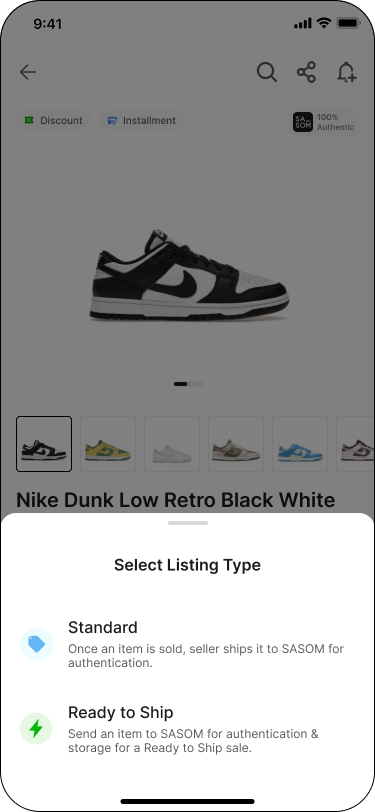
Or, from the Selling screen, tap the '+' icon in the top navigation — a 'Select Listing Type' sheet appears; choose 'Ready to Ship'.
Step 2: Add your products
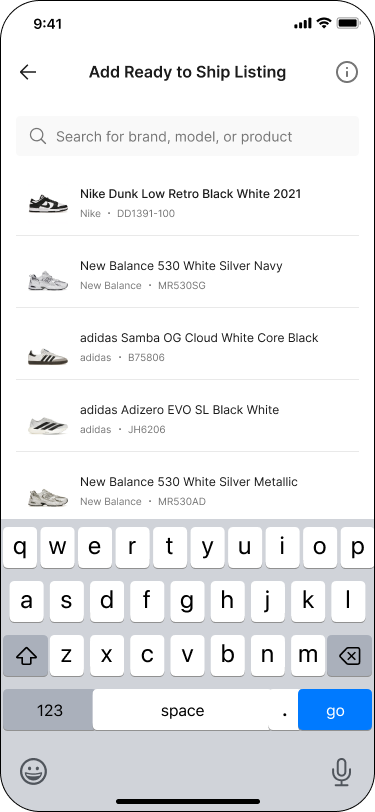
Search for your product to list.
Enter the product details such as quantity and price, then tap 'Add listing'.
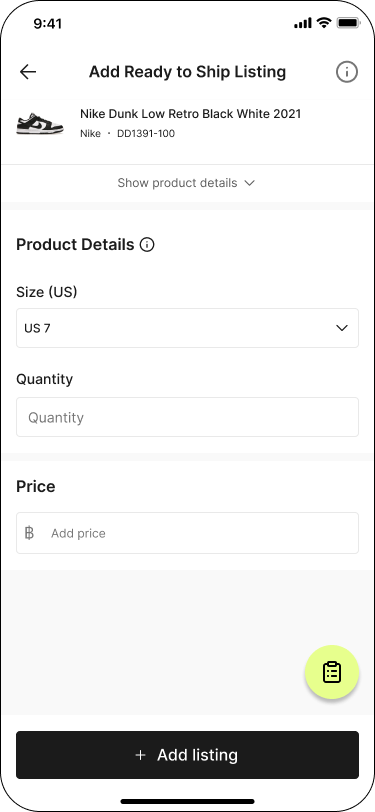
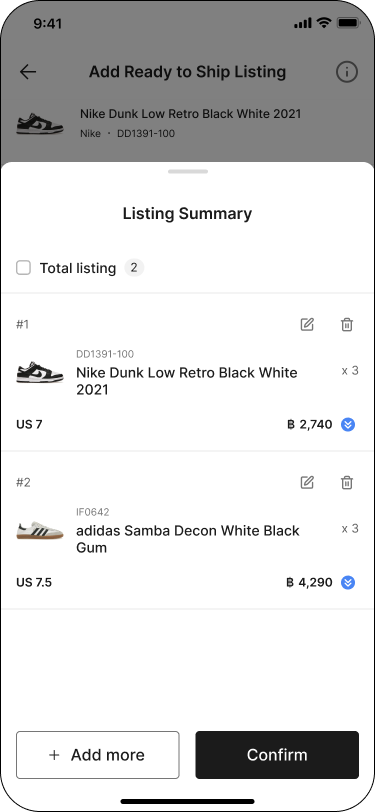
To add more products, repeat the same steps. Tap the summary icon to open Listing Summary, where you can review or edit added items. Tap 'Add more' to keep adding, or 'Confirm' once done.
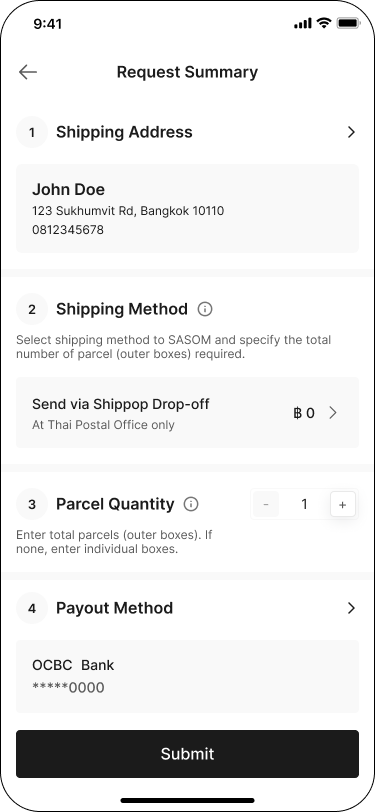
Step 3: Complete your Request Summary
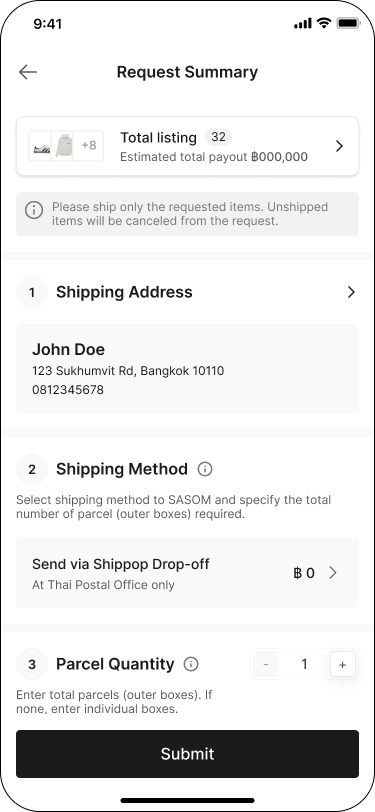
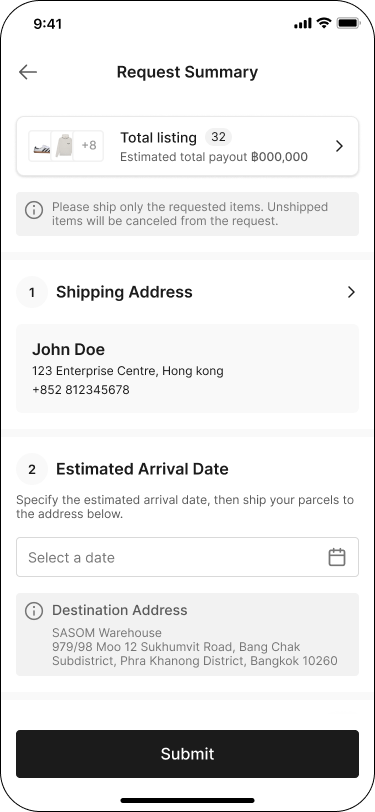
On the Request Summary screen, review your total listing count, then complete all sections:
Shipping Address — confirm or edit your address.
Shipping Method — select a method to ship to SASOM (e.g. Shippop Drop-off) and specify Parcel Quantity.
For international sellers: this section shows Estimated Arrival Date instead, plus the SASOM Destination Address to ship to.
Payout Method — confirm the bank account to receive payment.
Once all sections are complete, tap 'Submit'.
Step 4: Review and Submit
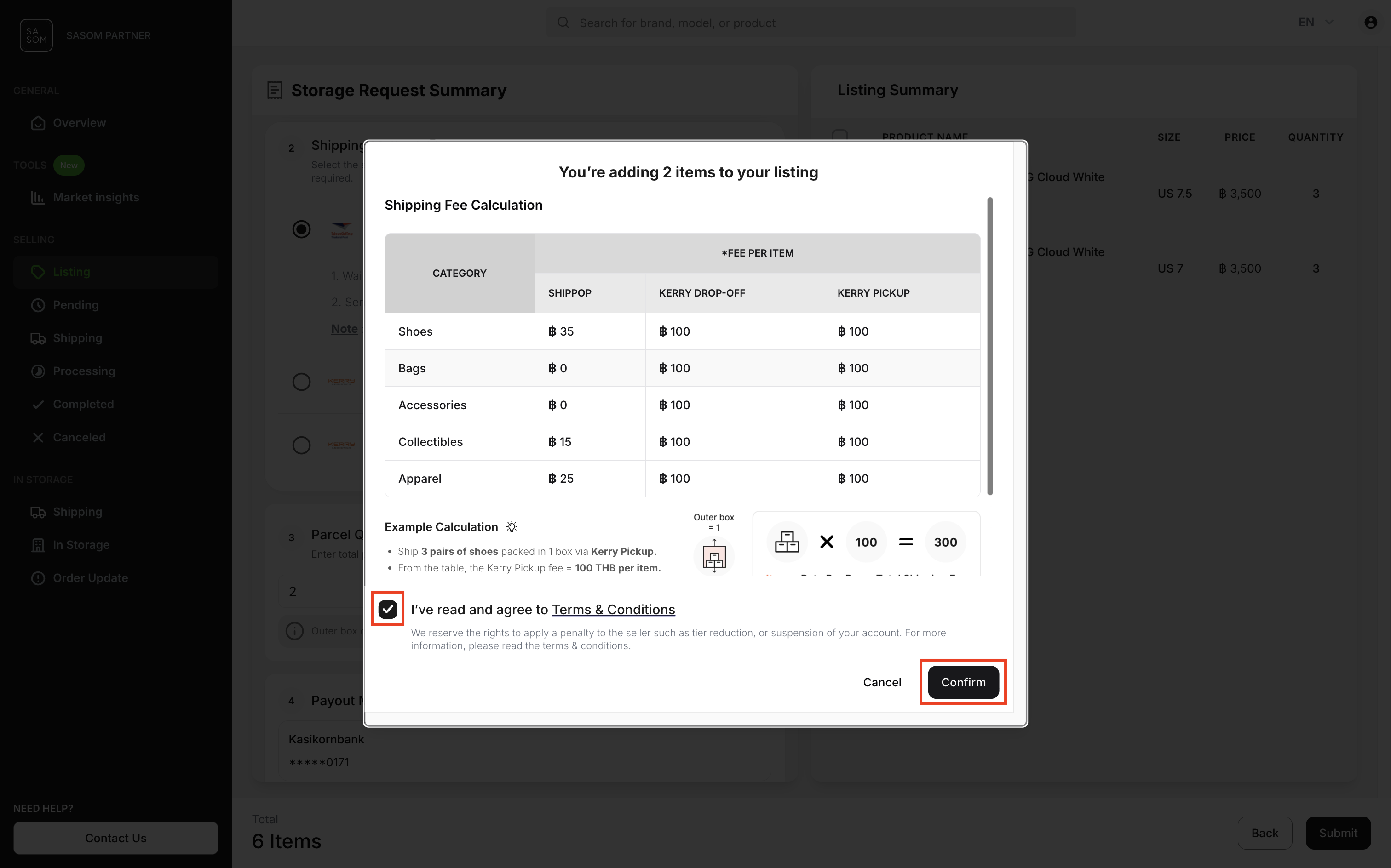
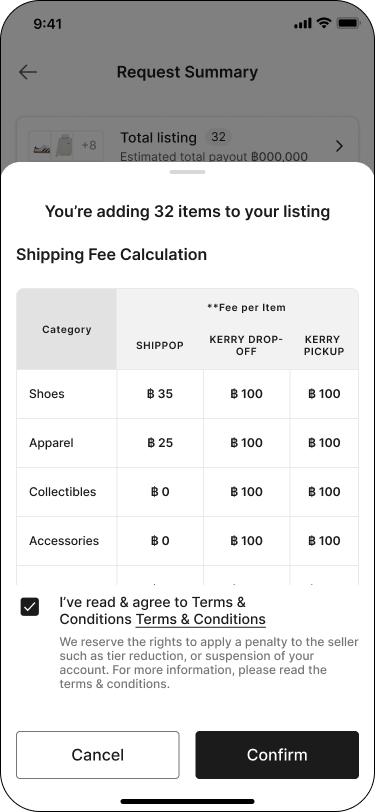
Review the Shipping Fee Calculation (fee per item, by category and shipping method), check the box to agree to the Terms & Conditions, then tap 'Confirm'.
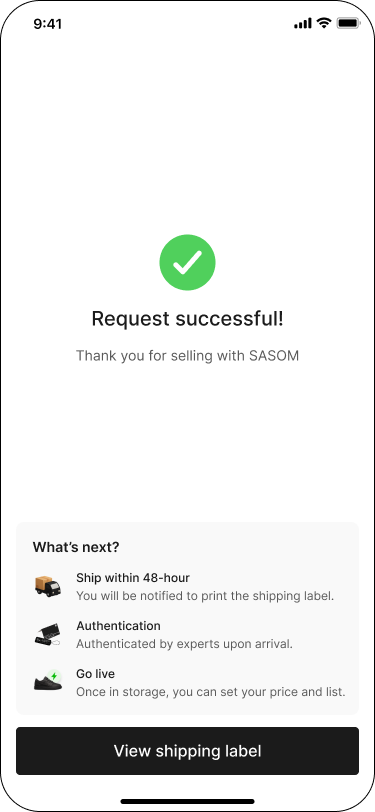
You'll see a Request successful! confirmation. Tap 'View shipping label' to get your shipping label.
On SASOM Seller Center
To sell your items as Ready-to-Ship, simply submit a storage request and ship your items to SASOM. Once the items arrive and pass authentication, SASOM will list them as Ready-to-Ship for you.
Follow the steps below to create your Ready-to-Ship listing.
Step 1: Get Started to Ready-to-Ship Listing
1. Go to the ‘Overview’ or ‘Listing’ menu and click the ‘+ Add Listing’ button.
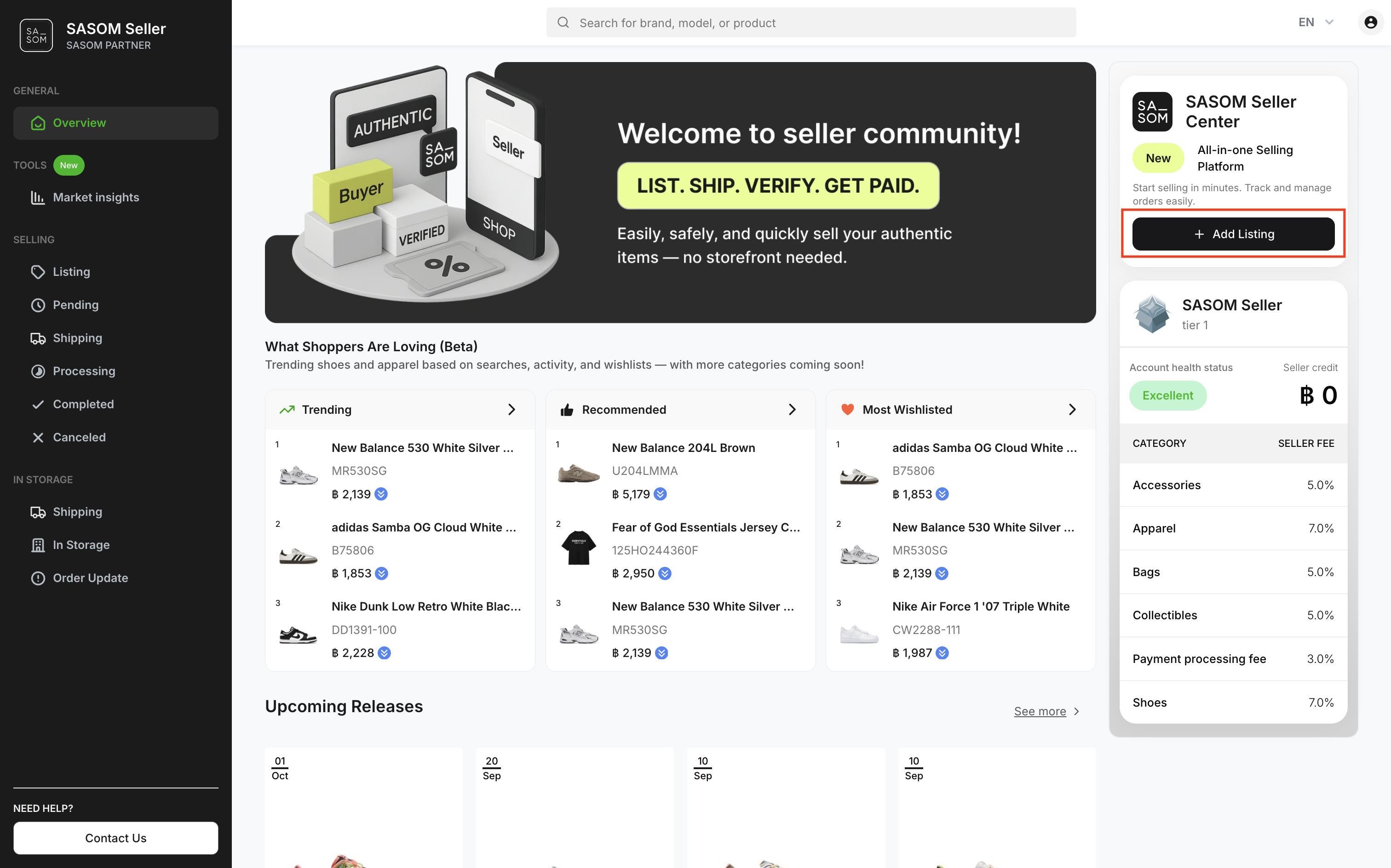
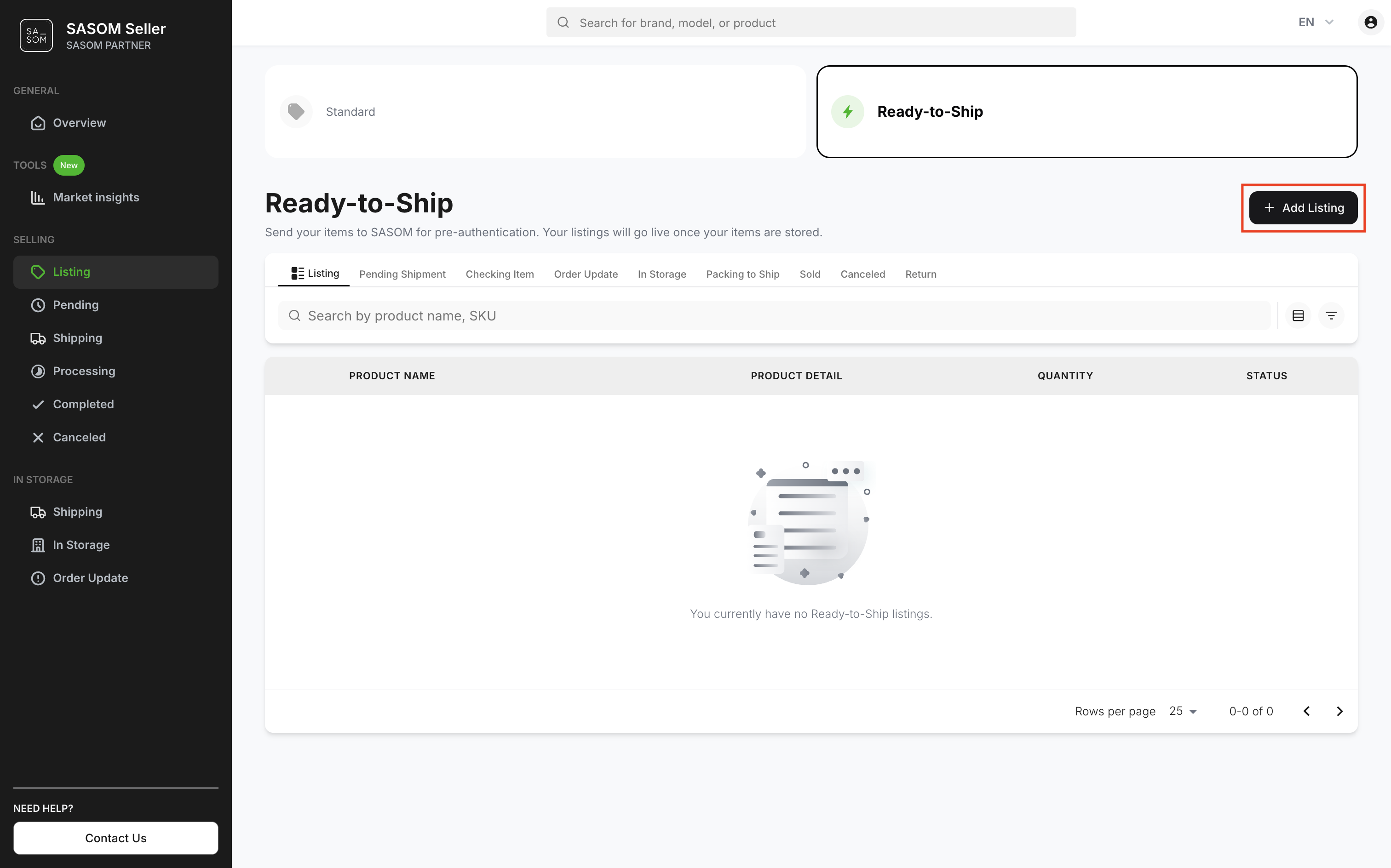
2. Select the listing type ‘Ready-to-Ship’.
.png)
Step 2: Enter Listing Details
1. Search for a product to list.
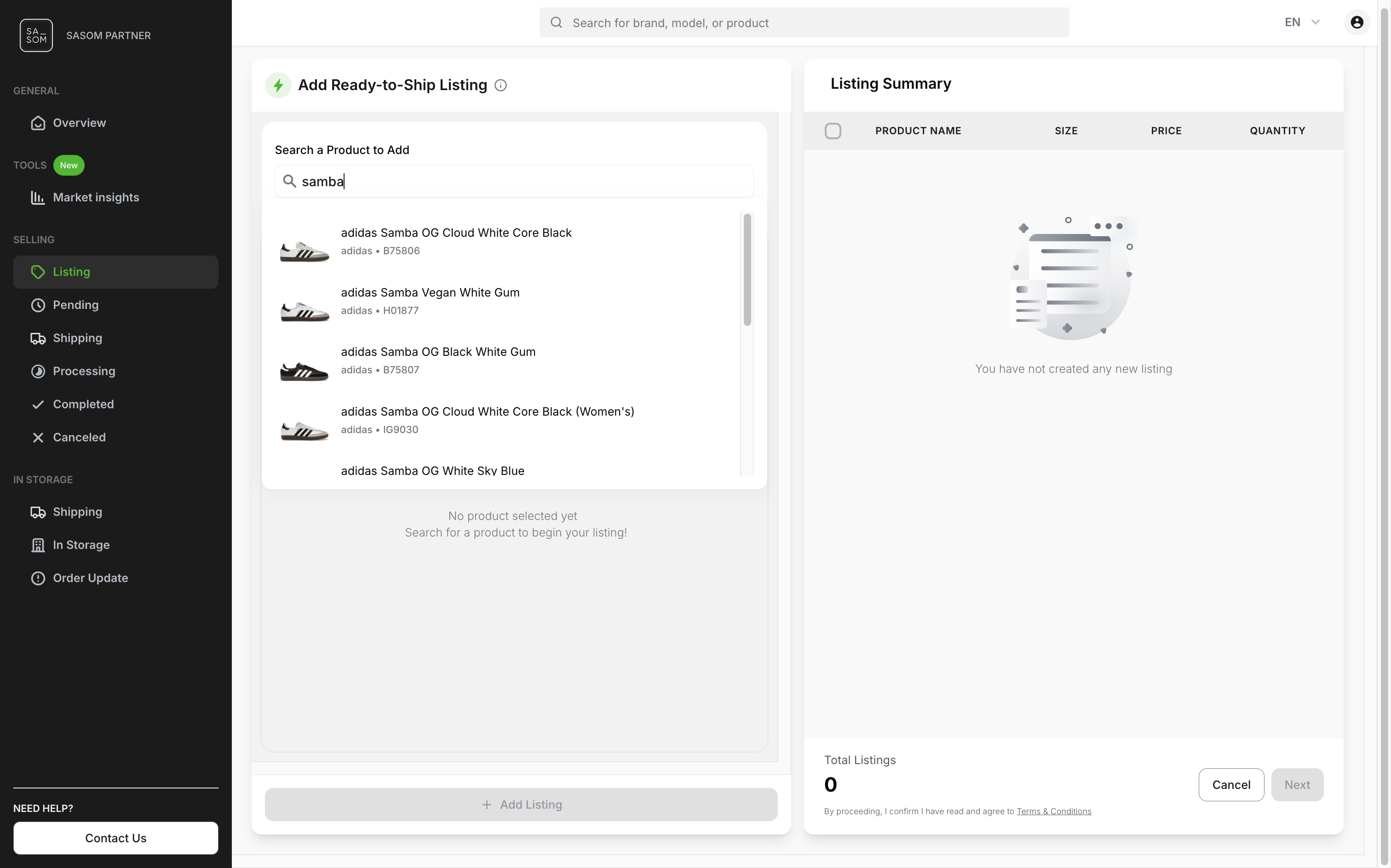
2. Enter the product details such as quantity and price, then click ‘+ Add Listing’.
.png)
3. To add more products, repeat the same steps until you’ve added all items. You can review or edit your items in the Listing Summary. Once finished, click 'Next' to continue.
.png)
Note: All items added under the same request will be grouped under one Request ID, which will be used as a reference for shipping to SASOM.
Step 3: Provide Shipping Information
1. Enter your Shipping Address and select a preferred shipping method for sending your items to SASOM.
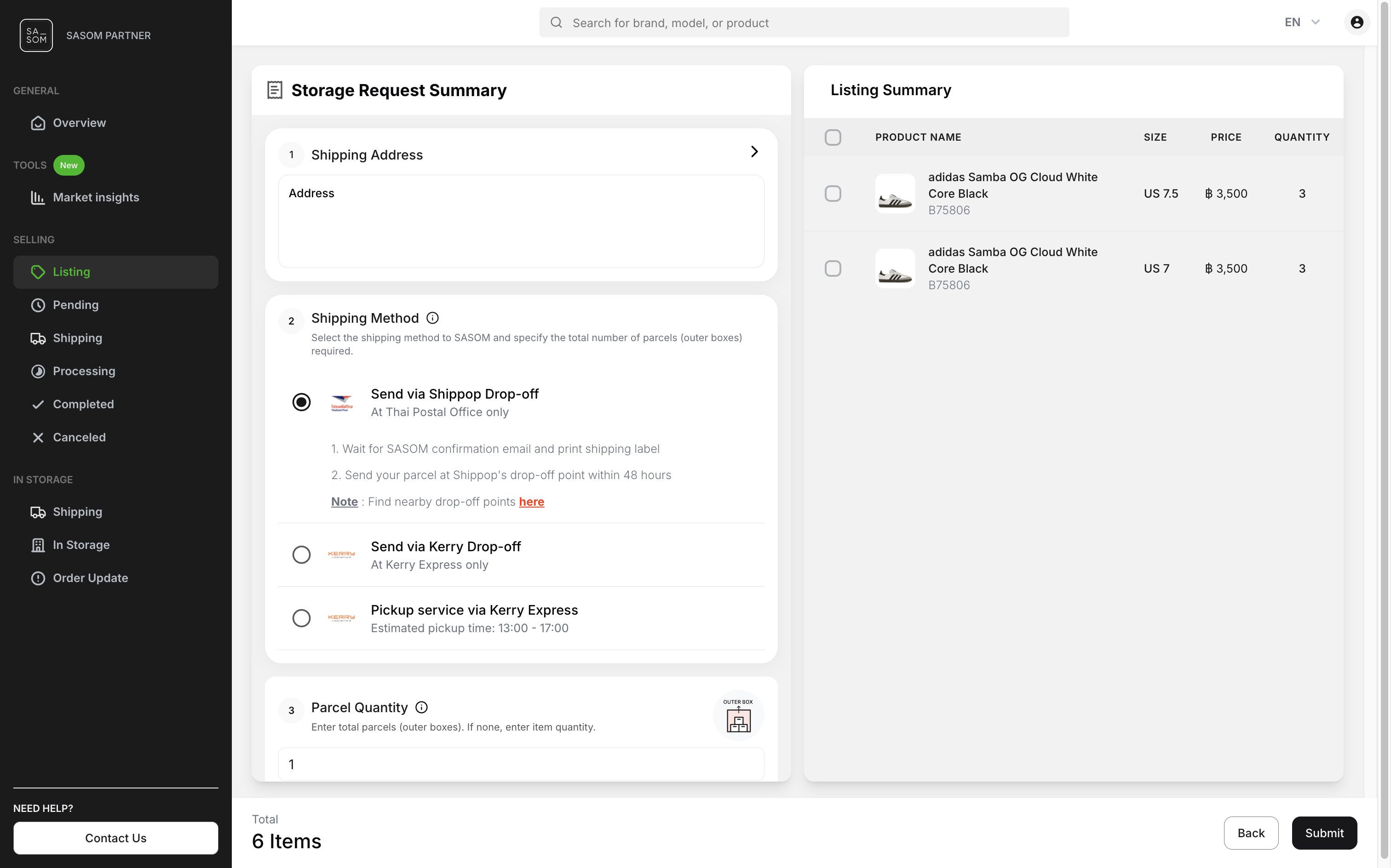
Note: For international shipping: Specify the Estimated Arrival Date for your items and use the Destination Address provided by SASOM.
.png)
2. Enter the Parcel Quantity used to pack your items. This helps with verification and tracking.
- Enter total parcels (outer boxes): If multiple items are packed together in one large box.
- Enter total items: If each item is packed individually (1 item per box).
.png)
3. Enter your Payout Method to receive payments after your item is sold.
Step 4: Review and Submit
1. Review all your information, then click ‘Submit’.
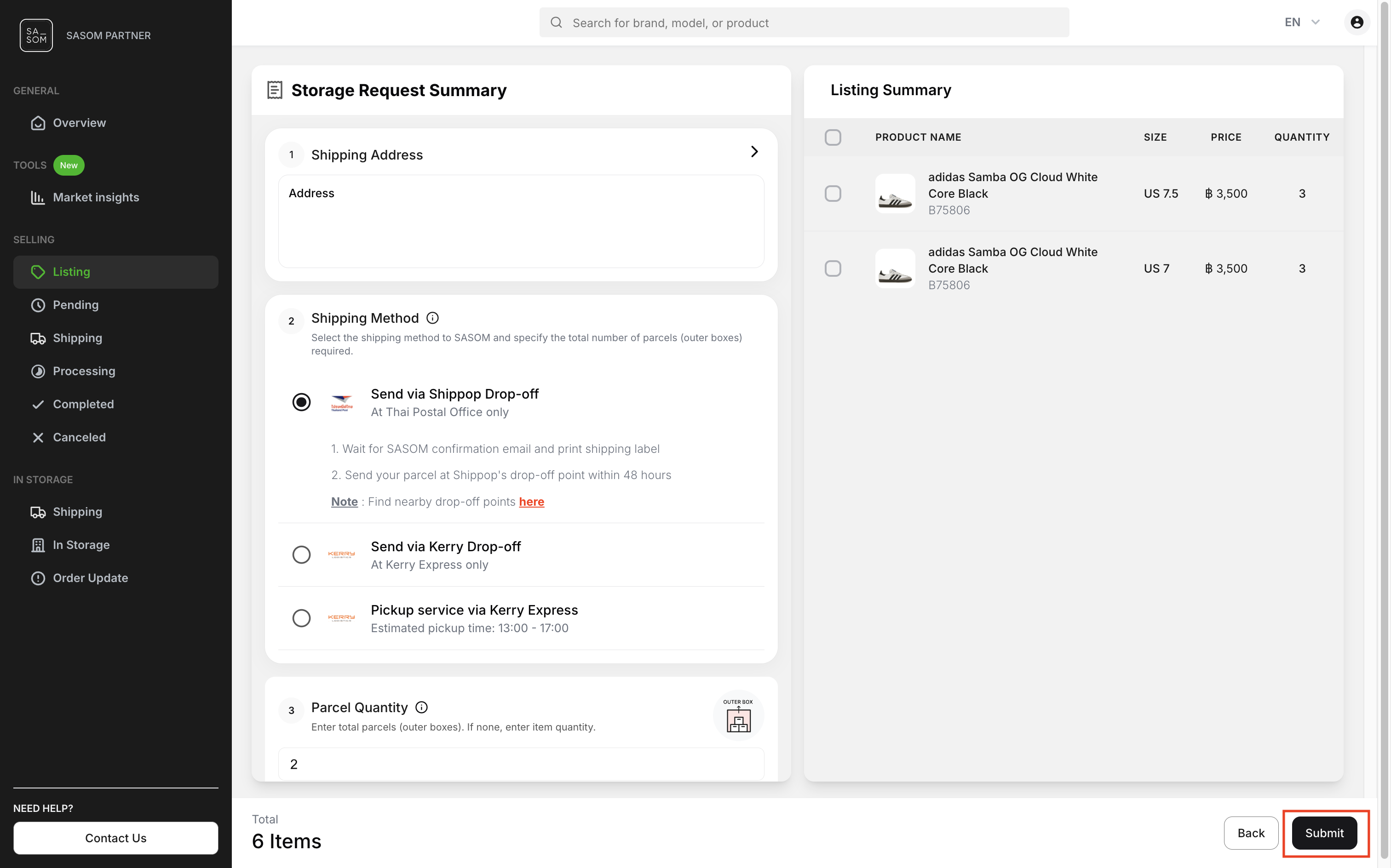
2. Read the terms and conditions, check the box to agree, then click ‘Confirm’ to submit your request.