How to pay via QR PromptPay?
Updated May 13, 2026
QR PromptPay is a payment method that allows you to transfer cash from your account to SASOM account.
How to pay via QR PromptPay
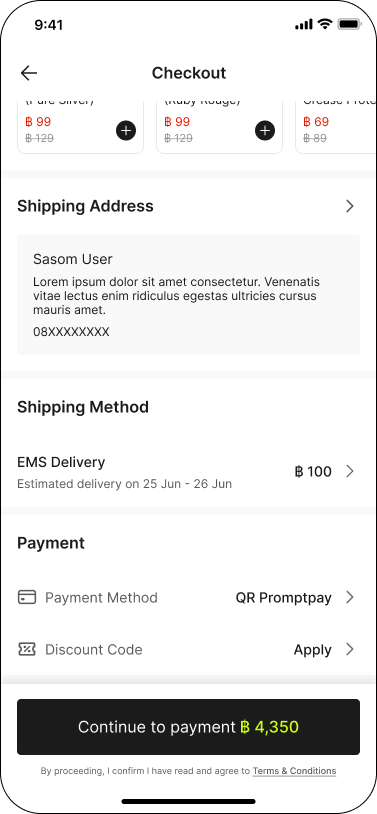
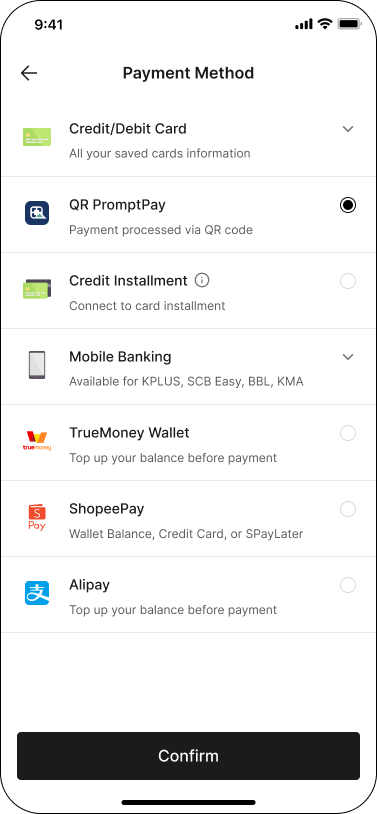
Step 1: At Checkout, select QR PromptPay as your 'Payment Method', then click 'Confirm' and 'Continue to payment' to proceed.
Step 2: During payment process, please scan QR or save QR image and upload in your banking application to complete the payment within the time limit.
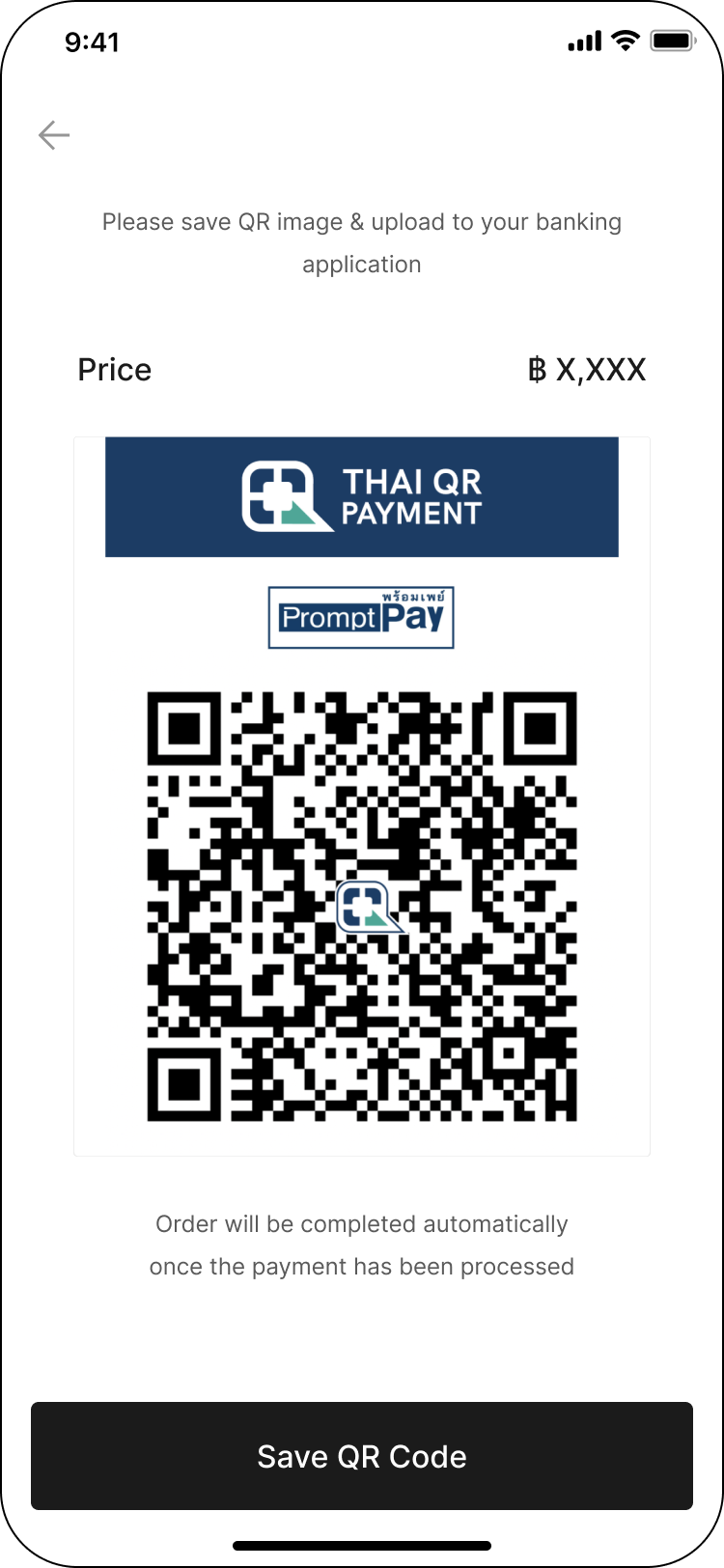
✳ Order will be completed automatically once the payment has been processed.