How to pay with Credit/Debit Card?
Updated May 13, 2026
You can choose Visa, Mastercard, JCB, or Discover credit/debit card as your payment method in purchasing with SASOM.
How to pay with Credit/Debit card
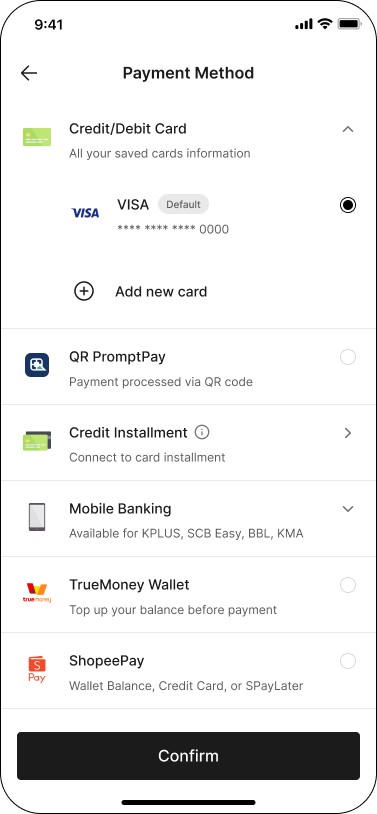
Step 1: In Checkout, select 'Credit/Debit card' as your 'Payment Method' You can select your saved card as your payment method, or add new card. Then click 'Confirm' to continue.
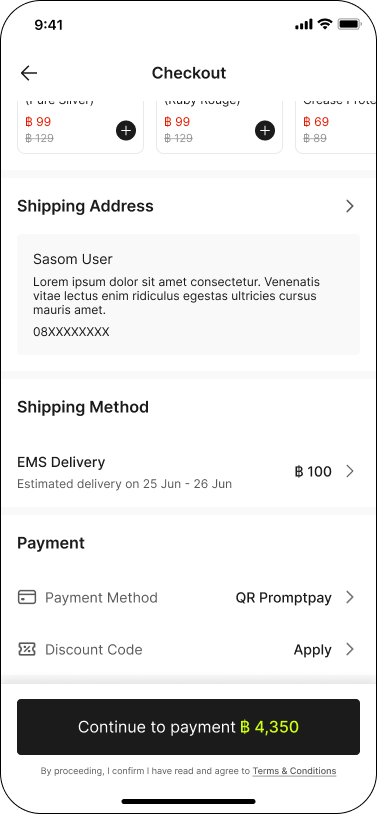
Step 2: Click ‘Continue to payment’ to proceed. An OTP (One-Time Password) will be sent to your mobile number. Please enter the OTP code and click 'Submit' to complete the payment.
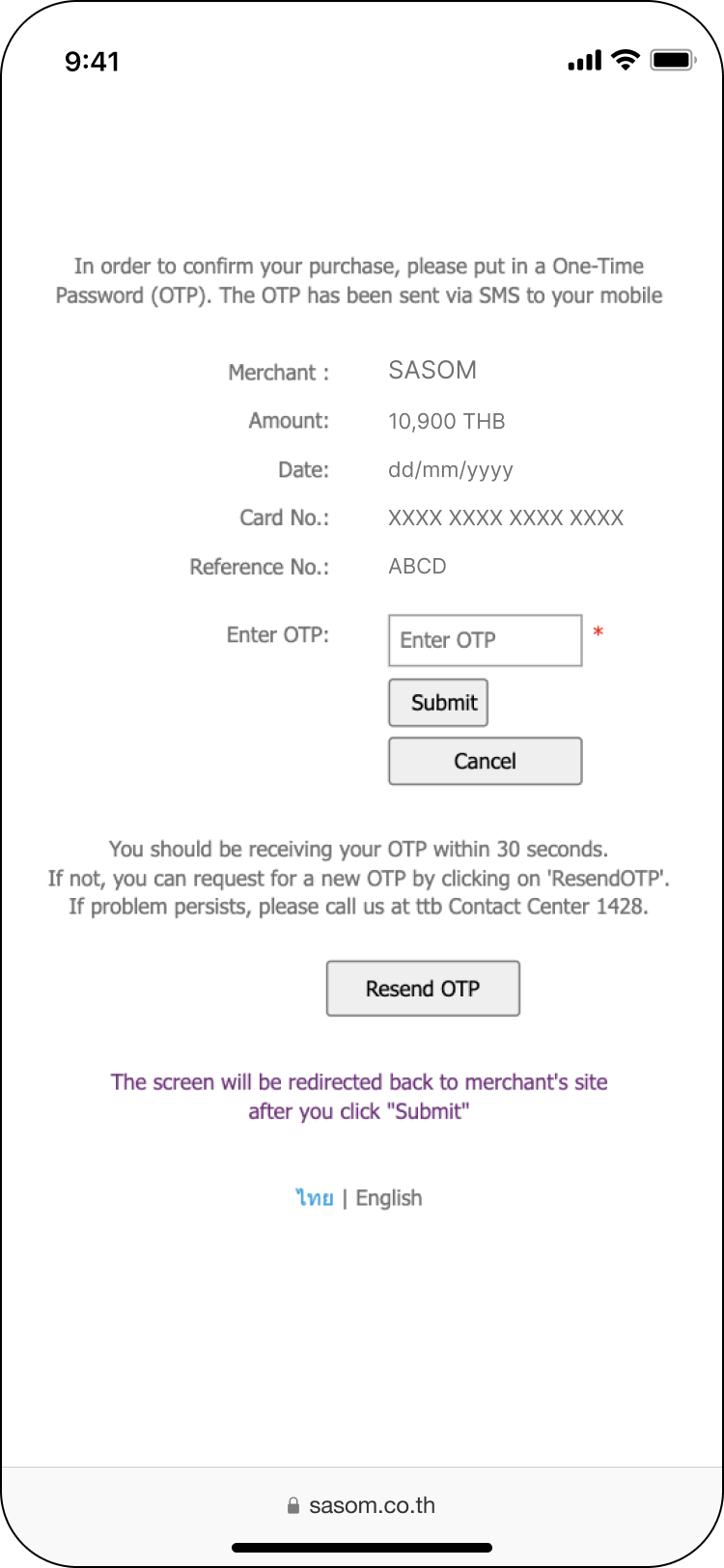
✳ If you haven’t received the OTP code, you can request for the OTP by clicking on "Request OTP" button.