How to pay with TrueMoney Wallet?
Updated May 13, 2026
TrueMoney Wallet allows you to make a payment by deducting from your TrueMoney wallet balance. Please top-up enough amount to your wallet before purchasing with SASOM.
How to pay with TrueMoney Wallet
Step 1: In Checkout, select TrueMoney as your Payment Method, then click ‘Continue to payment’ to proceed.
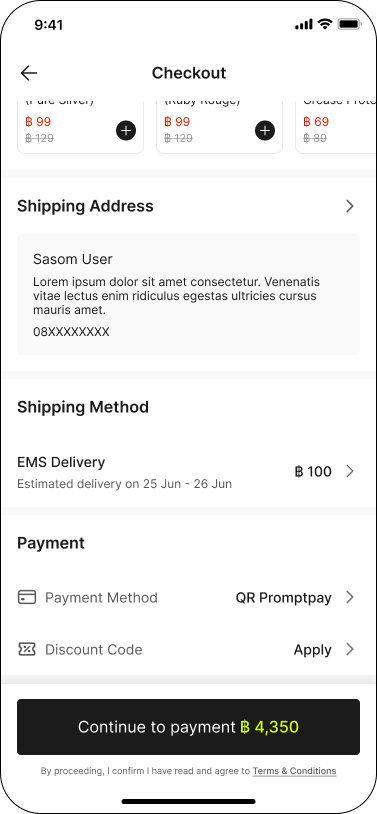
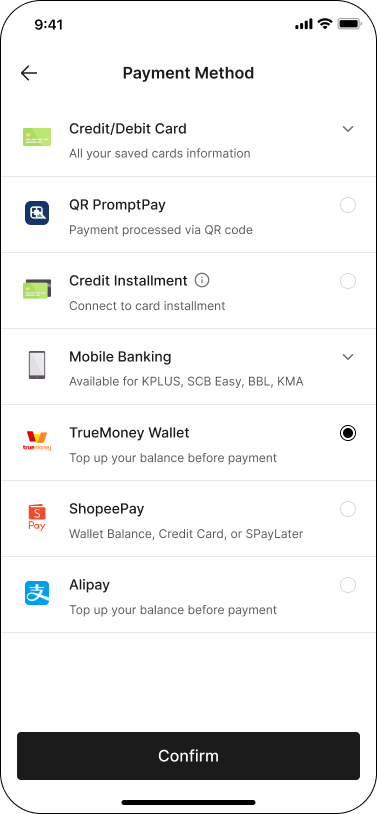
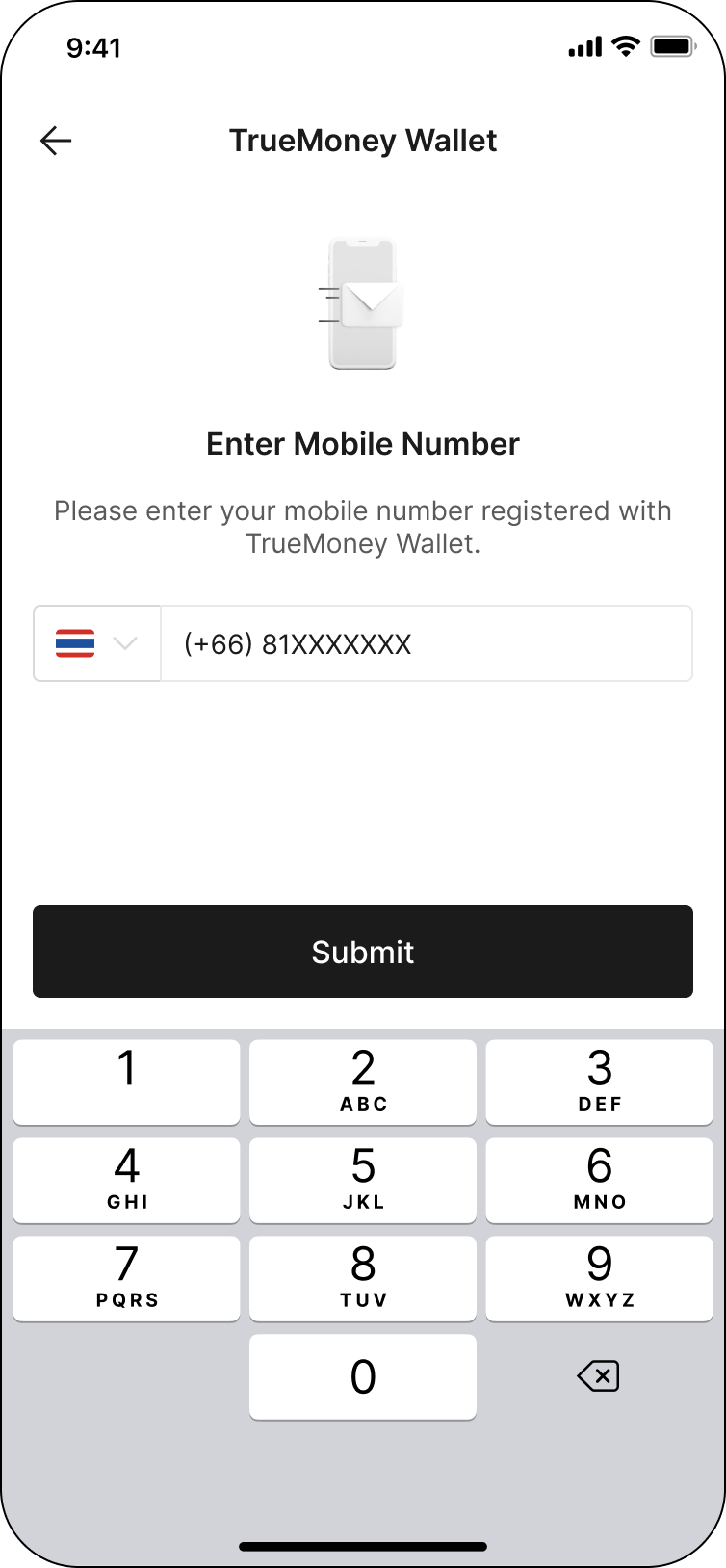
Step 2: Enter your mobile number that you registered with TrueMoney Wallet, then click ‘Submit’
Step 3: One-Time Password (OTP) will be sent to your mobile number. Please enter the OTP code and click ‘Verify’ to complete the payment.
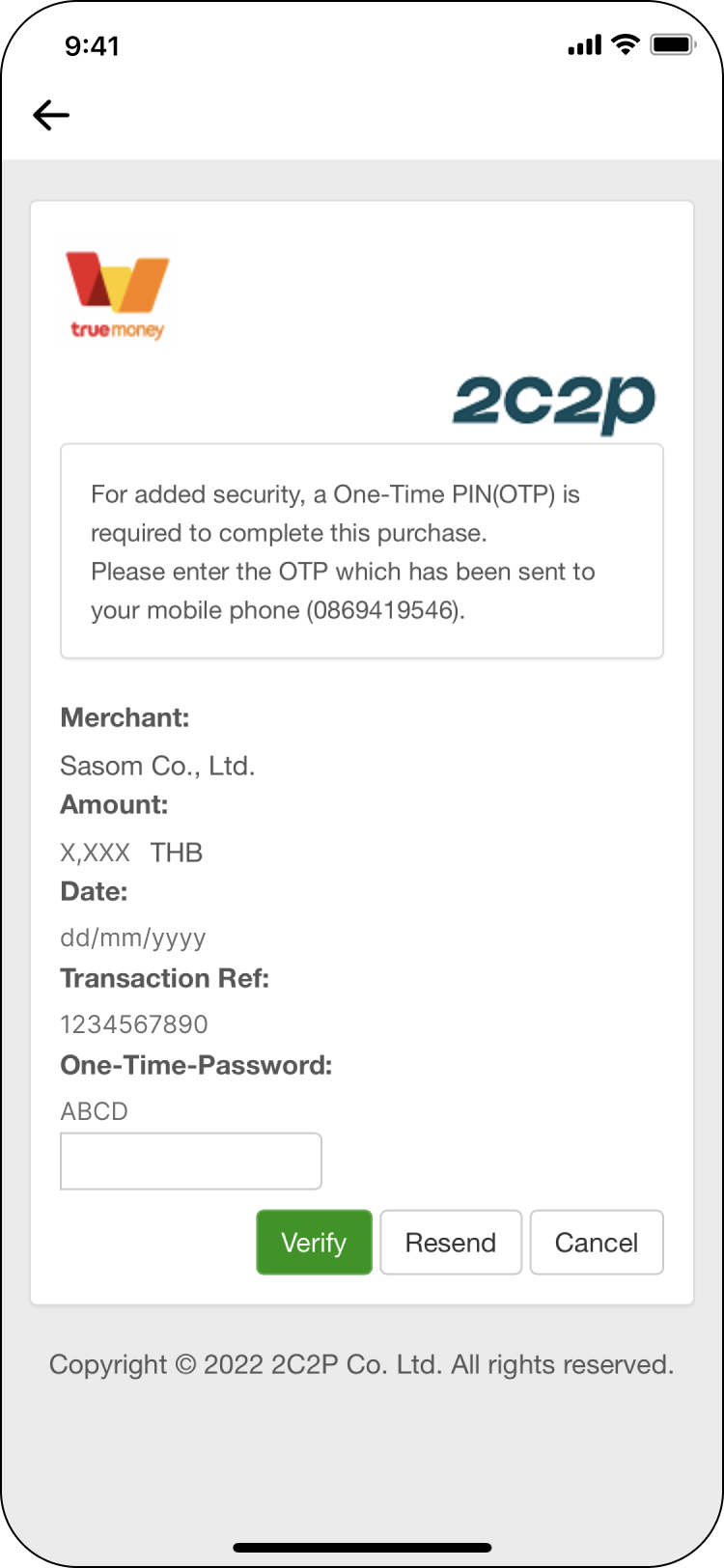
✳ If you haven’t received the OTP code, you can request for the OTP by clicking on "Resend" button.