How to redeem a SASOM Gift Card
Updated August 13, 2026
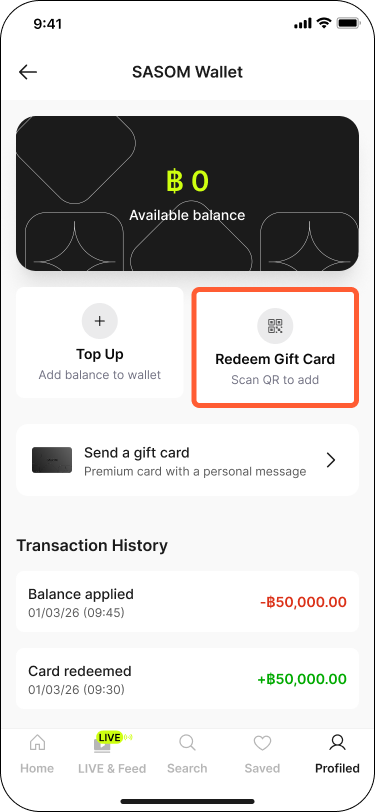
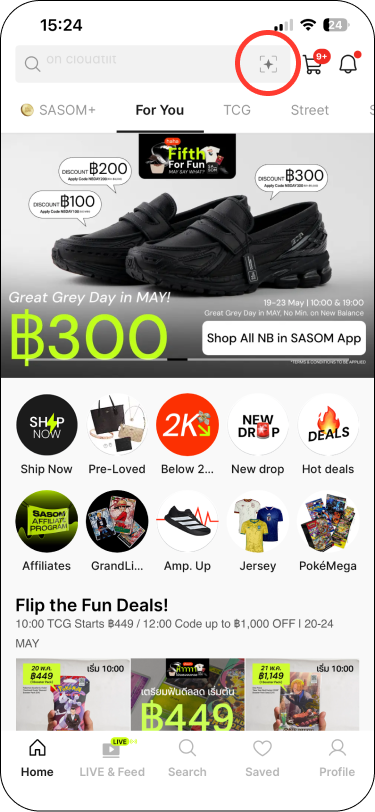
Step 1: Open the in-app QR scanner at the top right of the search bar, or navigate to your SASOM Wallet (Profile → Payment & Payout → SASOM Wallet) and tap Redeem Gift Card.
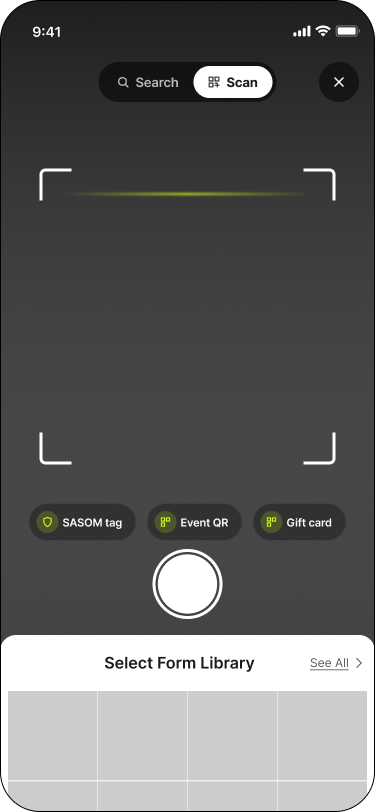
Step 2: Scan the Card ID QR on your SASOM Gift Card.
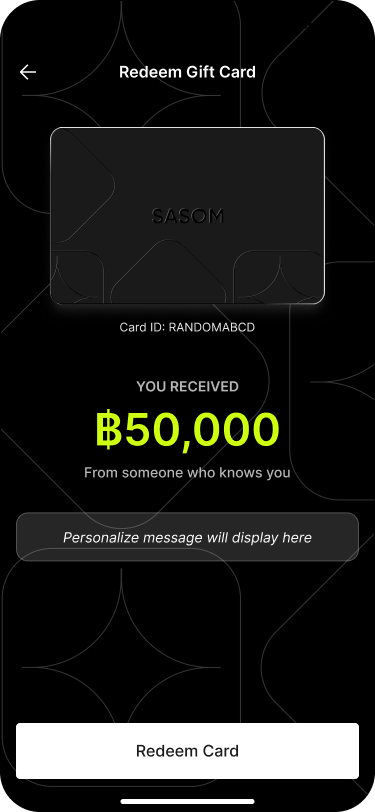
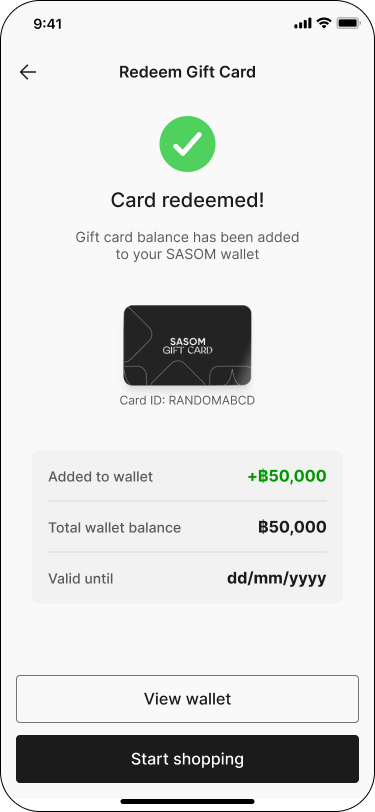
Step 3: The redeem screen will display the SASOM Gift Card amount and personalized message (if any). Tap redeem card and the balance will be added to your Wallet instantly.
✳ If you're having trouble scanning, the QR Code may be incorrect, expired, or already used.