How to request your In-Storage Items for return?
On SASOM app
If your items have been stored in our warehouse for more than 7 days and you would like to request a return, please follow these steps:
Step 1: Request Items for Return
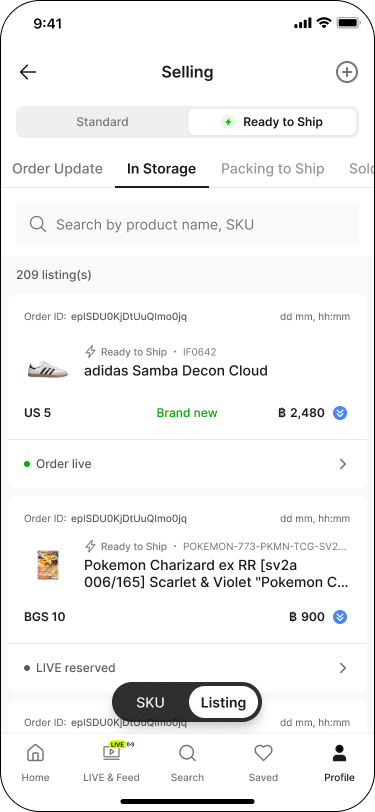
Go to the Profile tab, then under Selling, tap into Listing.
Switch the toggle to 'Ready to Ship', then go to the 'In Storage' tab.
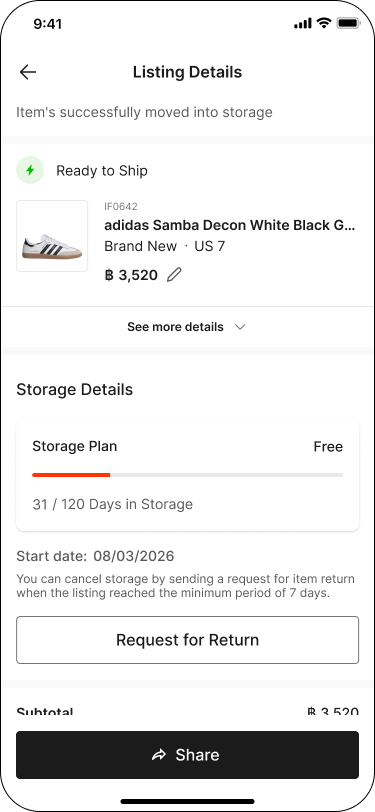
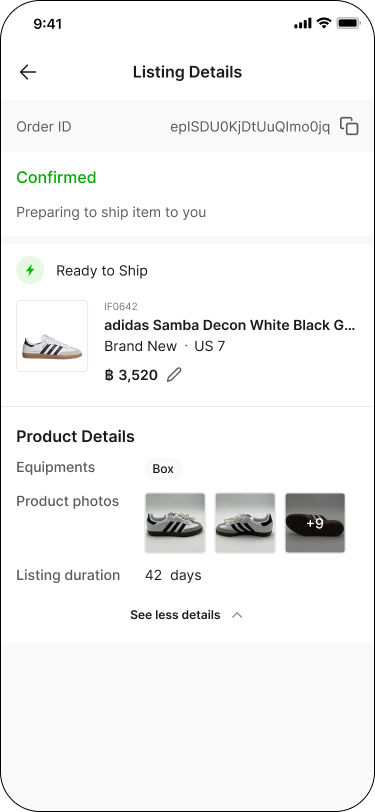
Tap an item to open its Listing Details, then tap 'Request for Return'.
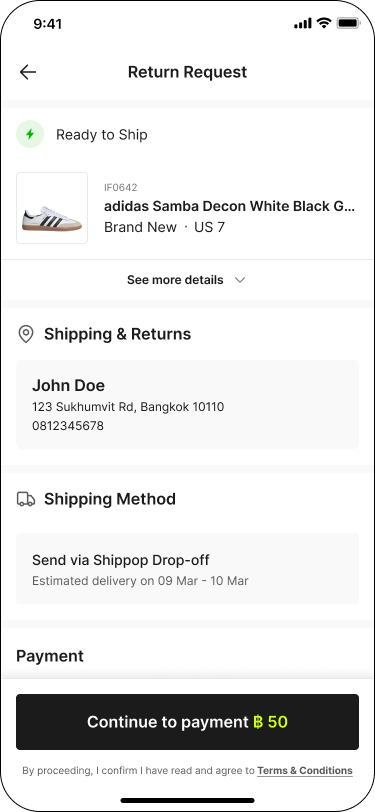
On the 'Return Request' screen, review the Shipping & Returns info and Shipping Method, then tap 'Continue to payment' to submit your request.
Note:
✳ Only items stored for more than 7 days are eligible for return.
✳ A 50 THB return fee per item will be charged.
Step 2: Track Your Returned Items
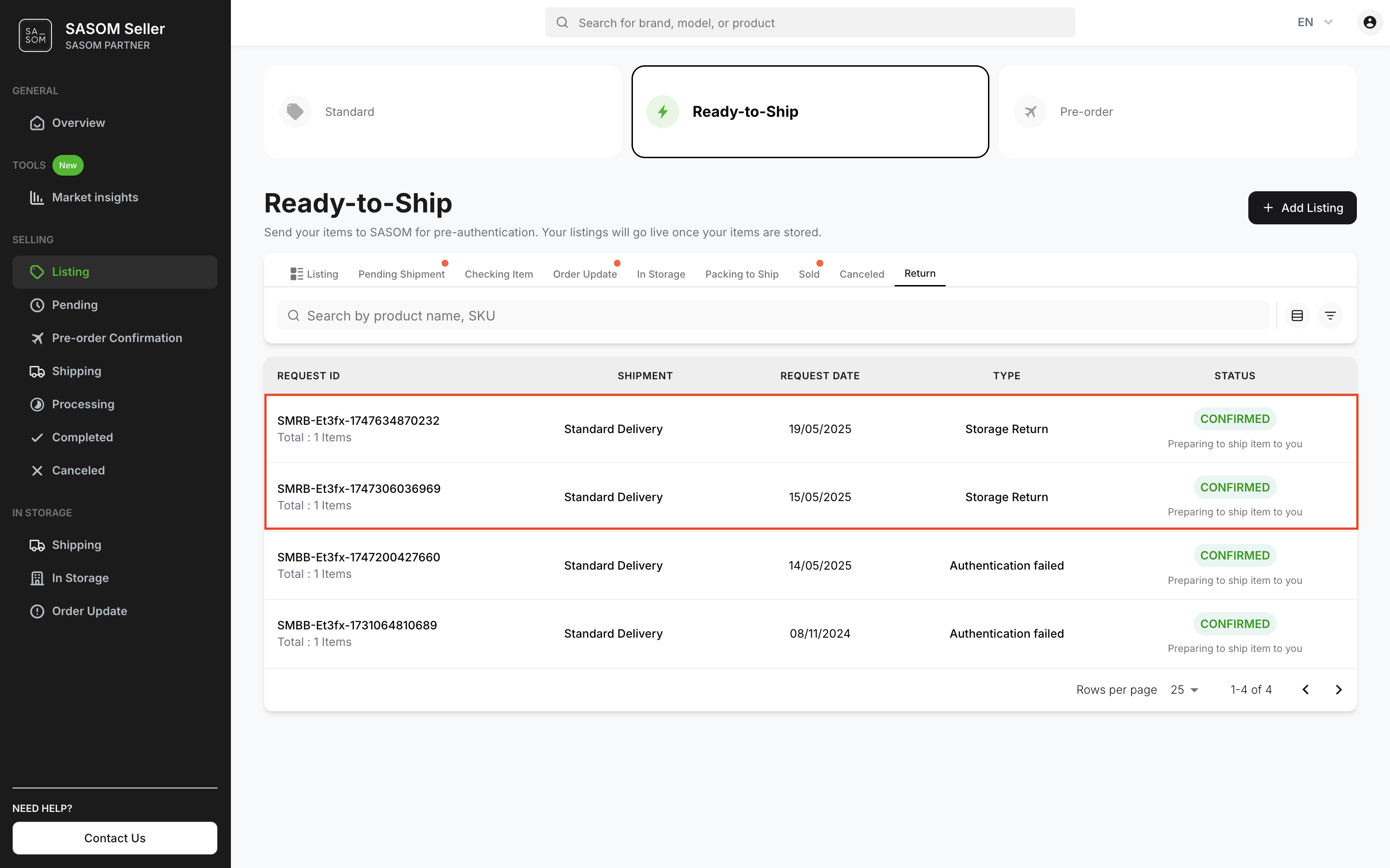
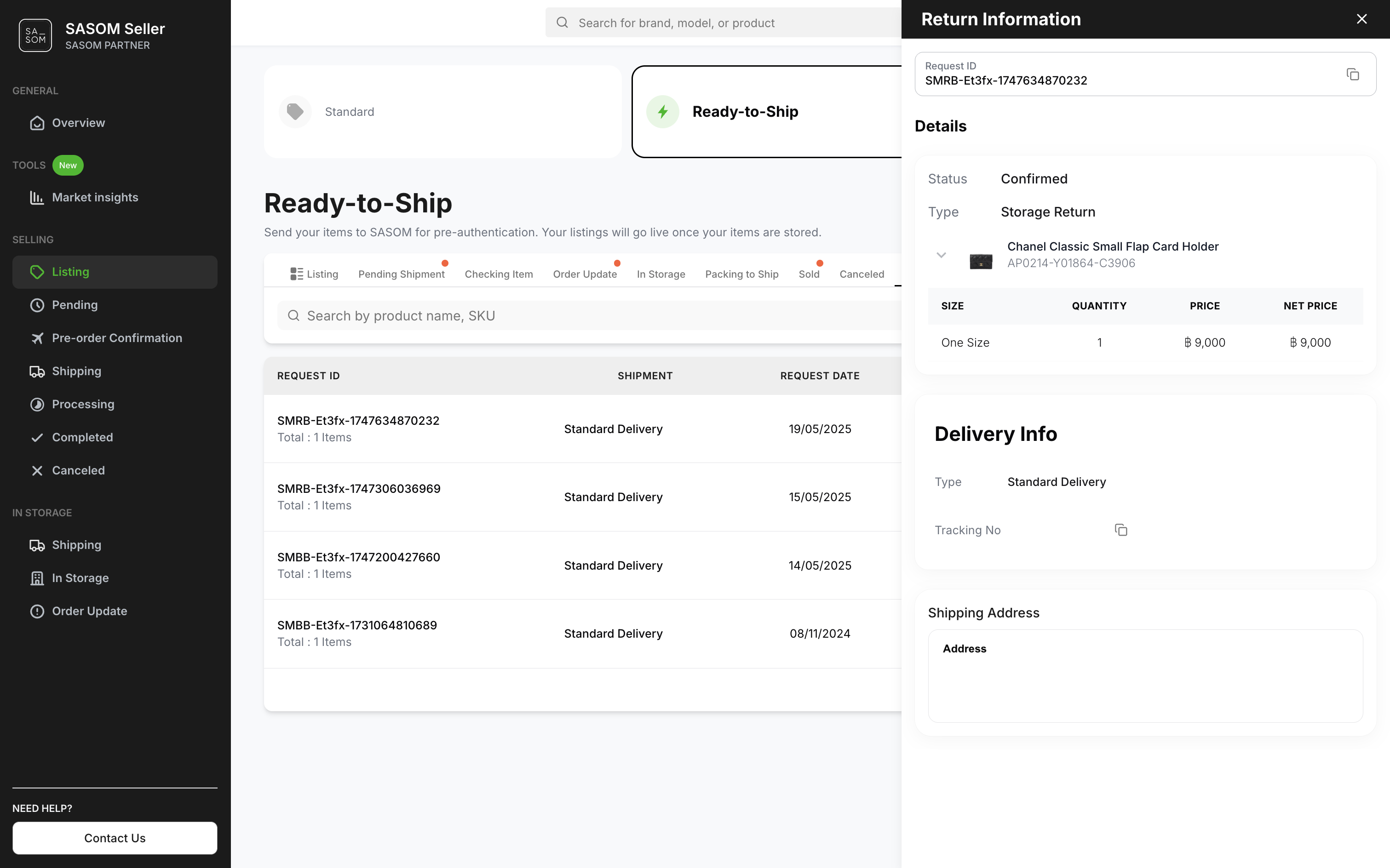
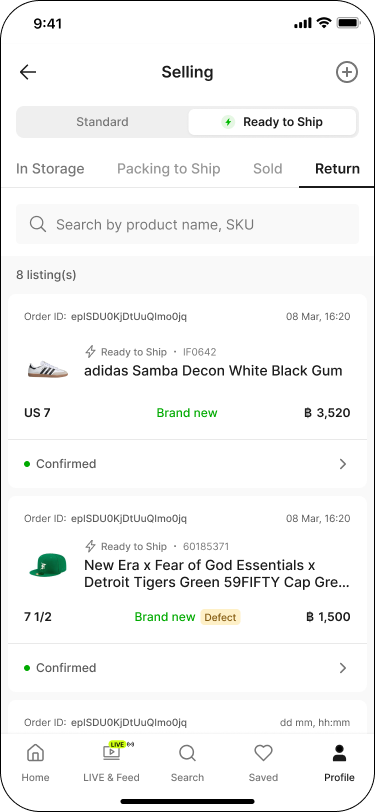
You can view the status and details of your return requests in the 'Return' tab by tapping on each request.
On SASOM Seller Center
If your items have been stored in our warehouse for more than 7 days and you would like to request a return, please follow these steps:
Step 1: Request Your In-Storage Item for Return
- Go to 'Listing' menu.
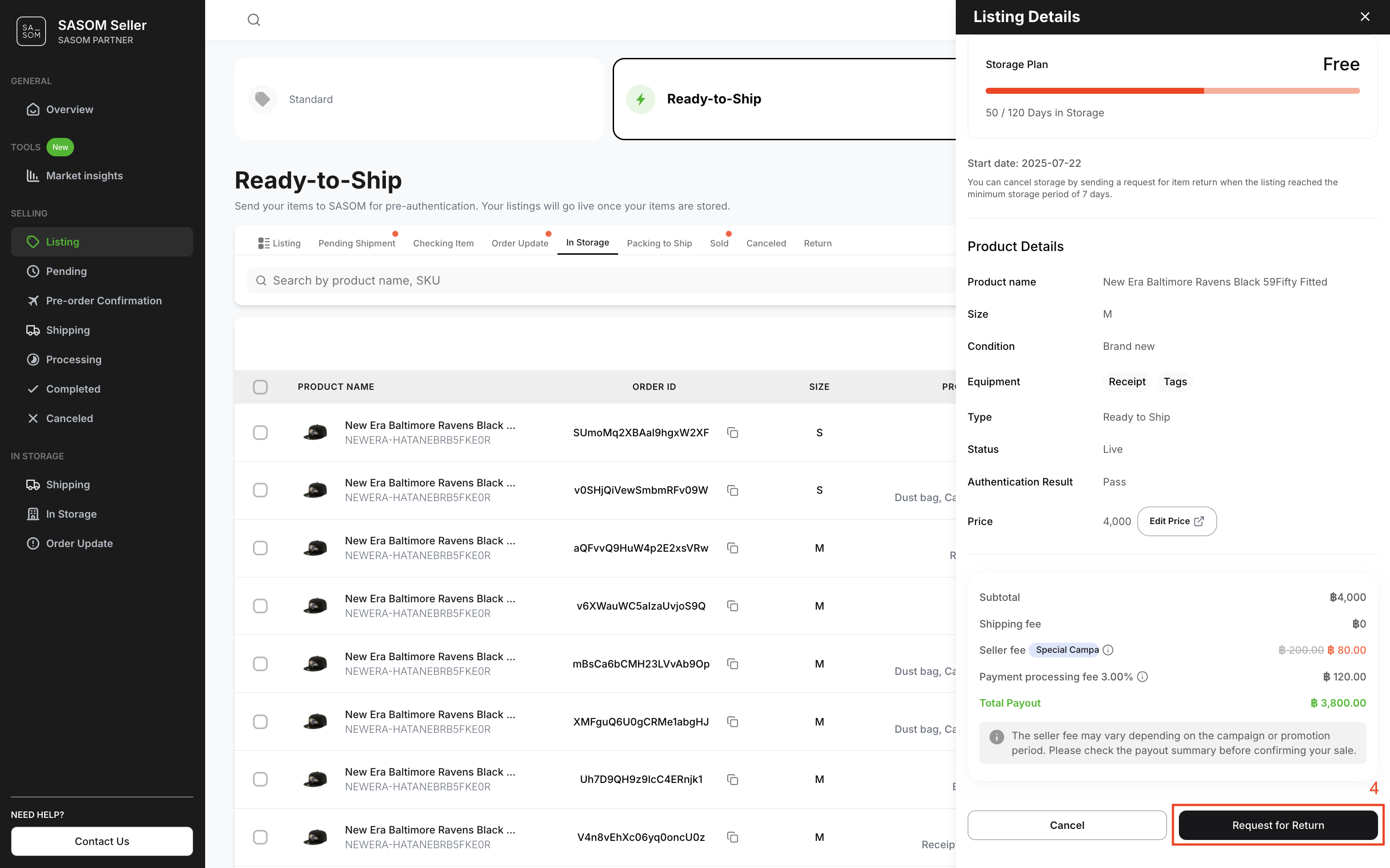
- Select 'Ready-to-Ship' and 'In Storage' tab to view items stored in the warehouse.
- Click an item to open its listing details.
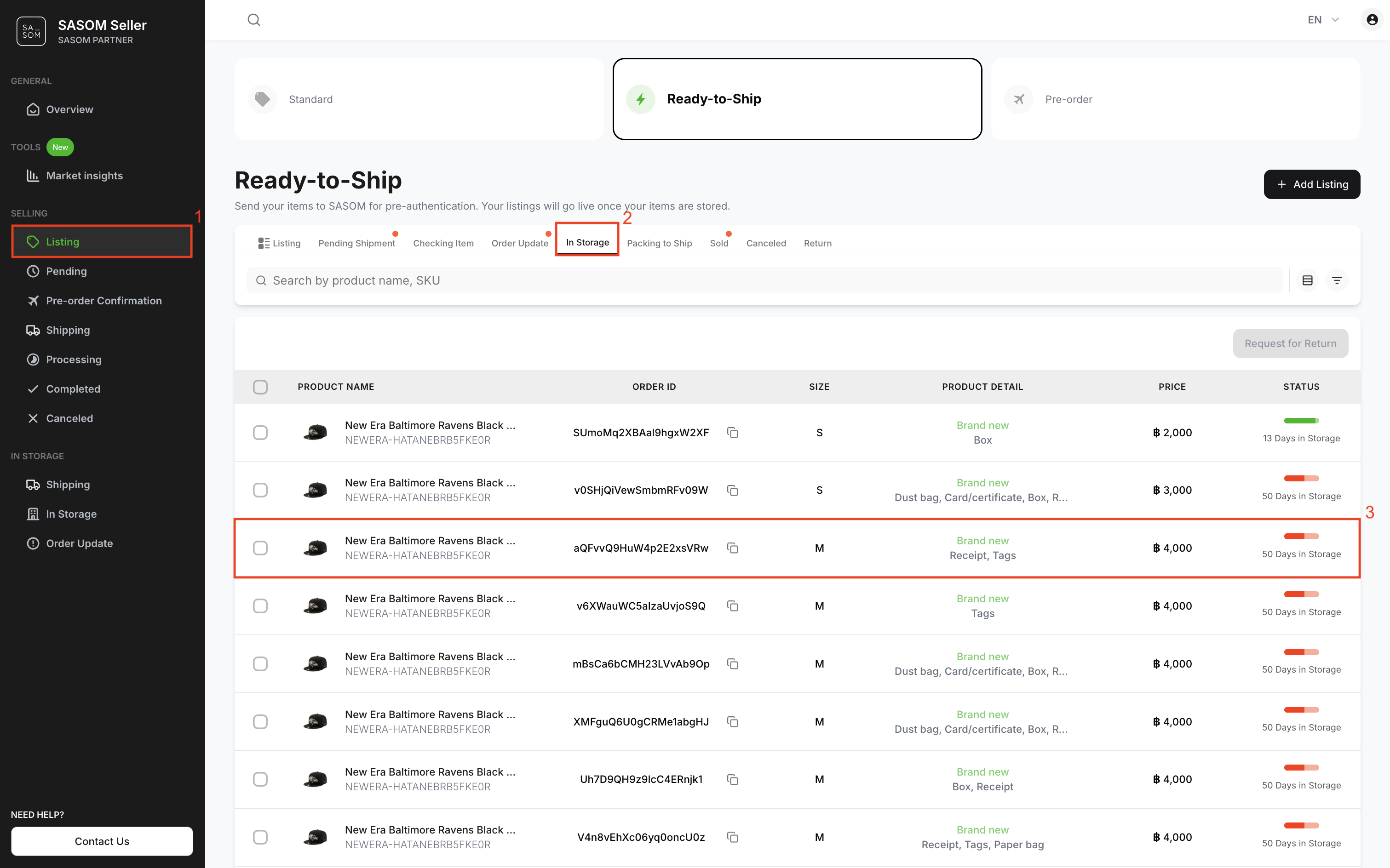
4. Click 'Request for Return'.
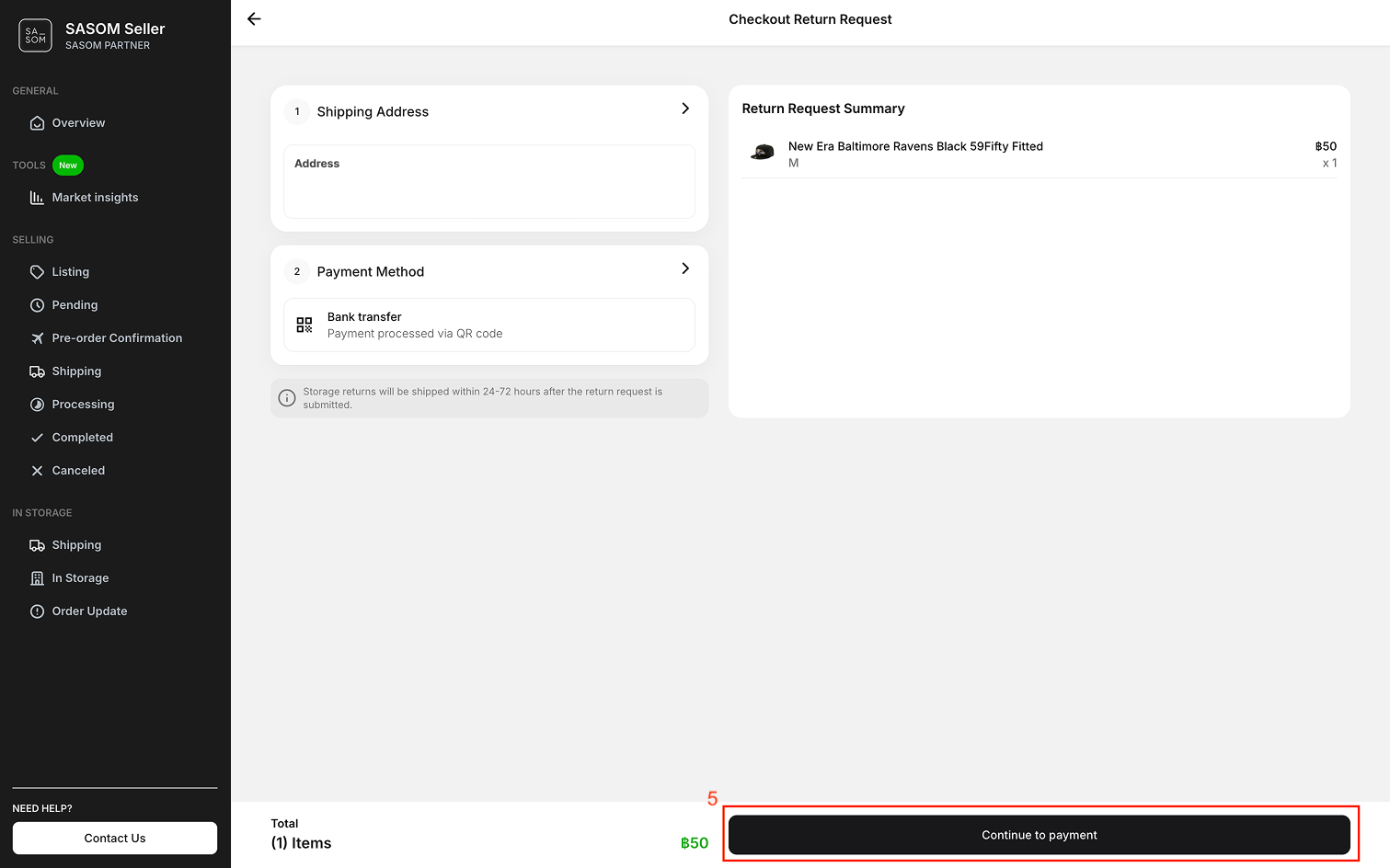
5. Select the shipping address, choose a payment method, and click 'Continue to Payment' to submit your request.
Note:
✳ Only items stored for more than 7 days are eligible for return.
✳ A 50 THB return fee per item will be charged.
Step 2: Track Your Returned Items
You can view the status and details of your return requests in the 'Return' tab by clicking on each request.