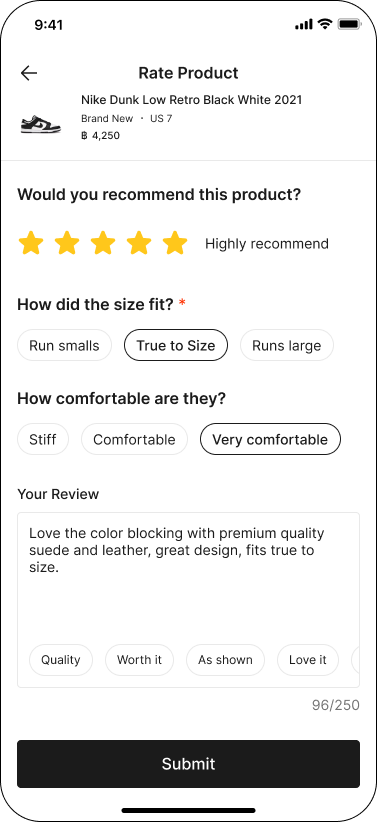
How to submit a product review?
You can submit a product review after your order has been successfully delivered.
Reviews help other buyers make better purchasing decisions.
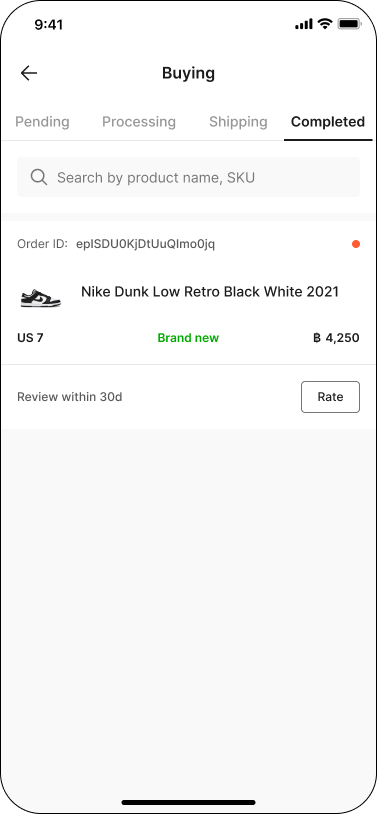
Step 1: Make sure your order status is Completed
Only orders with Completed status can be reviewed.
You can submit a review within 30 days after the order is completed
Step 2: Rate on your product
You can start writing a review in either of the following ways:
Tap the ‘Rate’ button directly from the Completed list under Buying.
Or go to Order Detail, then tap ‘Rate Product'
44.png)
Step 3: Fill in your review details
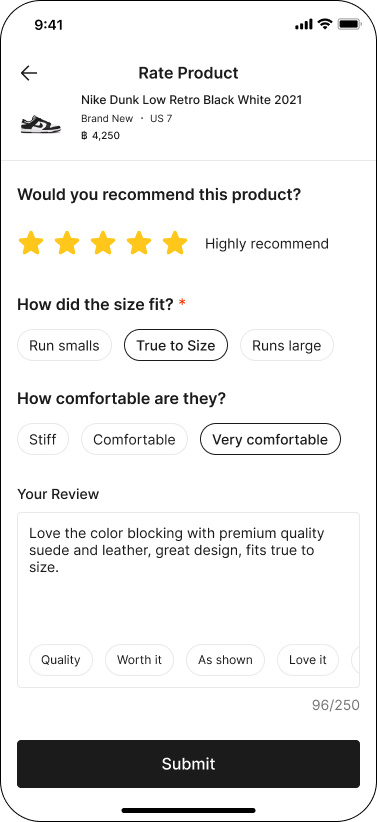
On the Rate Product page, you can rate the product (1–5 stars), indicate whether you would recommend it, and optionally write a review.
Before submitting, please follow our Product Review Guideline.
Tip: Providing sizing and fit details helps other buyers choose the right size with more confidence.
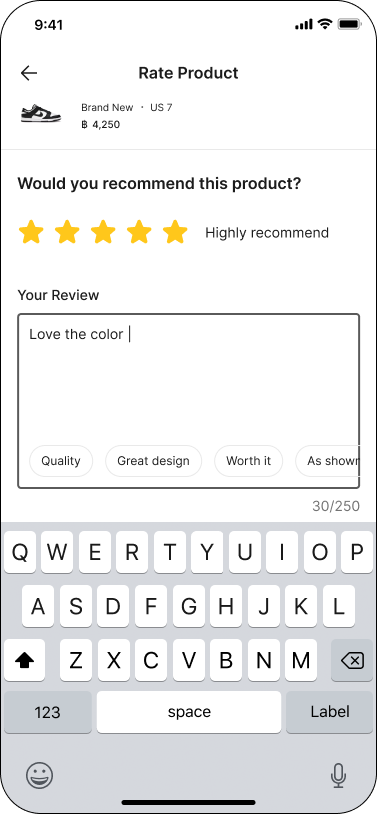
Step 4: Submit your review
Reviews are posted anonymously—only your rating, comments, and optional wearer information will be shown—and all reviews are moderated to maintain community standards.
Once submitted, your review will be visible on the product page.