How to top up my Wallet?
You can top up your Wallet balance from the SASOM Wallet menu, or during checkout when your balance is not enough for an order.
Step 1: Open your SASOM Wallet (Profile → Payment & Payout → SASOM Wallet) and tap Top up.
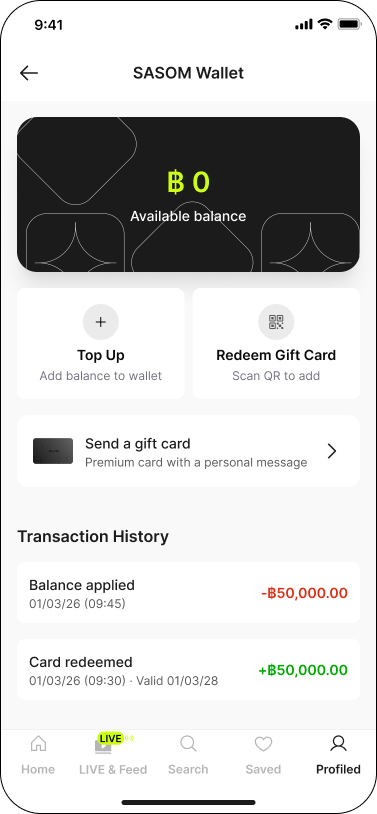
Step 2: Enter the amount you want to add.
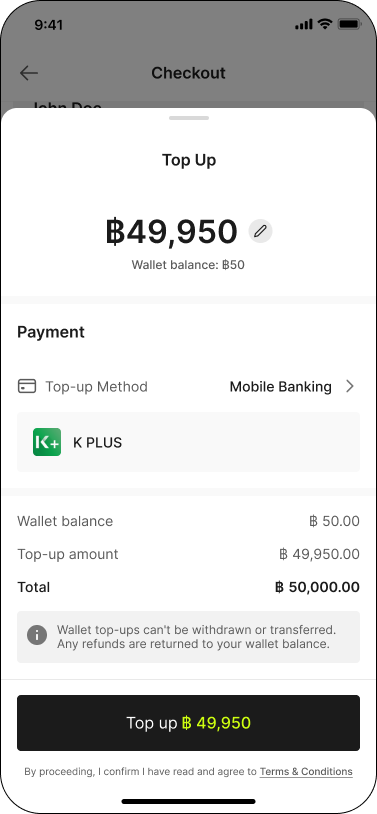
✳ If you are topping up to complete a purchase, the minimum amount is the remaining balance needed for that order. See How to pay with SASOM Wallet?
Step 3: Choose a payment method:
✳ QR PromptPay
✳ Mobile Banking
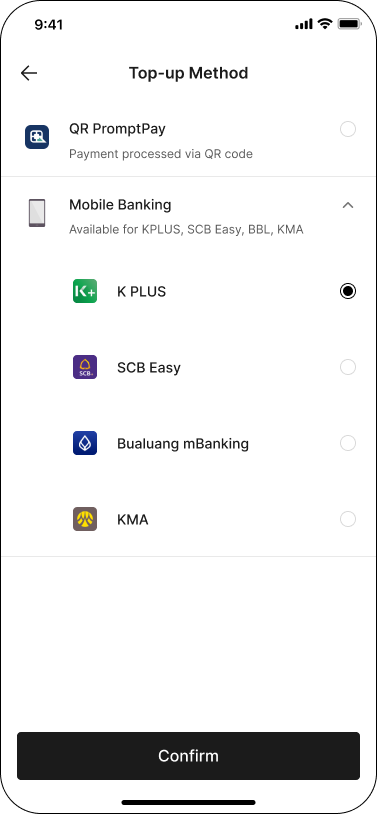
Step 4: Confirm and complete the payment. The amount is added to your Wallet balance right away.
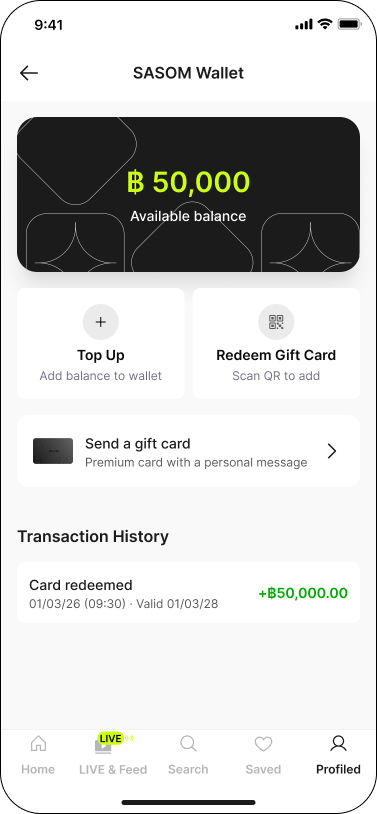
✳ You do not earn SASOM Points on top-ups.
✳ Balance added by top-up never expires.
✳ A top-up cannot be refunded or withdrawn back to your bank account or the payment method you topped up from. The amount stays as Wallet balance for spending on SASOM. (See What is SASOM Wallet?)