How to view my Wallet balance & transaction history?
Updated July 23, 2026
Step 1: Go to Profile → Payment & Payout.
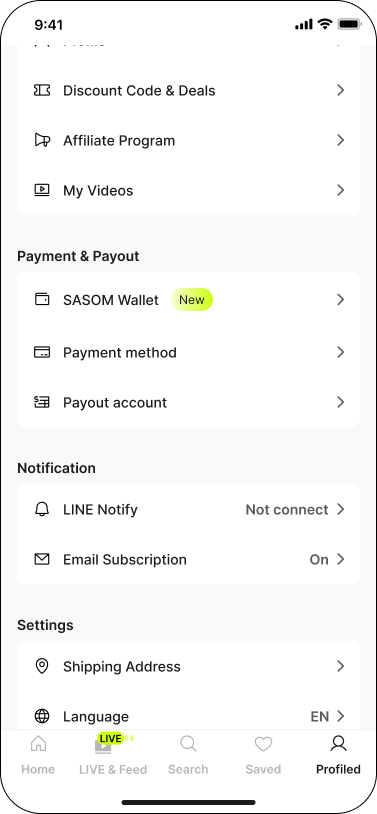
Step 2: Tap SASOM Wallet. Your current balance is shown at the top of the screen.
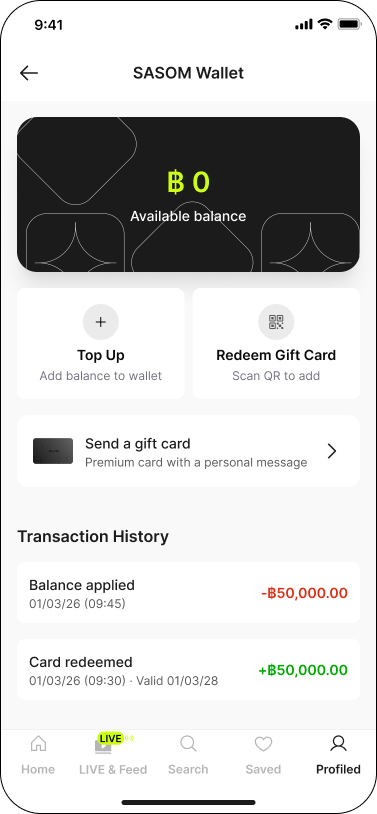
✳ If you haven't added any balance yet, your balance shows ฿0. Redeem a SASOM Gift Card or top up to get started.
Step 3: Scroll down to Transaction History to see all of your Wallet activity.
What Transaction History shows
- Balance added: top-ups, gift card redemptions, and refunds returned to your Wallet.
- Balance applied: purchases paid for with your Wallet.