How to request LIVE seller access
SASOM LIVE lets you sell to buyers in real time — showcase products, answer questions live, run auctions, and (for trading-card sellers) open packs on camera. Before you can go live, your account needs LIVE seller access, which the SASOM team grants. Here's how to request it.
Before you request
Make sure your seller account is ready to sell:
Your seller profile is complete.
You've added a payout method (so you can get paid).
You've added a shipping address.
Your Seller Account Health is not Restricted. (A restricted account can't take on new selling features — resolve any penalties first.)
✳ New to selling on SASOM? Set up your seller account first, then come back here.
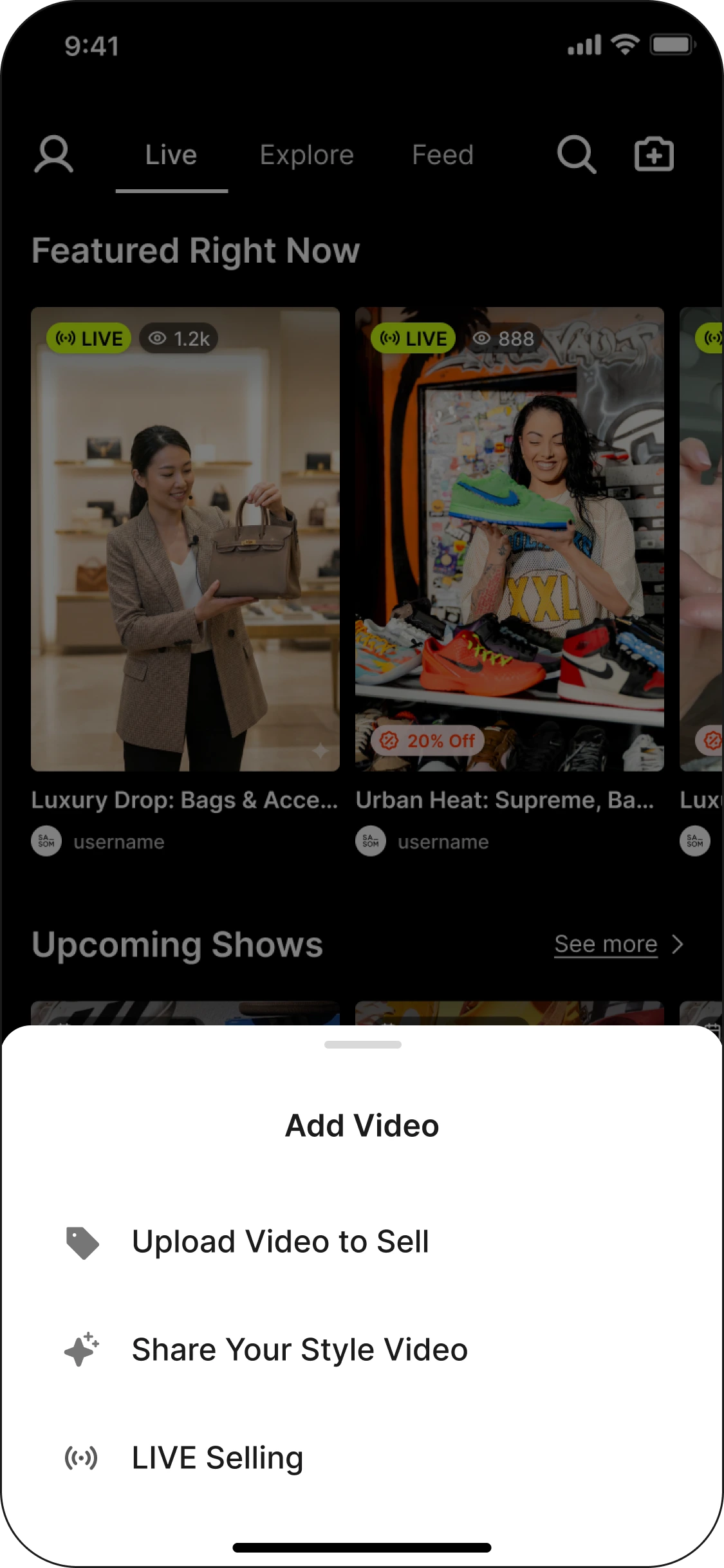
Step 1: Open the LIVE Selling page
In the app, go to the LIVE Selling page. This is where you'll manage your streams once you're approved — and where you request access to begin.
Step 2: Fill in the preference form
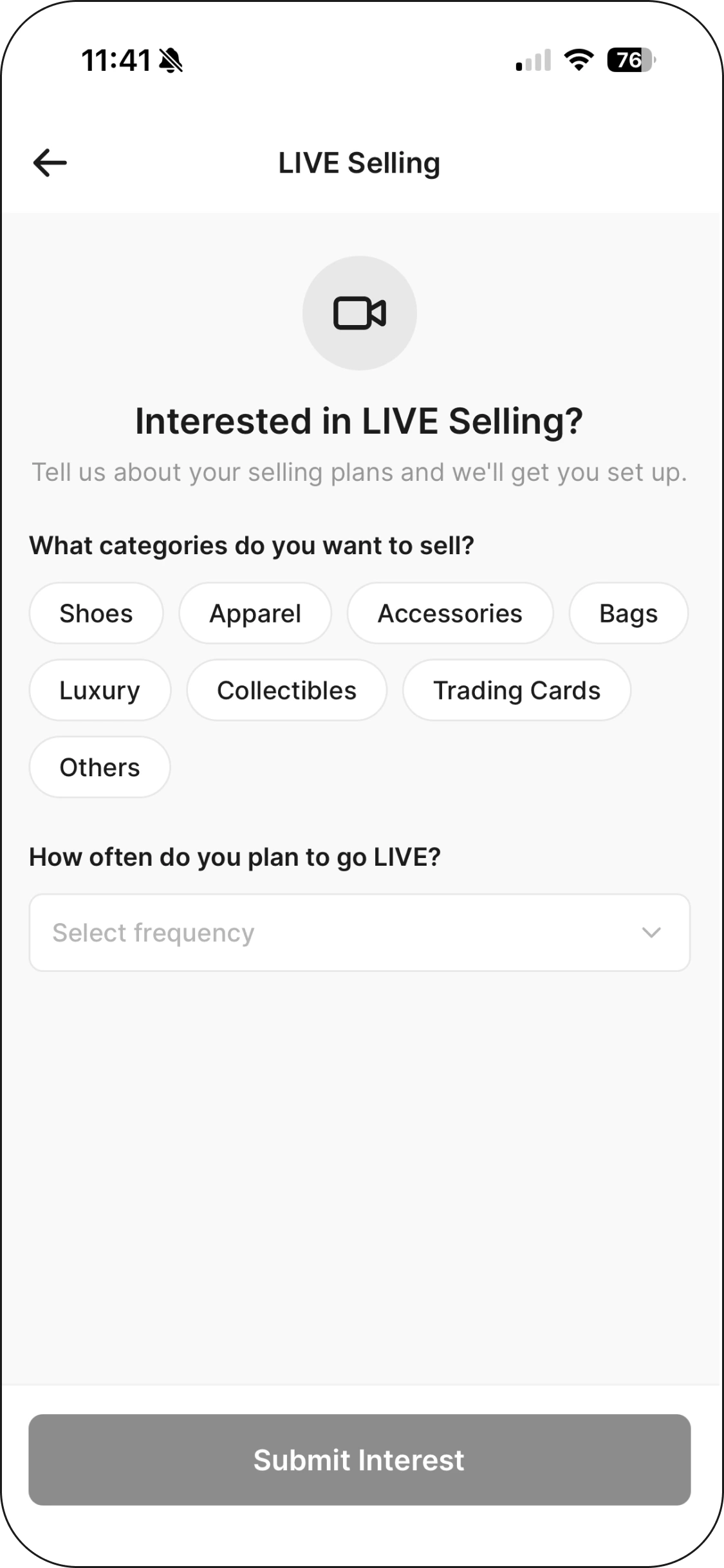
Open the preference form and tell us your selling category — the kind of products you want to sell on LIVE (for example, sneakers, luxury, or trading cards). How often do you plan to go LIVE. That's all you need to submit.
Step 3: The SASOM team reaches out
After you submit, our seller-acquisition team contacts you to work out the details and get you set up. LIVE access isn't an instant automatic switch — this short conversation makes sure you have what you need for a great first stream.
What LIVE access unlocks
Once you're granted access, you'll be able to:
Create or schedule a LIVE stream in the app.
Add and manage products during your stream (existing listings, orders, or new products created on the spot).
Run live auctions on eligible items.
Sell trading cards live — open sealed packs and boxes on camera (Unseal), and run SASOM Oripa boards.
💡 Tip: You can create and manage a LIVE from the app or the Seller Portal, and broadcast either straight from the app or through desktop streaming software like OBS. See How to start or schedule your LIVE for the options.
See also