How to Run a LIVE Auction
Live auctions let buyers bid in real time during your stream — great for one-of-a-kind or high-demand items. This article covers preparing an auction item, the countdown and bid window, and how an auction closes and gets paid.
Before you start
You need LIVE seller access .
The item you auction must be tied to a general (non-live) listing you already hold — i.e. it needs a listing under your account. You can't auction an item you don't already have on hand.
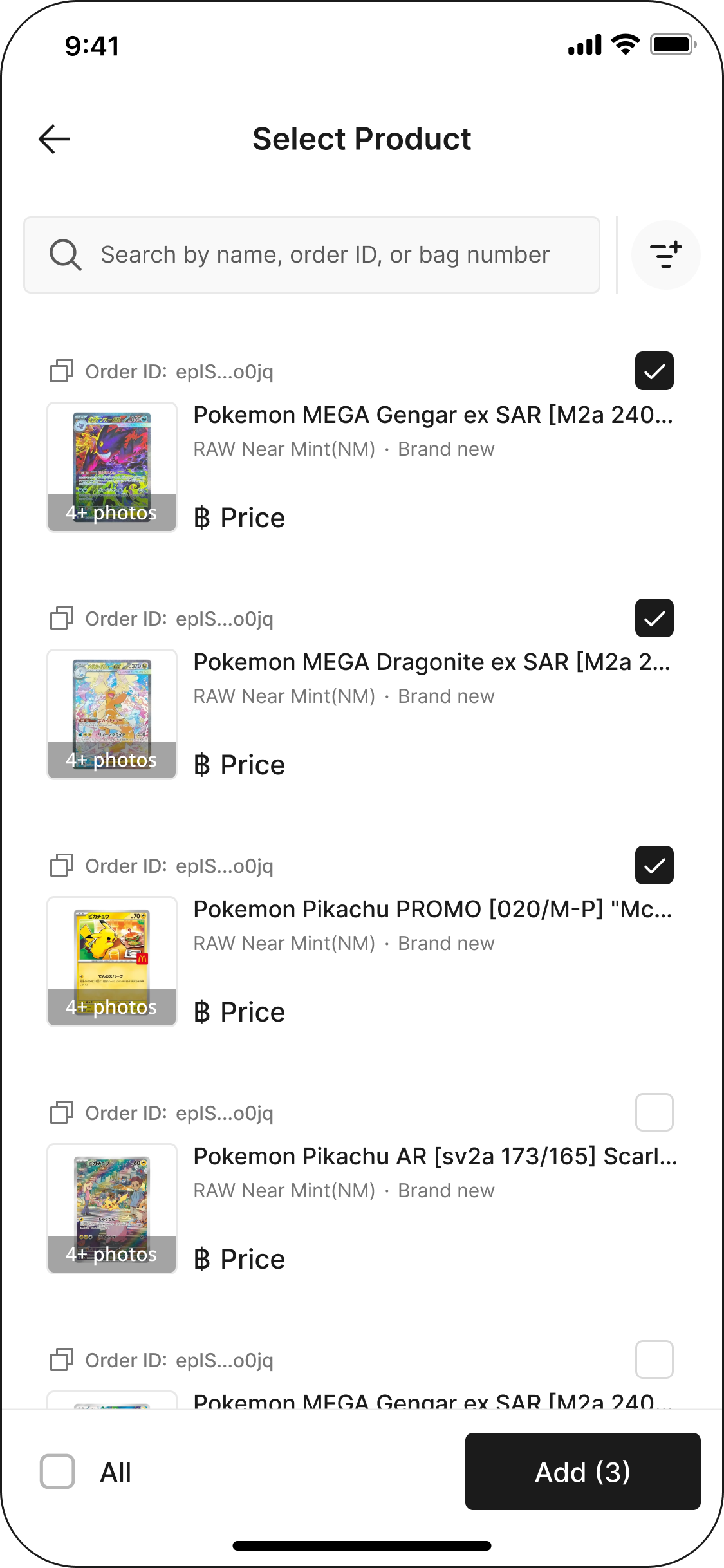
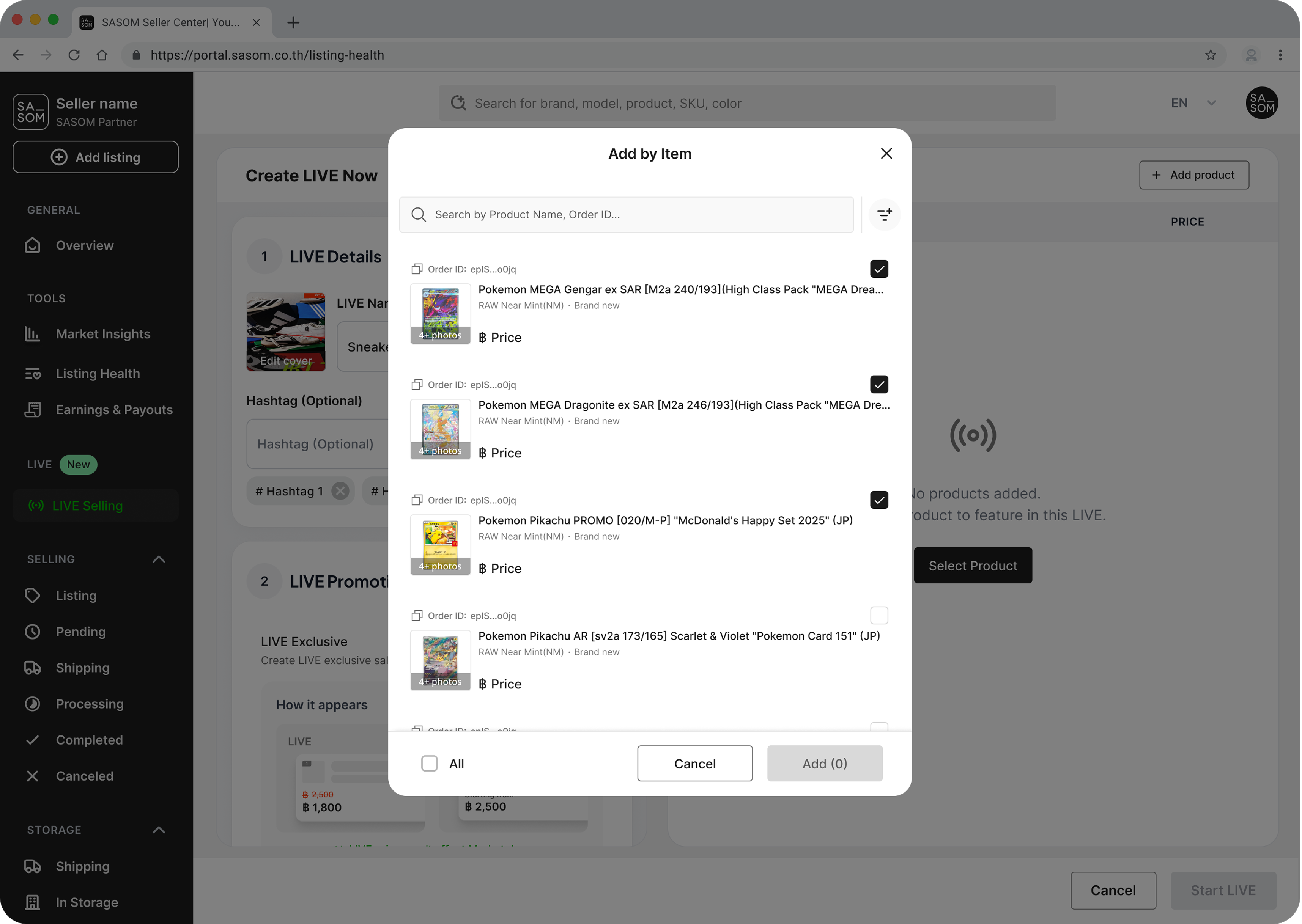
Step 1: Set up the auction item
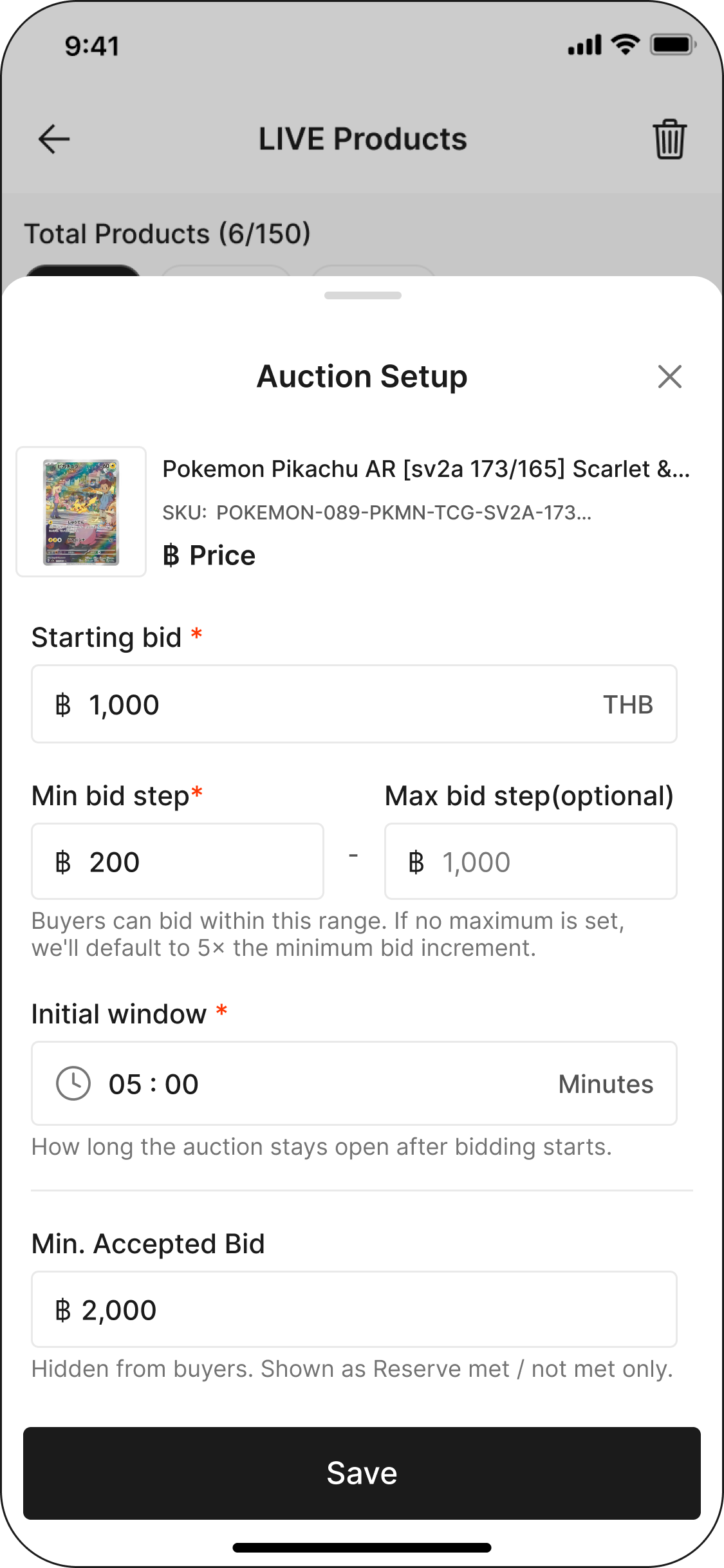
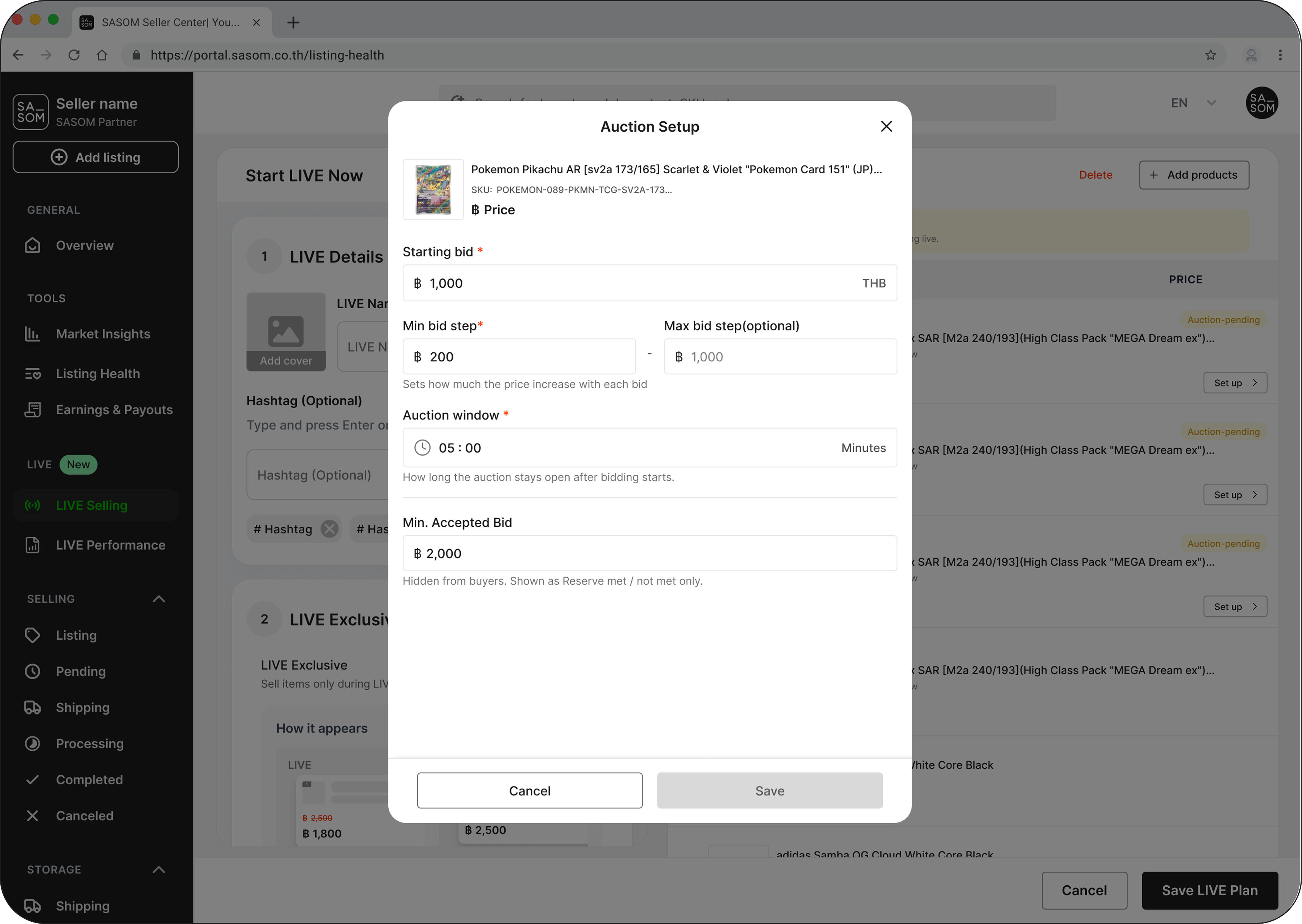
Add the item using Add for Auction, then set its auction details:
Starting bid — where bidding opens.
Bid window — how long the clock runs after each bid (default 60 seconds; can be set between 60 and 3,600 seconds).
Reserve price (optional) — the minimum you'll accept. Your reserve is private — buyers only see whether a reserve is set and whether it's been met, never the amount. If you set one, it must be at least your starting bid.
The item shows a "Ready" (green) or "Pending" (yellow) status while you set it up — make sure it's Ready before you start.
Step 2: Start the auction
When you start, buyers get a 30-second countdown before bidding opens, so the room has time to gather.
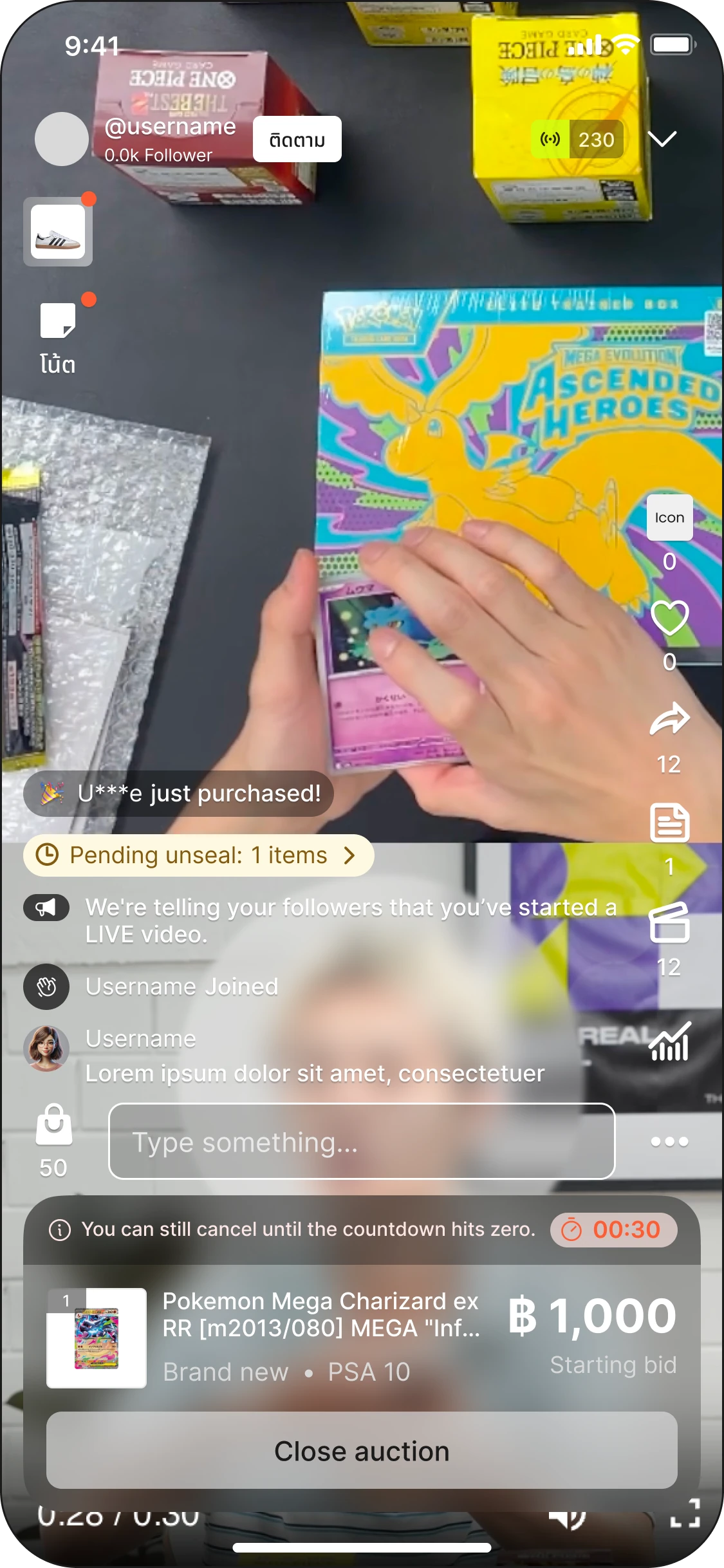
Step 3: Bidding
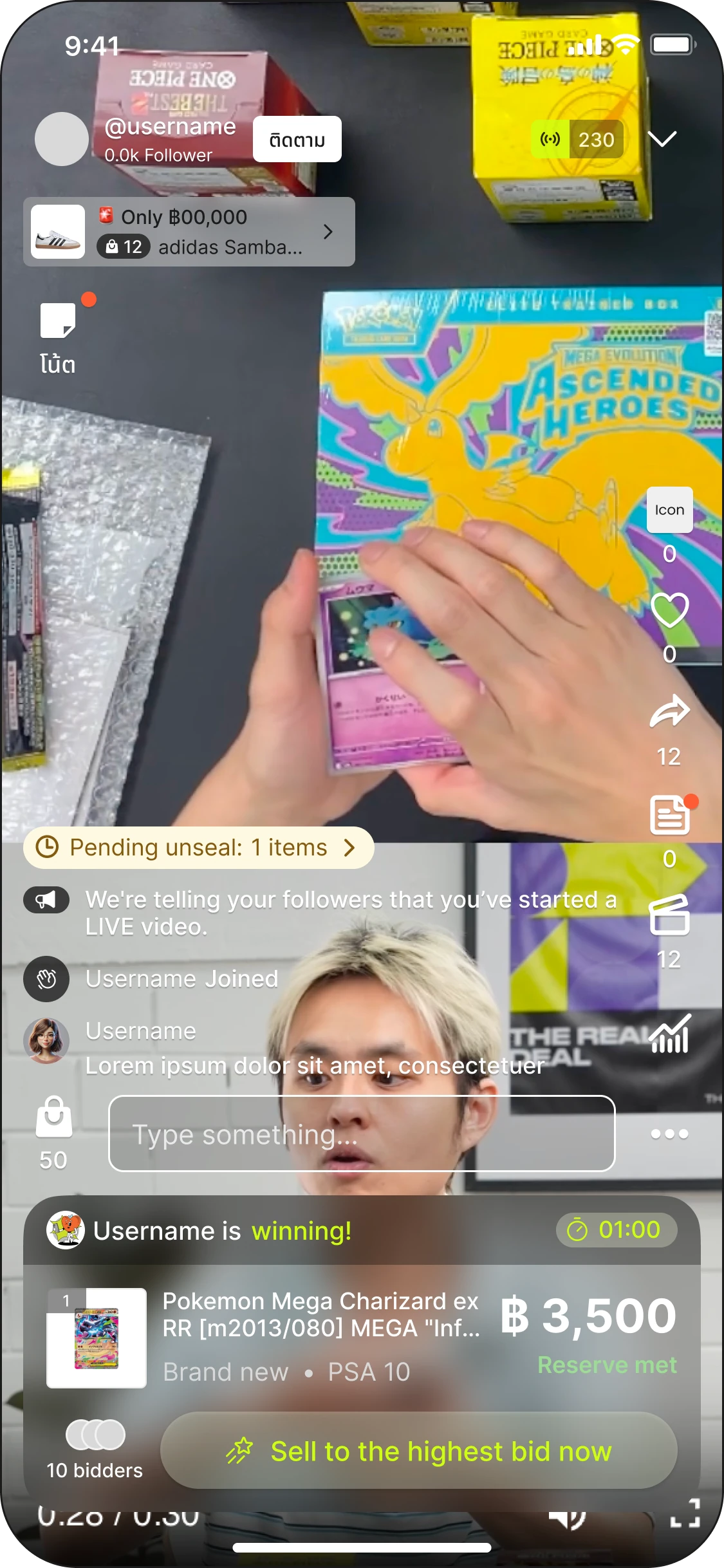
The first bid sits at your starting price; each later bid is the current high plus the bidder's chosen step.
Anti-snipe: any bid in the final seconds adds +10 seconds ("sudden death"), so buyers can't win by sniping at the buzzer. The clock turns red in the last 30 seconds and only ever moves forward.
Step 4: Close the auction
An auction can end three ways:
Time runs out — it closes when the bid window ends with no new bids.
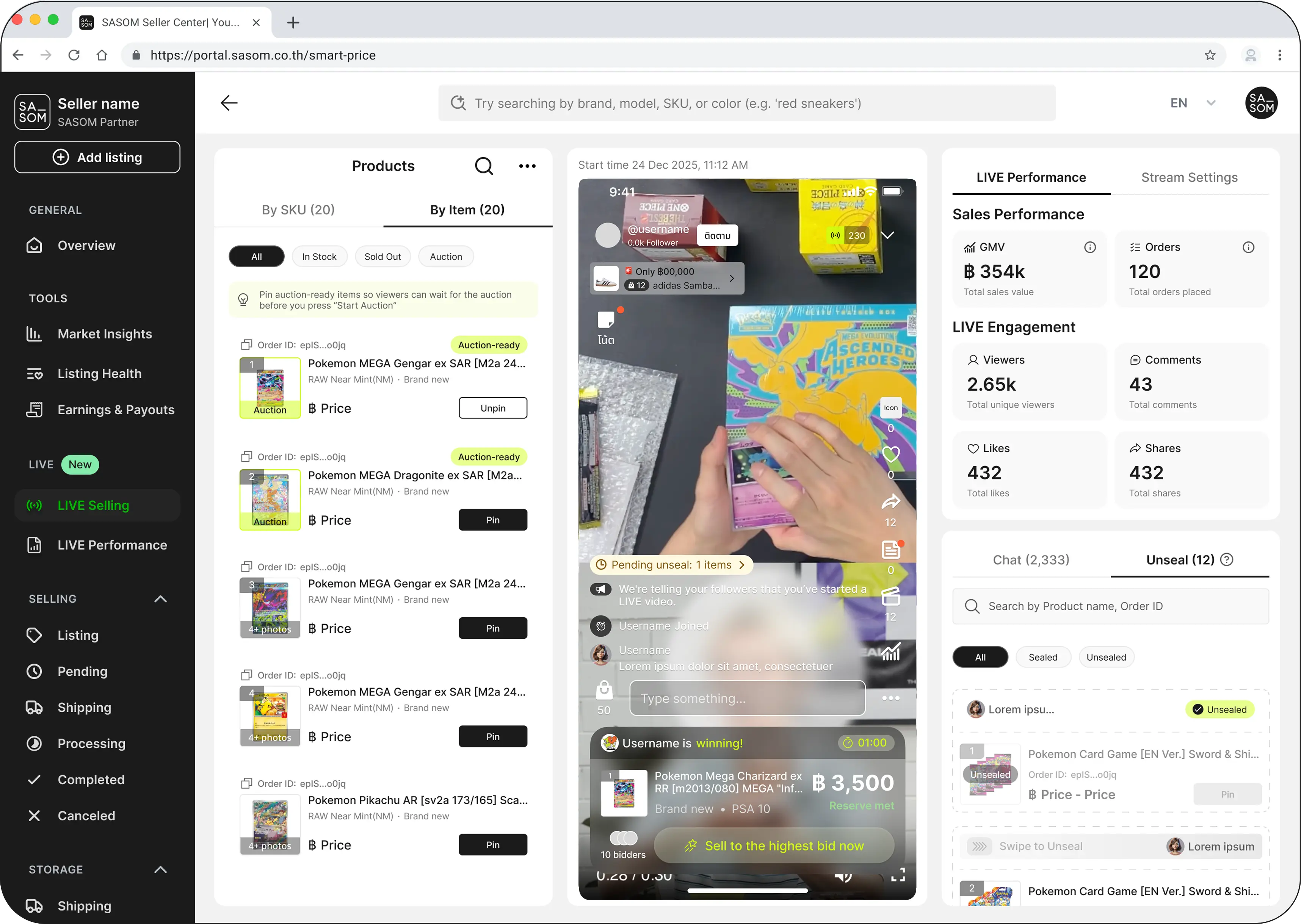
Sell to highest now — close early and sell to the current top bidder.
Cancel — you can cancel only before the first bid. Once someone has bid, you can't cancel.
✳ If bidding never reaches your (private) reserve, the item doesn't sell and the top bidder is told the reserve wasn't met.
Step 5: Payment
The winner has 5 minutes to pay. If they don't, the item will be offered to the next-highest bidder at their bid — for up to 3 bidders, each with their own 5-minute window. This keeps the item moving instead of dying on a no-show.
See also