What is Seller Account Health?
Updated February 18, 2026
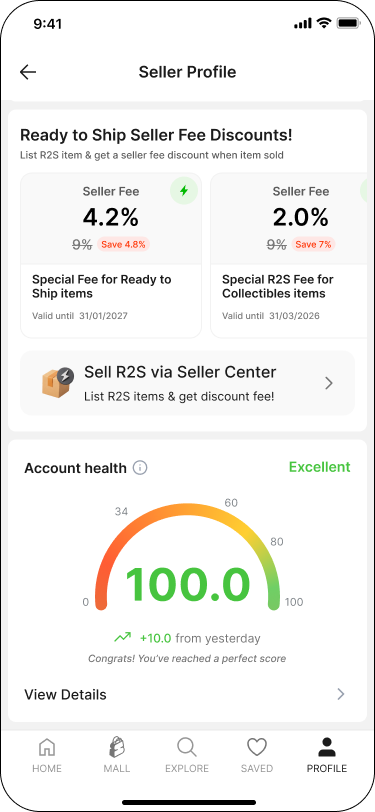
Seller Account Health provides an overview of your selling performance and helps you understand how your account is performing on the platform.
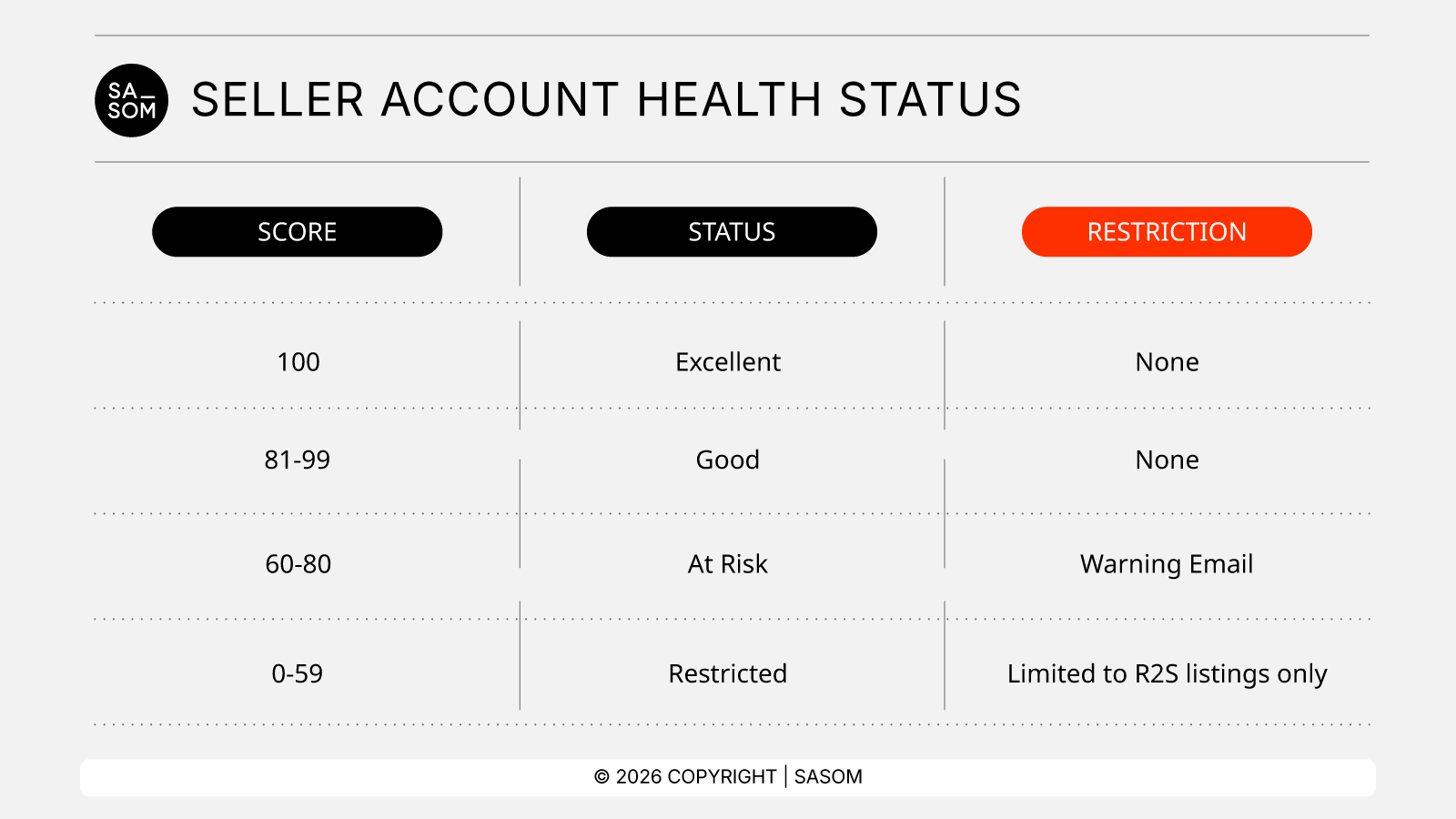
There are four account statuses: Excellent, Good, At Risk , and Restricted.
Your status is determined by your Account Score (0–100), which is updated daily based on recent selling activity and performance trends over the last 30 days.
How to Check Your Account Health Status
You can check your account health status through two channels:
the SASOM mobile app or SASOM Seller Center.
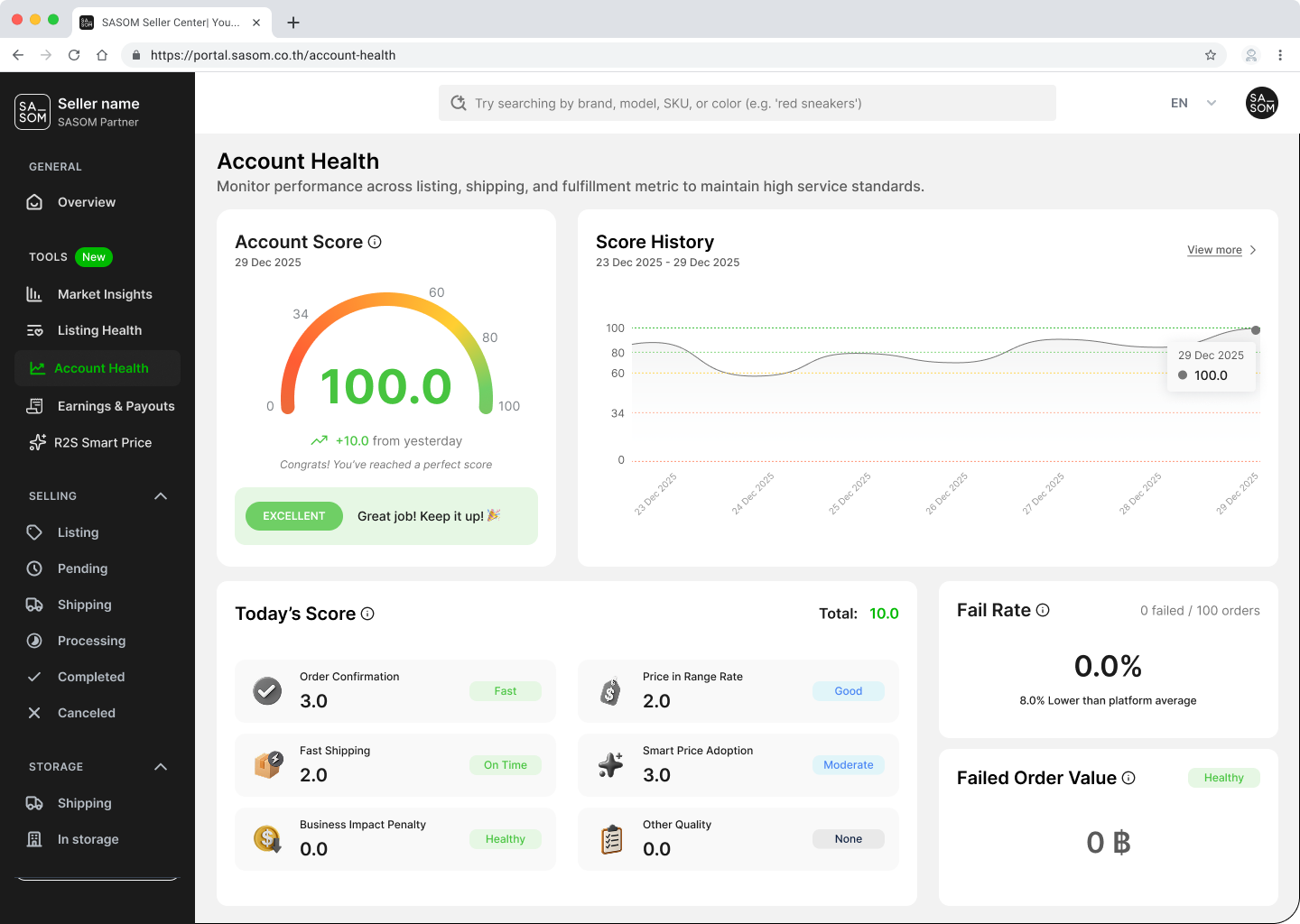
- SASOM Seller Center
- Go to Account Health under the Tools menu.
- Your account health status will be displayed in the Account Score section.
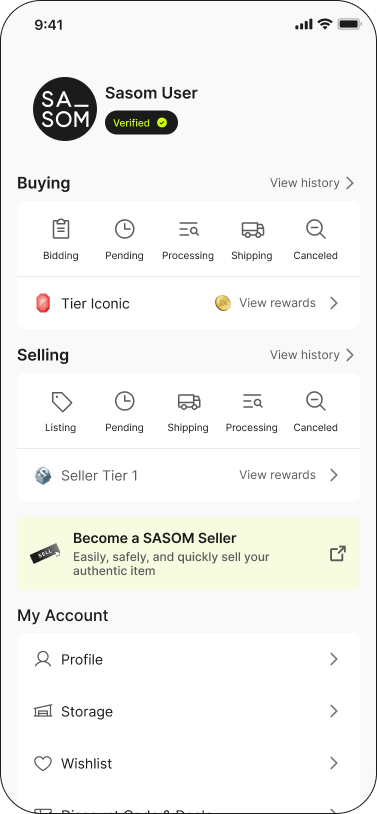
- SASOM Mobile App
1. Go to Profile, then select Seller Tier under the Selling section.
2. Your current Account Health Status will be displayed at the bottom of the Seller Profile page.